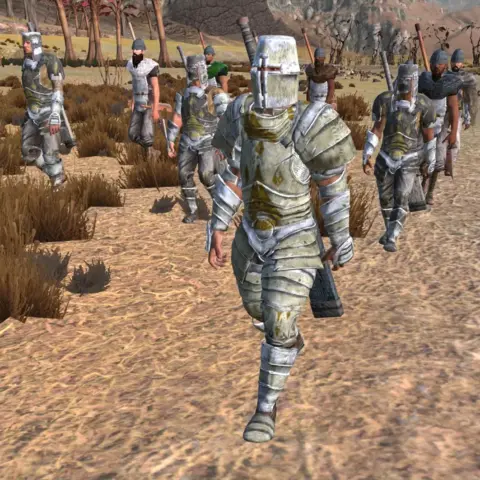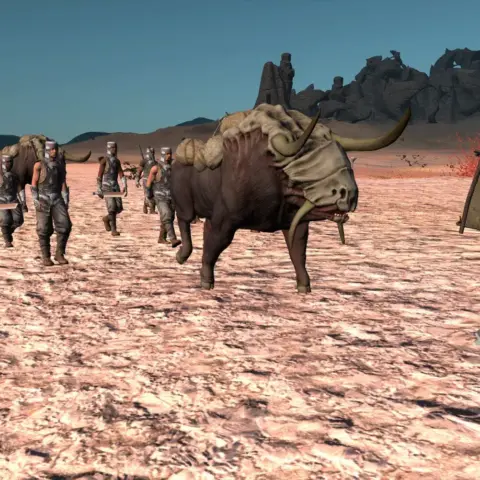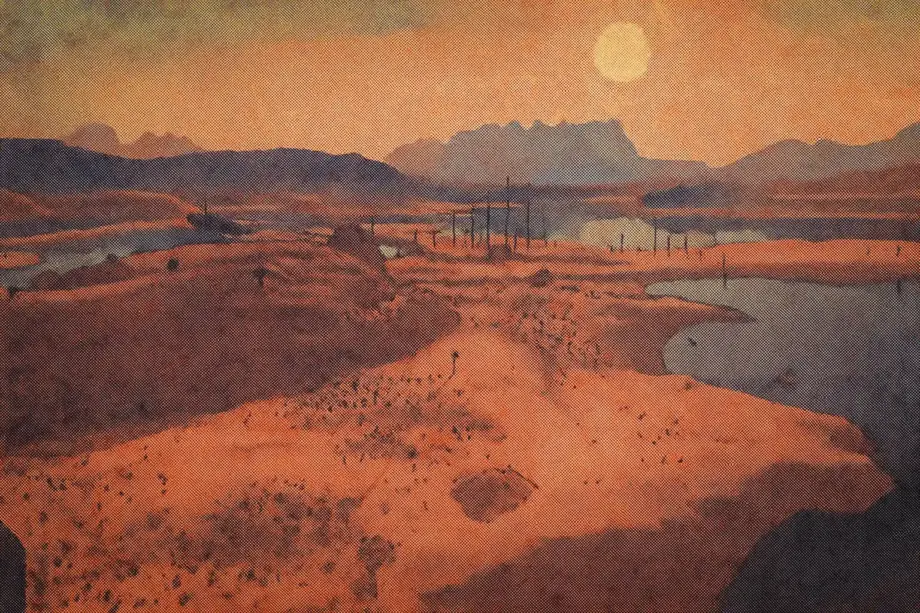
Kenshi has soul, but its graphics? Rougher than a Holy Nation fanatic's sermon written on sandpaper. After hours of adjusting mods and testing every graphics improvement I could find, I put together my definitive list of visual mods. They take your wasteland travels from underwhelming to damn, that looks good.
Whether you play on an old kettle, a refrigerator, or a high-end PC, there are mods here to make those endless desert walks easier on the eyes. We will cover complete overhauls, subtle improvements, and performance-friendly options that will not tank your FPS when a pack of Beak Things charges at you.
W.A.T.E.R. – Visual Overhaul
This high-quality ReShade preset is designed for virtual photographers and world-building enthusiasts who want vivid visuals. W.A.T.E.R. improves exposure and color grading, adds MXAO, global illumination, and sharpening, and offers optional cinematic LUT filters and aspect-ratio effects.

- Improved exposure and color correction systems.
- MXAO (multi-scale occlusion) effects.
- Global illumination improvements.
- Cinematic LUTs and aspect ratio settings.
- Optimized for screenshots and building beautiful bases.
✅ Impact on gameplay: The world takes on a cinematic quality, lighting becomes more realistic and atmospheric. Ideal for those who love to take screenshots or simply want maximum visual fidelity.
Balanced ReShade
The name says it all: this preset offers vibrant environments, rich golden sunsets, and deep shadows without going overboard. It has been through numerous revisions to remove excessive contrast and jagged edges.

- Bright environment with a rich color palette.
- Effects of golden sunset and deep shadows.
- Crisp, rich lighting improvements.
- Many improvements for stability.
- Compatible with vanilla Kenshi and overhaul mods.
✅ Gameplay Impact: Colors become more natural, lighting becomes warmer and more pleasant, and the overall atmosphere becomes deeper, without losing the gritty aesthetic of Kenshi.
Enhanced Vanilla ReShade with Full UI Fix
This comprehensive enhancement package adds Ambient Occlusion and Bloom, while including a complete UI fix and REST addon compatibility. The technical implementation is impressive – specific shaders like NGLighting.fx and Bessel_Bloom.fx are required.

- Ambient Occlusion and Bloom effects.
- Multiple improvements to fog visibility.
- Depth of field (DoF) effects for a cinematic look.
- Darker nights without sacrificing bright lighting.
- Complete UI fix with REST compatibility.
✅ Impact on gameplay: Eliminates “flat” lighting, adds depth to scenes and creates more atmospheric lighting conditions, while maintaining the functionality of the interface.
Tsuki ReShade
This one is more complicated. Tsuki ReShade was once the benchmark, preserving Kenshi's original visuals while adding custom color grading, ambient occlusion, bloom, and global illumination. The problem? Some users report crashes before the game's intro, and the mod's availability has become unreliable.

- Custom color correction that preserves the original spirit of the game.
- Ambient Occlusion and Bloom effects.
- Global illumination improvements.
- Improved reflections.
✅ Gameplay impact: More atmospheric lighting throughout the day, better shadows, and an overall cinematic feel without losing Kenshi's harsh atmosphere.
Warning: This mod has been under moderation since November 25, 2024, and is temporarily unavailable!
Kenshi 2 Style ReShade
Inspired by the concept art of Kenshi 2, this preset essentially gives a glimpse into what the sequel could look like. And let me tell you, it's damn impressive. This one is my favorite.

- Art style inspired by Kenshi 2 concepts.
- Improved lighting and atmospheric effects.
- Outline effects for greater visual clarity.
- Contemporary visual aesthetics.
- Reasonable impact on performance.
✅ Impact on gameplay: The world seems more alive and vibrant. The colors are richer, the lighting is more dramatic, and the overall atmosphere shifts from “post-apocalyptic survival simulator” to “post-apocalyptic action adventure.”
Kenshi Enhanced ReShade
My second favorite. This preset offers four performance levels from Low to Mega High with the ability to switch effects on the fly using a numpad. Ideal for adjustments while playing.

- Four performance presets (from Low to Mega High).
- Toggle effects in real time using the numpad.
- Adjustable intensity settings.
- Good compatibility with other mods.
✅ Impact on gameplay: You control exactly how strong the graphics improvement will be. Low settings provide subtle improvements, while Mega High mode completely transforms the game.
Ranno’s ReShade Preset
A free preset available on multiple platforms that focuses on brightness correction and enhanced environmental effects. Also available in the Steam Workshop with detailed instructions.

- Improved lighting with brightness correction.
- Improved environmental effects.
- Several versions for different preferences.
- Detailed installation instructions are included.
- Free distribution with credit to the authors.
✅ Gameplay Impact: Better visibility in different lighting conditions, brighter environments, and improved atmospheric effects without sacrificing performance.
Wastelands
A full graphics overhaul that redefines biomes, weather, foliage layers, and fog. It offers a fresh visual style with surprisingly little system load, ideal for explorers who want dramatic changes without an FPS drop.

- Complete rework and improvement of biomes.
- Updated weather and fog systems.
- Improved foliage layers and placement.
- Fresh visual style with good performance.
- Maintains a post-apocalyptic atmosphere.
✅ Gameplay impact: Every biome feels distinctive and atmospheric. Weather becomes more varied and the world feels more alive, while retaining its harsh wasteland atmosphere.
Native Stylise
A graphics mod that ports shader effects directly into Kenshi's engine, OGRE3D, bypassing external tools such as ReShade. Effects leave interface elements untouched and can be toggled in the game's graphics menu.
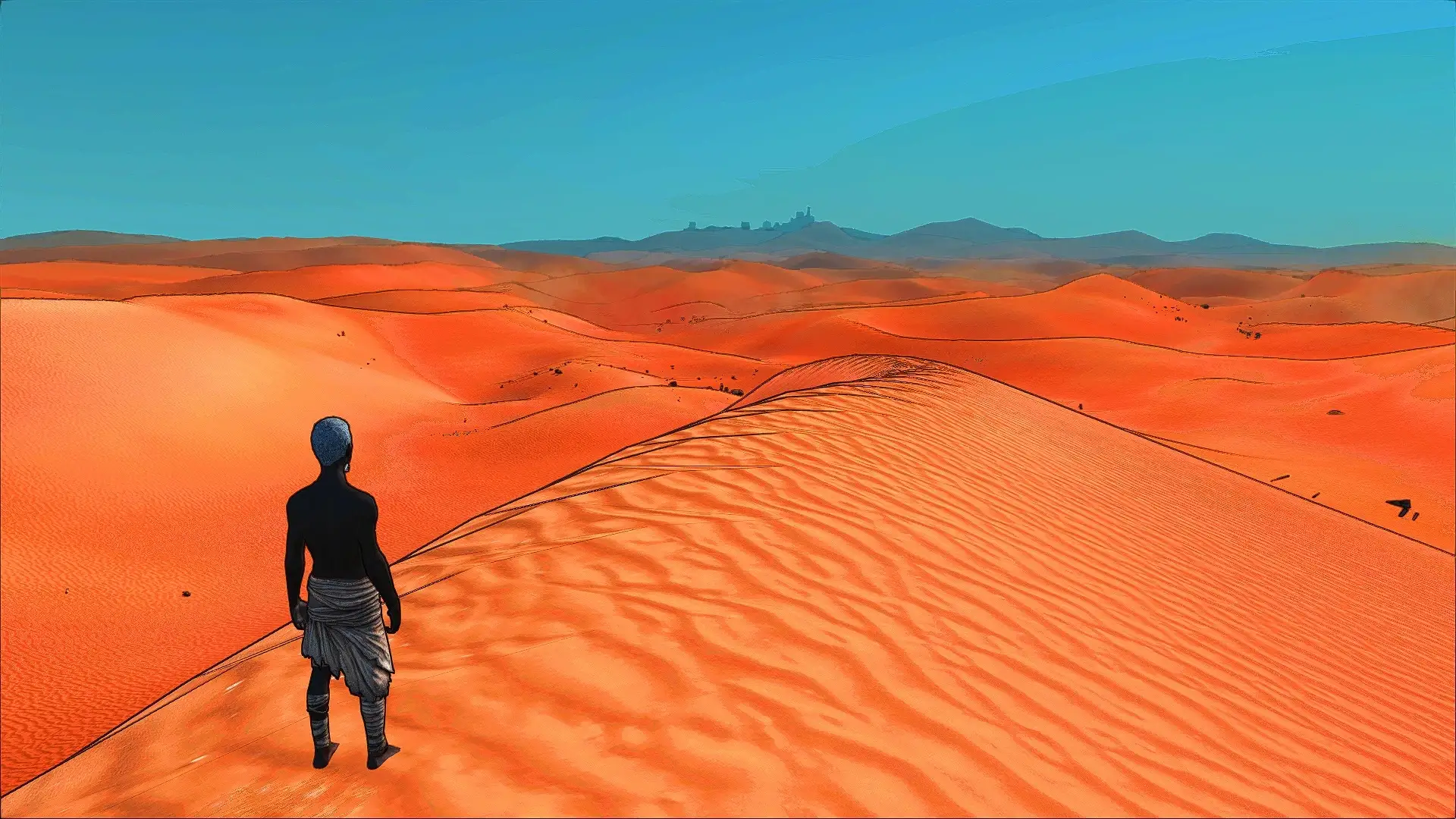
List of changes
- Kuwahara: Gives the image an oil-painting style.
- Outlines: Adds outlines around objects for a hand-drawn appearance.
- Posterise: Posterizes colors to simplify the palette.
- Depth Blur: Blurs the background according to scene depth.
- SSAO: Soft shading in recesses and folds, still in development.
- CAS (AMD FidelityFX): Contrast Adaptive Sharpening.
- FXAA: Edge anti-aliasing.
- Colourful: Increases color saturation.
How to install:
- Download the mod manually or via Vortex from Nexus Mods
- Extract the contents into the folder /Kenshi/mods/
- Launch the game and activate the mod in the mod manager
- Open the graphics settings and enable the effects you want. Adjust their strength by editing files, since there are no sliders.
- If desired, edit the effect order in /Kenshi/mods/materials/compositors/compositors.cfg.
- To fine-tune the parameters, open /Kenshi/mods/materials/common/NativeStylise.program
✅What changes visually: Enabling Outlines and Posterise gives Kenshi the appearance of a comic book or graphic novel, fitting the game's dark aesthetic. Depth Blur adds a cinematic quality when watching battles and journeys. Performance may decrease slightly when several effects are enabled at once.
FASTR – Foliage and Stone Total Rework
This mod transforms Kenshi's vegetation and rock placement, creating more natural landscapes while improving performance. It is one of those rare mods that improves the visuals and makes the game run more smoothly.


- Natural patterns of vegetation and rock placement.
- Smart methods for optimizing performance.
- A more realistic landscape layout.
- Improves visuals and frame rates simultaneously.
- Improved world generation algorithms.
✅ Impact on gameplay: The world feels more organic and less artificially generated. Improved performance means smoother exploration, especially in densely vegetated areas.
Mood Lighting / Mood Shadows
These companion mods enrich the lighting with vivid lantern colors, varied shadow depth, and a stronger environmental atmosphere. Together, they create a cohesive lighting overhaul.


- Vivid lantern colors and realistic light sources.
- Varied depth and complexity of shadows.
- Improved ambient lighting.
- Increased immersion.
- Complete redesign of the lighting system.
✅ Impact on gameplay: Interior spaces become cozier (or darker), outdoor lighting gains depth and variety, and the overall mood becomes more expressive at different times of the day.
Radiant Better Faces & Eyes
This mod reworks character face textures, eye designs, and Skeleton variants for a cleaner appearance. It improves previously overlooked facial detail without demanding powerful hardware.

- Improved textures and facial detail.
- Improved eye design and realism.
- Numerous improvements to Skeleton variants.
- More detailed character appearances overall.
- Maintains Kenshi's art style.
✅ Gameplay impact: Characters look more detailed and expressive. NPCs feel more individual and less generic, while your own characters look better up close.
ShaderSSAO
Unlike ReShade-based solutions, ShaderSSAO integrates directly into the Kenshi rendering pipeline, adding Screen Space Ambient Occlusion effects. Created by user disi, this mod improves visual depth by casting realistic shadows without the use of external overlays.


- SSAO integration at the engine level.
- Built-in switch in the graphics settings menu.
- Realistic shadows and depth enhancement.
- Minimal performance impact compared to ReShade.
- Customizable parameters via material files.
✅ Gameplay impact: Objects have more realistic shadows and a stronger sense of depth, especially when viewing characters and items up close. The world feels more three-dimensional without a major resource cost.
Nice Textures Collection
The name speaks for itself – this is the author's selection of improved textures from various modders, packaged for efficiency. Instead of hunting down individual texture mods, you get a comprehensive upgrade in one download.

- Custom textures for building frames and weapon metal.
- Improved particle effects and map textures.
- Dark UI integration.
- Optimized for efficient loading.
- The works of several modders are combined into one pack.
✅ Impact on gameplay: Everything just looks… nicer. Weapons have a more realistic metallic sheen, buildings have better detail, and the overall quality of textures is noticeably higher.
Mood Weather
A recent addition that edits the vanilla weather system for more variety and beauty. Simple concept, great execution.

- Recolored clouds and fog effects.
- Different cloud quantities for different weather conditions.
- A more beautiful and varied weather system.
- A richer atmosphere.
✅ Gameplay impact: The world feels more dynamic and alive. Weather conditions actually look distinct, rather than serving purely as a functional mechanic.
Realistic Weather
This mod fixes inconsistencies in the Kenshi weather system, adding variety. It's the kind of attention to detail that shows someone actually cares about the gaming experience.

- Corrected rain and wind sound values.
- The wind is updated every 20 minutes instead of 6 hours.
- Correct humidity values for water collectors to function.
- Dust effects reduced by 50% to improve performance.
- Increased weather variety across the map.
✅ Impact on gameplay: Weather feels more realistic and varied. Water harvesting finally works as it should, and you won't be seeing the same weather for hours.
Installation guidelines and compatibility
Before downloading mods, I recommend reading the installation instructions, especially if you are new to Kenshi modding.
Your first step should always be installing ShaderSSAO. It works at a fundamental level, changing the game's base lighting to add ambient occlusion. Install it first to create a stable foundation where almost any other visual tool can work without conflicts. Get this stage right and you avoid most headaches before they start.
Once the foundation is ready, you can install ReShade itself. When the installer asks, make sure you select the correct API, usually DirectX 11 for most modern games, and download the complete shader collection. The program is just a container: without the right setup, downloaded presets are merely clutter on your drive.
Finally, add your favorite ReShade presets. The smart approach is one at a time: install a preset, launch the game, and check the image and FPS. Some presets consume far more resources than others. Although you can layer them, remember that every layer of effects takes a bite out of your FPS. Find the point where better visuals stop justifying the slowdown.
Solving Common Problems
Even if you installed everything perfectly, problems may arise. Here are some common situations and ways to solve them.
- UI Bleed-Over: You may notice that ReShade effects are applied on top of your inventory or map. The best solution is to use a special preset with UI detection or simply set up a hotkey to turn off effects when you go to the menu.
- Resolution conflicts: If effects look stretched, misaligned, or broken, display settings are probably responsible. Before trying anything else, launch the game in borderless windowed mode. This resolves most problems of this kind.
- The game refuses to launch: A demanding ReShade configuration sometimes prevents startup, especially in fullscreen mode. Try borderless windowed mode first. If that does not help, open the game's root folder and rename ReShade's dxgi.dll file to d3d11.dll. This classic trick often gets stubborn games working properly.
Enjoying the new graphics in Kenshi
That gives you everything needed to turn Kenshi from a visual diamond in the rough into a polished gem. Whether you go all in with Genesis, stick to subtle Post-Processing FX adjustments, or find your sweet spot with ReShade presets, there are options for every system and preference.
Found something worthwhile? Send me the name; I will check it and perhaps update the list. The important thing is that the mod fits the overall collection.