Gwent mods for The Witcher 3 Remastered can help when you’re hunting for the last few cards or know your deck by heart and want to play something different. I covered Gwent’s menus in the Smooth UI Remastered section of my Witcher 3 Remastered mod roundup. Here’s what you can change at the card table and how to pick a file for your patch.
Missing Gwent Cards Tracker And Trader Remaster
You’re a couple of cards short of a full collection and can’t remember which merchants you’ve played. This mod updates A Miraculous Guide to Gwent with the names of the cards you’re missing and where to get each one.
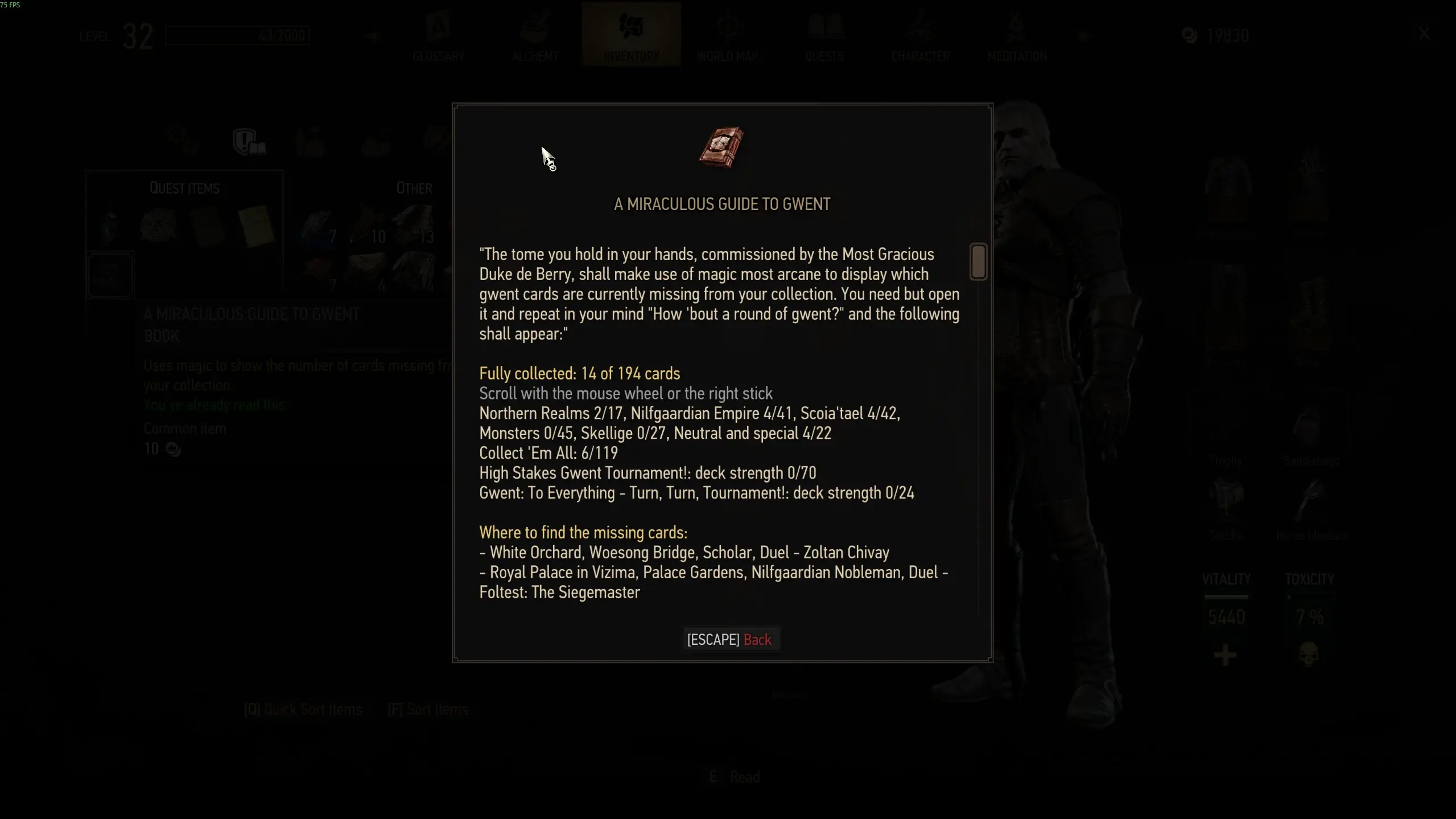
- The book names the merchant, opponent, location or quest that gives you each card. Where a card has multiple copies to collect, it also shows how many you have.
- Regional card dealers are off by default and can be enabled in the mod settings. Quest cards have their own setting. Dealers hold back certain cards while their quests are still active.
- The creator lists Remastered 5.0. Version 1.0.22 came out on November 1, and the mod is listed in Ascended for 5.01c. Install it with Vortex or extract it into the game folder. Script Merger isn’t required.
✅ The guide can help fill gaps in the base game and expansion collections. If another mod changes the card pool, the guide and dealers may disagree with what’s in your deck.
Gwent Players Map
If new adventures from my Remastered quest mod roundup send Geralt back down familiar roads, Gwent Players Map helps him find opponents along the way. It marks them on the map and greys out the markers for anyone he’s already beaten.
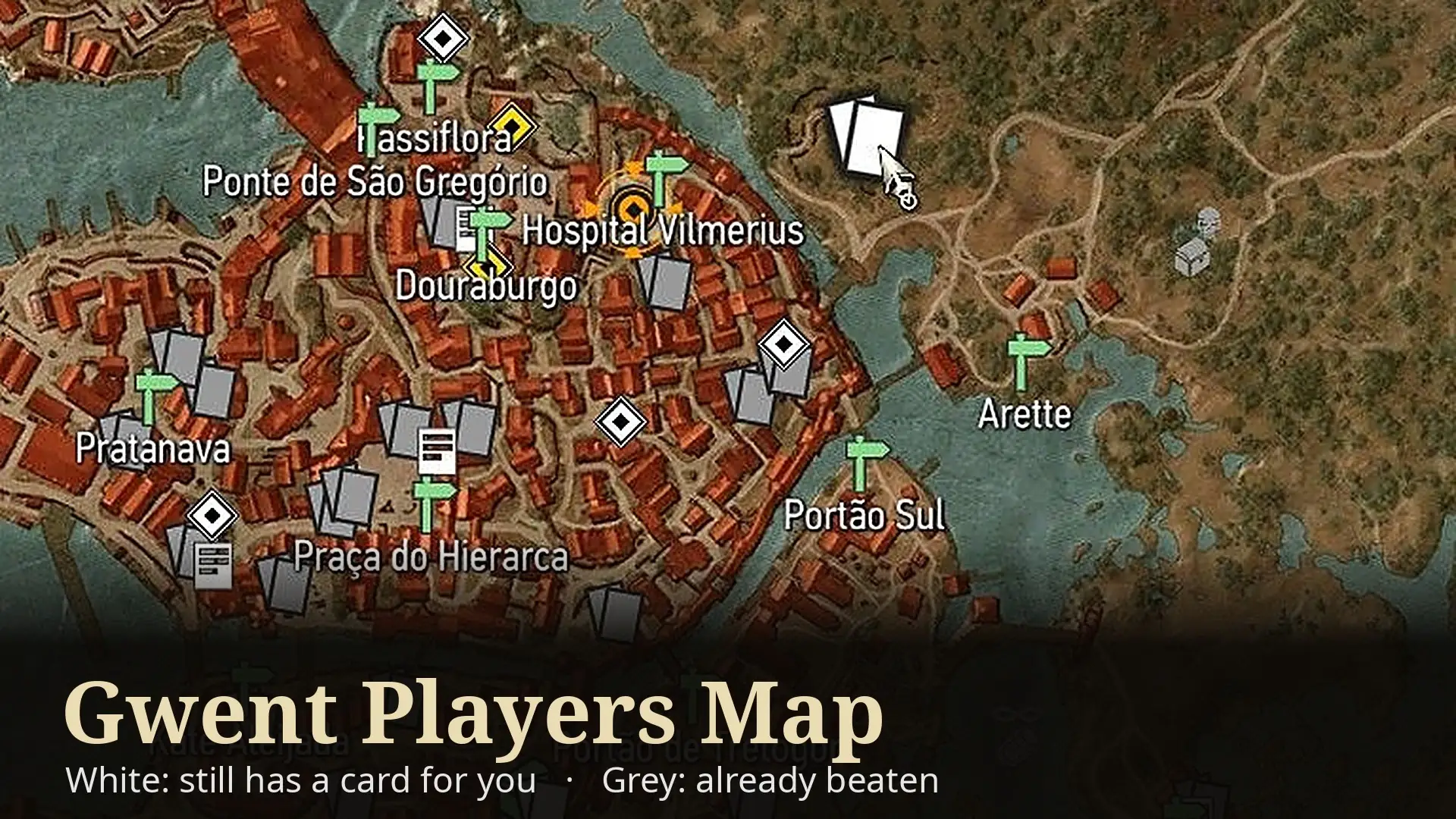
- The Gwent filter shows card players, and hovering over a marker tells you who it is. A white marker means you haven’t beaten that player yet. A regular merchant may give you crafting materials once the shared card rewards are gone.
- The creator tested the mod on 5.01 on Steam. On November 12, one player reported that it ran on 5.01c with three marker issues on Skellige. One blacksmith’s marker didn’t turn grey after a win, and two were missing. Extract the main 1.0.9 archive into your game folder.
- The map leaves out one-off matches during tournaments and story scenes. If another mod replaces the same map file, using both requires a combined map or a patch.
✅ The map helps you plan a route between opponents, and the Missing Gwent Cards guide tells you which card is worth the trip.
Gwent Deck Choice
Starting every playthrough with the same deck gets old. Gwent Deck Choice lets you pick a starting faction in White Orchard and adds more people to play against along the way.
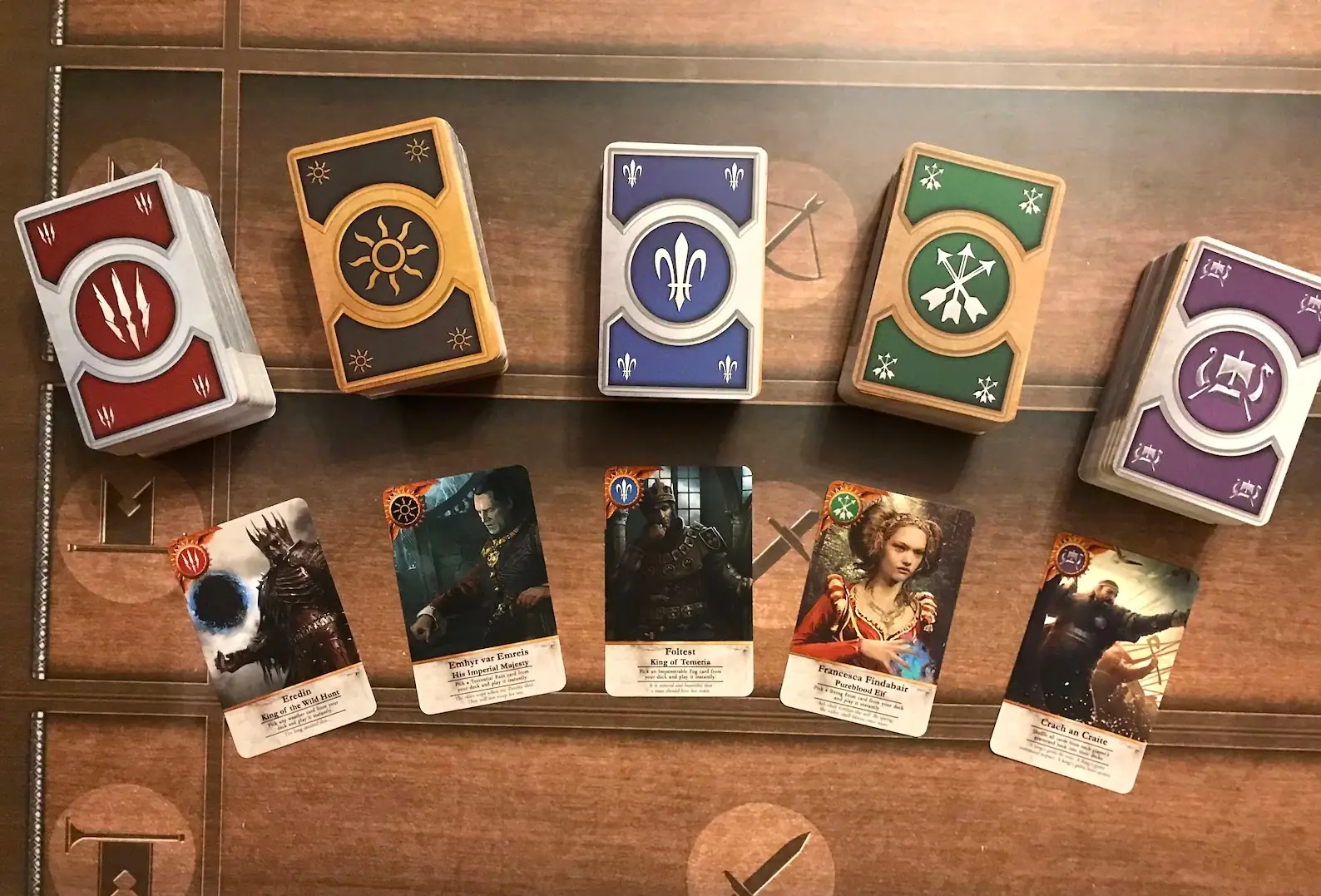
- In a new game or New Game+, speak to Aldert Geert in the White Orchard inn. He’ll offer a choice of starting decks and can swap yours if you talk to him again. Enable the Skellige option in the settings to make that deck available.
- More characters can play Gwent. Beating opponents again after the daily reset can earn random cards. Some cards missed during quests get a second chance, too.
- The 2.3.2 archive from November 22 is listed for Remastered 5.01. The creator recommends starting a new game. For base-game cards, copy the contents of
Gwent Deck Choice - Defaultinto the game folder. Check for overlaps in Script Merger as the creator directs. Gwent My Way and Slight Gwent Rework have their own options.
✅ Good for a fresh playthrough if you want to learn another faction from your first few matches.
Gwent Redux Redoing Expansion (Remastered)
If you already know the strongest cards in every faction, Redux Redoing Expansion gives you a reason to rebuild your decks. It changes both the cards and how they fit together in a match.
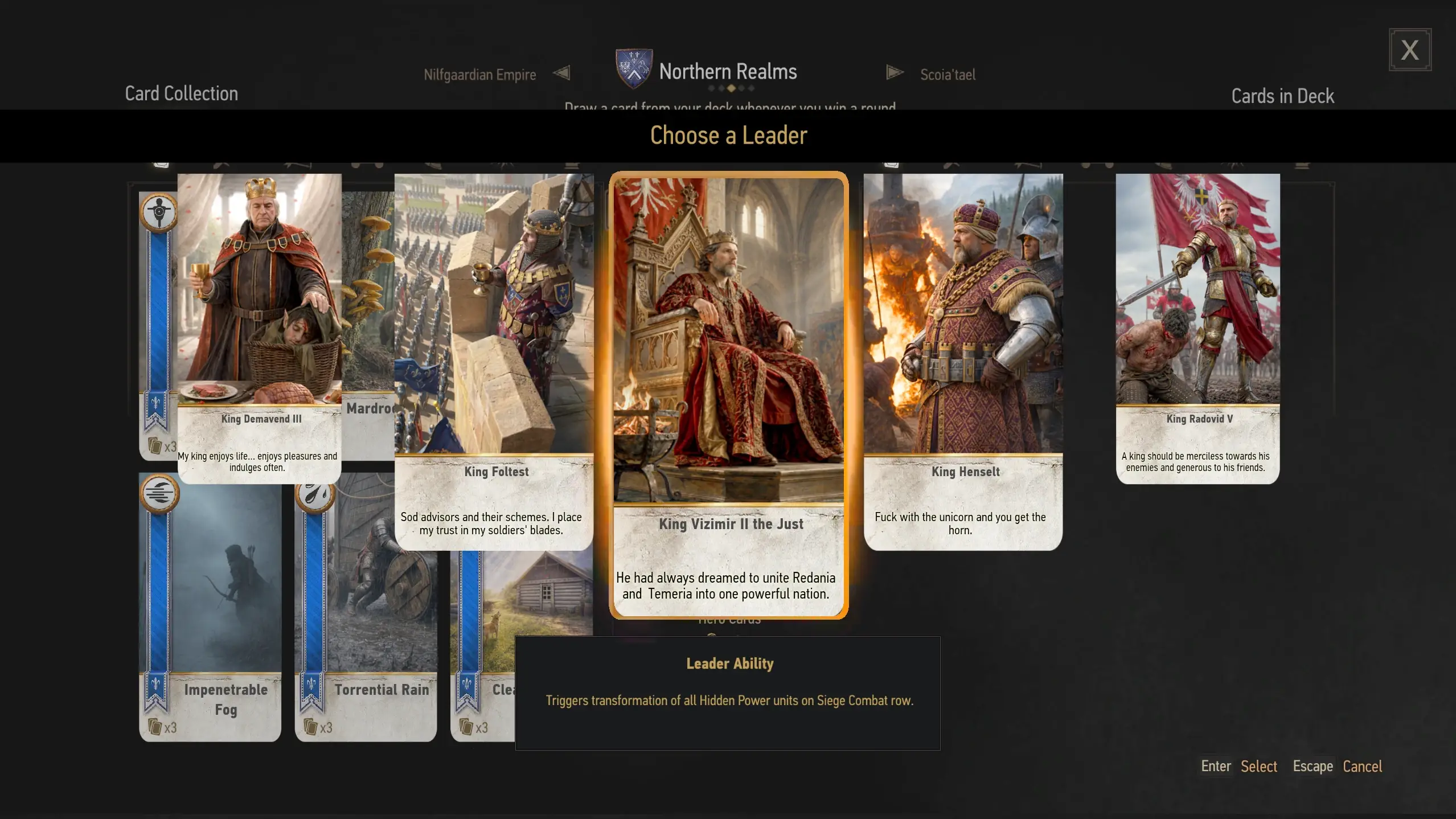
- The creator replaced more than 70 cards and updated over 90 pieces of card art. Many cards have different strengths and abilities, neutral cards are gone, and spies have also been tweaked.
- Version 1.07 came out on November 6 for Remastered. It requires Hearts of Stone and Blood and Wine. For a manual install, copy
modsinto the game folder and placemodGwentReduxConfig.xmlas directed by the creator. - The creator recommends a new game and warns that starting directly in an expansion can cause problems. The mod is available in English and Traditional Chinese. Russian is available as a separate translation. Treat another overhaul of the same cards, such as Gwent Rebalance Mod Remaster edition, as a separate option.
✅ A good reason to return to Gwent with a fresh deck and work out what each card is worth all over again.
Gwent Rebalance Mod Remaster edition
Rebalance shifts the balance between factions within the familiar card pool. It changes the strength, rows and abilities of individual units. For example, Ermion and Young Berserker move to the melee row, making them easier to play together.
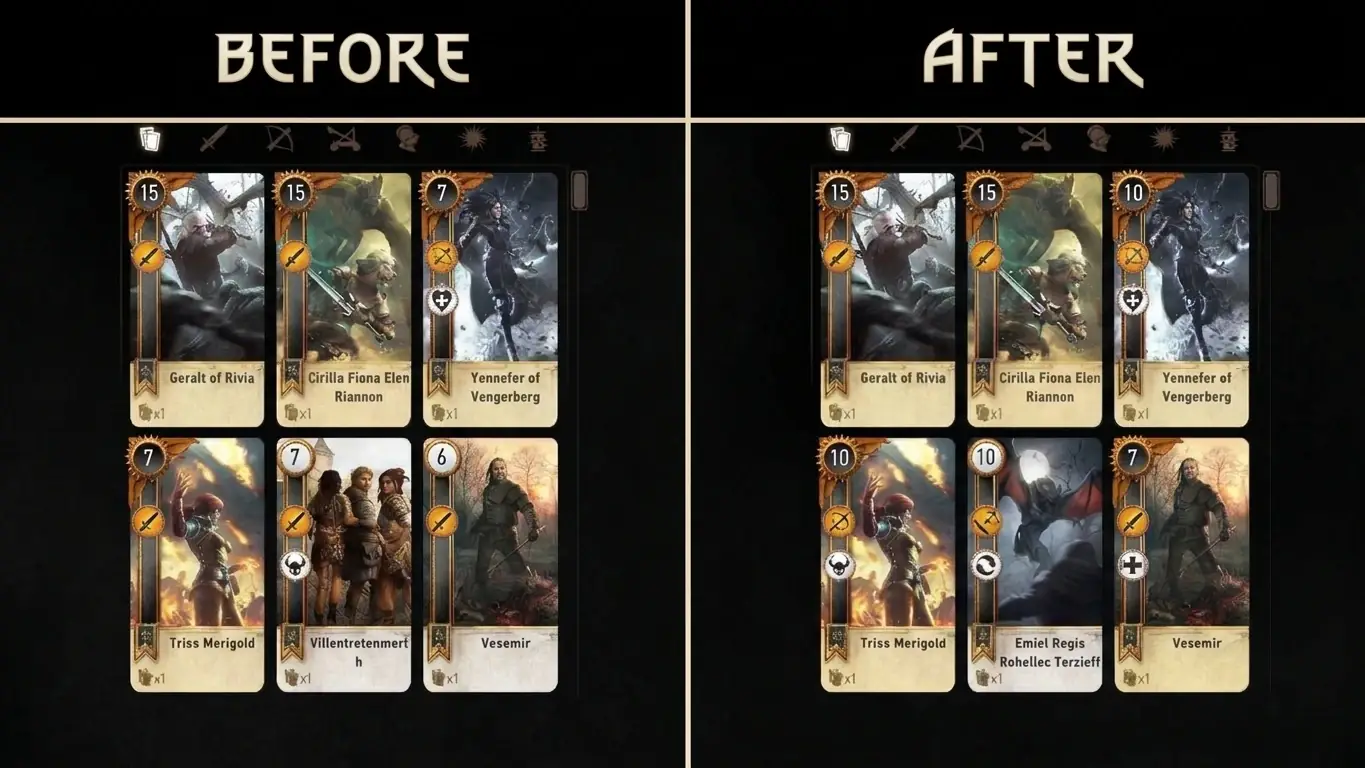
- The port carries across all 25 changes from the original rebalance. The number of cards stays the same, and Nilfgaard is unchanged.
- Version 1 went up on November 25 for Remastered 5.0 and later, including New Game+. Extract
modGwentRebalancedRemasintomodsor use a mod manager. - The mod conflicts with other replacements for
def_gwint_cards_final.xml. Strength, row and ability icons update, while the original card descriptions stay the same.
✅ A good fit for learning new combinations with the cards you already know.
Smooth UI Remastered
When the match is already decided, waiting through every animation can feel worse than losing. Smooth UI Remastered gives Gwent its own speed settings and makes menu transitions and effects smoother.
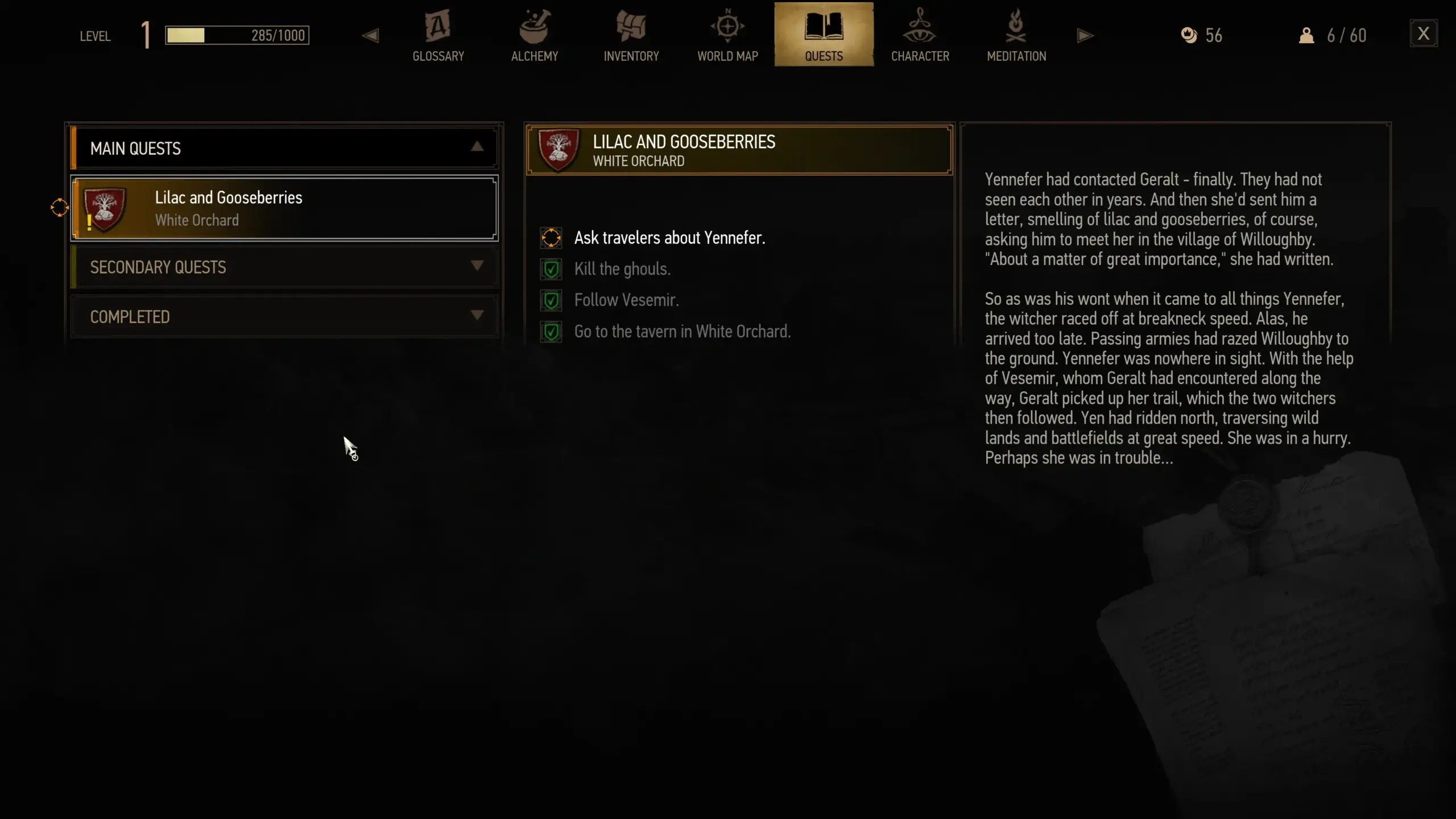
- Version 0.3.4 has separate 60 and 120 fps files. Its Gwent changes include card effects such as smoke, rain and hero card animations.
- The creator lists interface fixes for 5.01c. Extract
modSmoothUIRemasteredintomods, or install it with a mod manager. - Script Merger isn’t required. If another mod edits the same screens, check the project page for a patch for that specific combination.
✅ Useful when you’re playing match after match. The 60 and 120 fps options apply to the interface. My Remastered performance mod roundup covers frame drops in places like Novigrad and in demanding scenes.
Installing Gwent Mods for The Witcher 3 Remastered
All six mods are on Nexus Mods. CD PROJEKT RED’s mod installation guide shows how to install them manually.
- Check the game version on the main menu and back up your saves before installing anything.
- On Nexus Mods, download the file for Remastered. Check for required expansions and copy files as directed by the creator. A mod may have menu files for
binand game content formods. - Install one mod at a time. Pick one card rebalance. If two mods replace the same world map file, look for a combined map or a compatibility patch first.
- Launch the game and check what changed, whether it’s the Gwent menu, opponent markers or card properties. Start a fresh playthrough to test mods whose creators recommend a new game.
Different Gwent Mods for Different Goals
An opponent map and an updated card guide can fill out a collection without wasted trips. Choosing a different starting faction changes the early matches, while a rebalance makes old combinations worth a second look. One rebalance is enough for a single setup. Two overhauls can edit the same card file, and any UI patch should match the exact mods in use.