Which Gothic 1 Remake trading mods are worth trying when merchants run low on ore and start paying next to nothing for your loot? These eight mods let you change that economy, make it harsher or simply improve sorting and price information. My Gothic 1 Remake mod roundups cover the rest of the Colony.
Classic Traders
Classic Traders restores the original Gothic’s fixed-price approach. In the remake, selling more of an item pushes its price down, making that tenth sword barely worth carrying. This mod keeps each item’s price fixed, however much you buy or sell.
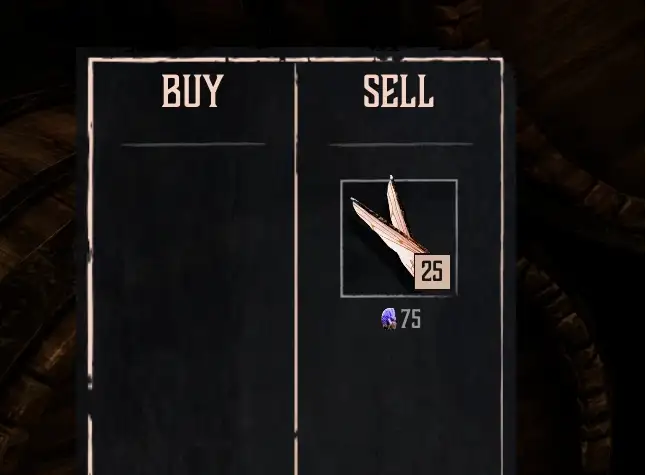
- Prices don’t change no matter how much trading you do
- Removes both dynamic effects: regional demand and ‘liquidity’ (when a merchant pays less if they have little ore)
- Works with existing save files, no restart needed
- Does not write anything to save files, can be added or removed anytime
- ‘Range’ mode: prices stay dynamic but are limited by minimum and maximum price thresholds
- Separate multipliers for buying and selling (for example, merchants pay less than they ask)
- Configurable via an external configuration file that isn’t overwritten when the mod updates
Requires UE4SS (experimental build) — the old stable version crashes when opening the trade window.
✅ What changes: collecting loot no longer feels like something the economy punishes. Prices remain predictable from your first sale to your last, even after clearing an area full of equipment.
Rich Merchants More Ore — Arrows — Bolts — Configurable
Merchants can run out of ore before you’ve sold half your inventory, and their arrows and bolts don’t last long either. Rich Merchants triples all three stocks by default. Change the multiplier in config.lua if you’d prefer another amount.

- More ore, arrows, and bolts from every trader (default x3)
- The multiplier applies to the standard base value, does not stack on reloads
- Does not touch prices, XP, or other mechanics
- Safe for save files, deleting it restores the values
✅ What changes: merchants remain useful as buyers and suppliers. For an archer or crossbow build, that means less time running between camps just to restock ammunition.
Economy Tweaker
Economy Tweaker makes trading harsher. By default, it doubles what you pay merchants and the ore cost of lessons that already require payment. It also gives certain worthless junk items a minimum base value of 3 ore nuggets.
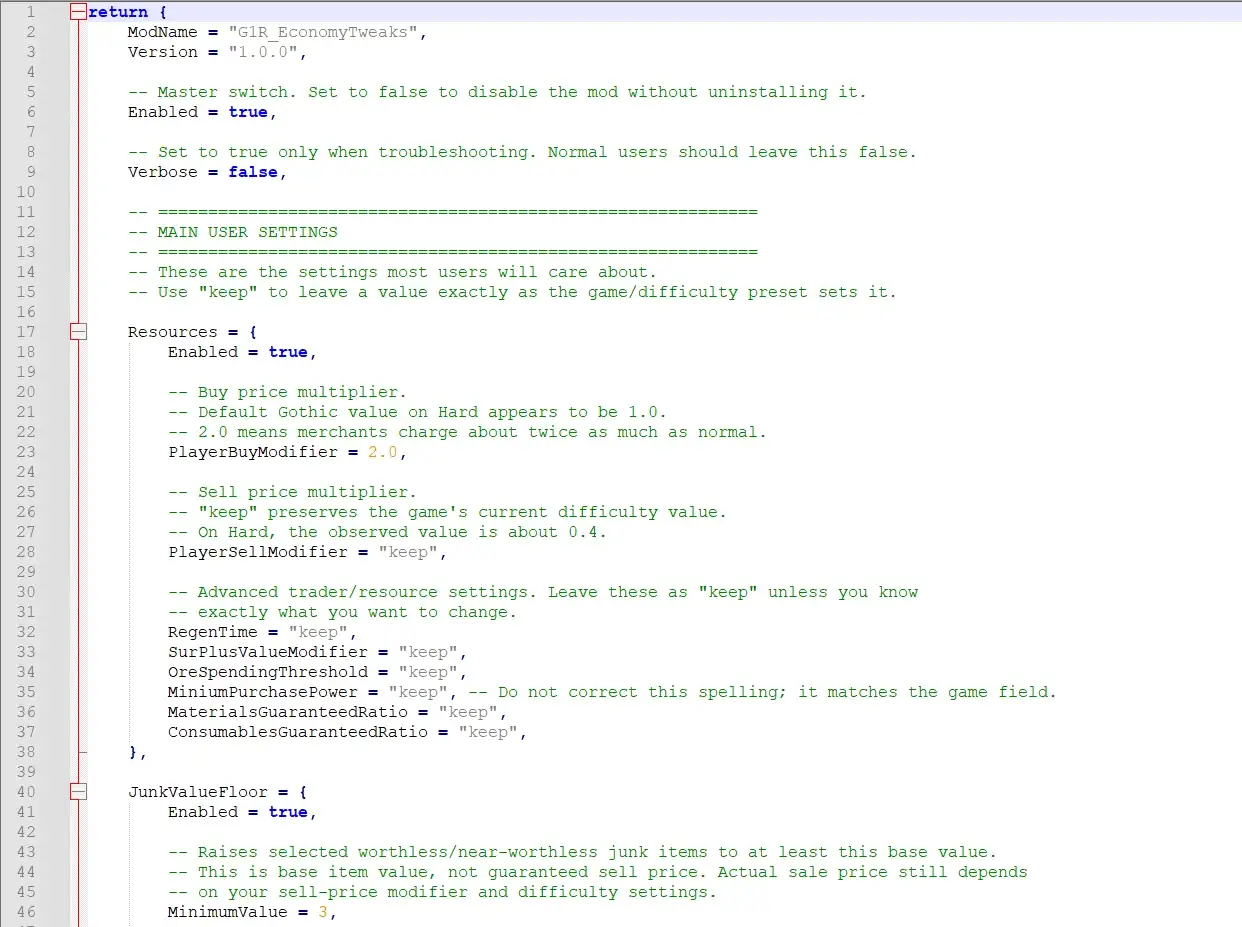
- Prices you pay merchants: 2× by default
- Sale prices: unchanged
- Minimum junk value: 3 ore nuggets
- Ore cost of training: 2×
- All settings can be configured via config.lua
Be careful with SellPriceModifier: the base sale value in the game is 0.4, and if you set it higher, loot will start giving more ore.
✅ What changes: every ore nugget matters more, especially when choosing lessons. It adds economic pressure to a first playthrough without a complete balance overhaul.
Trade Sort
Trade Sort groups identical items together in the trading window. It’s a small fix, but it makes a merchant’s scattered stock much easier to browse.
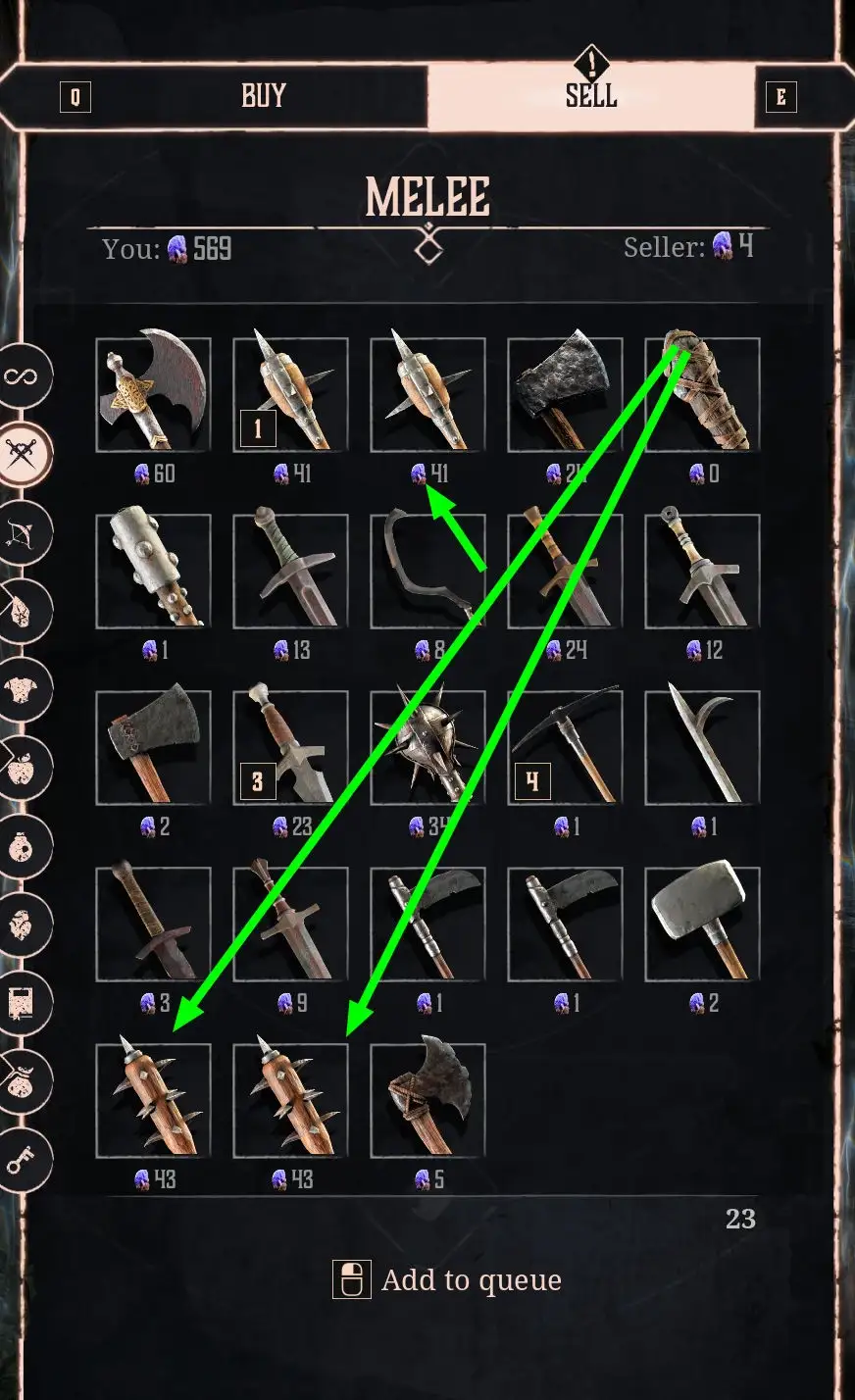
✅ What changes: less searching through a large stockpile when you just want to find one item. A small convenience you’ll use often.
Uncompromising Trading Patch
The quantity selector hides how the price shifts as you add more of the same item. Uncompromising Trading Patch shows each price tier in the trading window, so you can decide whether the last few items are worth including.
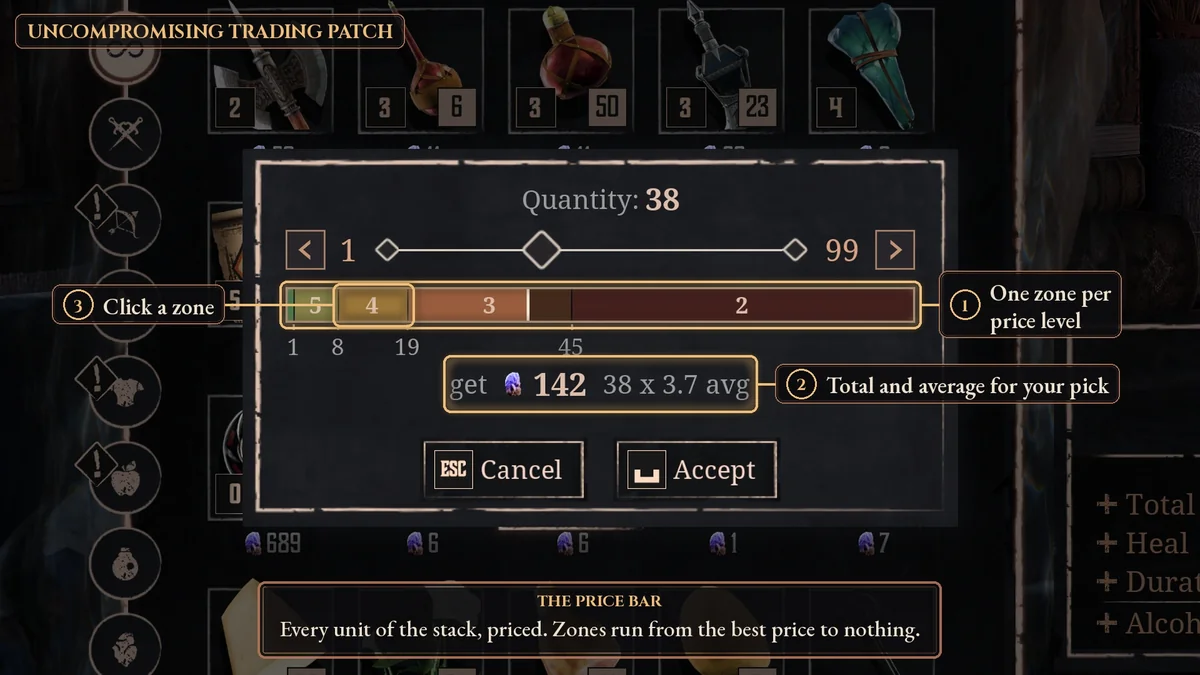
- Color-coded price tiers show how many items you can trade at each rate.
- The total and average per item update as you adjust the quantity.
- Click a price tier to select that quantity, and check the warning if either side runs short of ore.
Extract the mod into Gothic 1 Remake/G1R/Mods and enable it in the in-game mod manager. It requires Gothic 1 Remake 1.1a with built-in mod support. It follows the game’s text language, including English. Other mods that change the quantity popup can conflict with it.
✅ What changes: You can stop at the last sword that still gets you a decent price. The game keeps its usual prices and merchant stock.
Show Item Value (with colours and more)
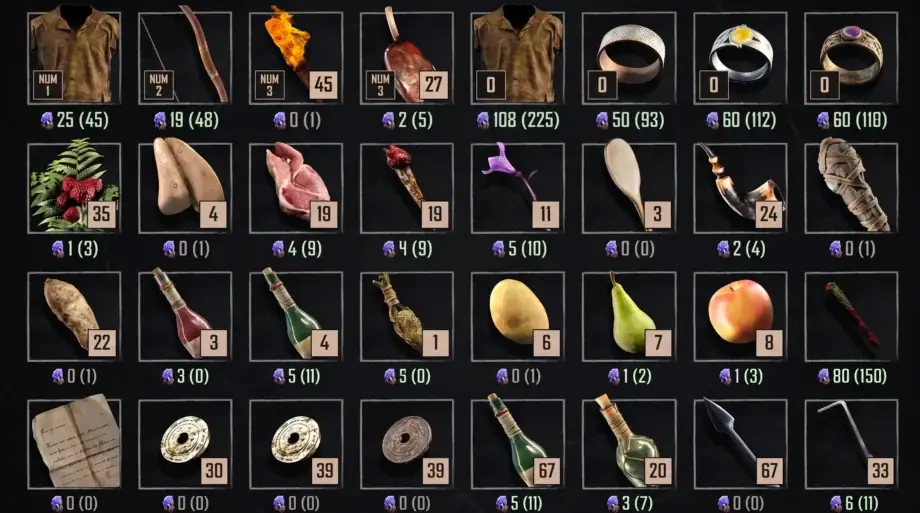
Show Item Value displays an item’s base value beside its actual trading price. You can see how the current deal compares with the item itself, which is handy when Mordrag’s offer looks suspicious.
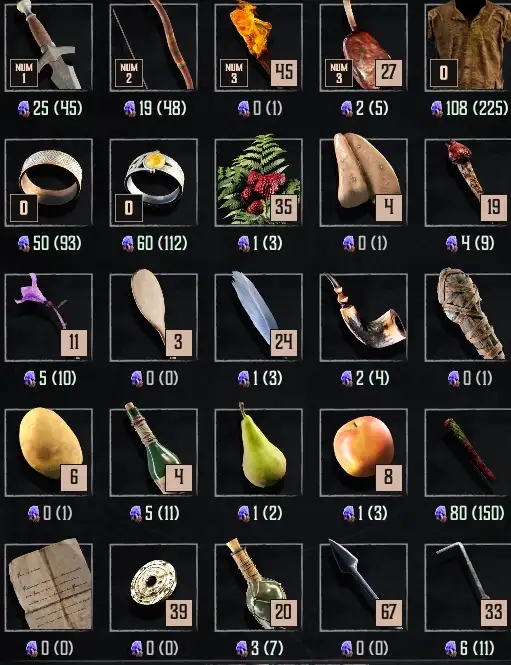
- Shows the current trade value and base value
- Color coding: green — good deal, red — bad deal
- Three display modes: informative, minimal, “market” (shows deviation from base)
- Doesn’t change prices, trader inventories, item stack sizes, or save files
✅ What changes: you can judge a sale against the item’s base value without guessing. It works particularly well alongside Classic Traders or Economy Tweaker.
Total Rebalance
Total Rebalance is a broad overhaul, currently in beta, that also affects the economy. It aims for a demanding RPG where progression and spending ore matter, drawing inspiration from Othello and New Balance for Gothic 1 and 2.
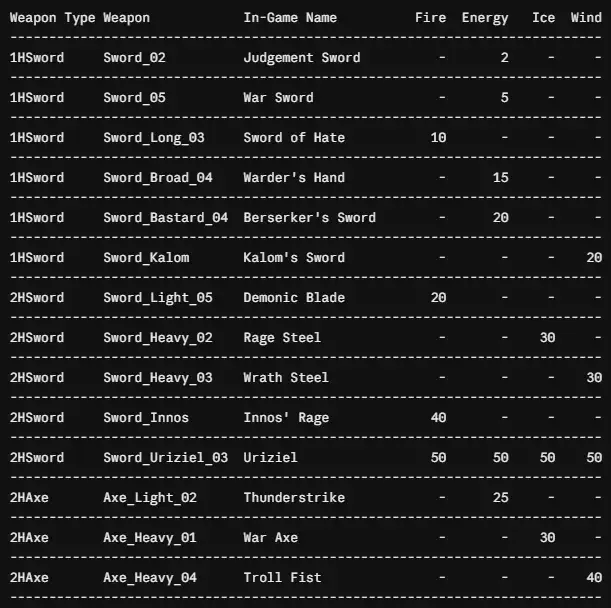
- Complete overhaul of all NPC and enemy stats
- Manual rebalance of all types of weapons and armor
- Rework of faction armor: Old Camp gives better physical defense, New Camp — attribute bonuses, Swamp Camp — more mana and strength
- Swords are effective against lightly armored enemies, maces — against heavy armor
- Crossbows require Strength, while their damage scales with Dexterity
- A full economic overhaul is planned in future versions
Install the supplied .cache file and the required UE4SS modules using the instructions on Nexus Mods. The listed cache update targets patch 1.0.5, so check your game version before installing it. I’d finish the unmodded game first so you can see what the overhaul changes.
✅ Effects: The game starts demanding real decisions when spending ore and choosing equipment. The economy is still in the works, but even now the mod changes the feeling of progression through combat and armor.
Meaningful Progression — World Loot (Randomizer)
Meaningful Progression reworks loot in chests so that the reward matches the effort. The standard game scatters hundreds of chests almost without logic: you clear a tough cave and get trash. The mod assigns a level to each chest (WEAK / MEDIUM / HIGH / ELITE) and fills it accordingly.

- Two modes: fixed chest tiers chosen by the author, or a randomizer that sets the tier from lock difficulty
- Existing chest weapons can be adjusted to the selected loot tier.
- Trash chests only give loot with a certain chance (15% for weak ones by default)
- Doesn’t touch quest items or keys
- Safe for save files: remove the mod — loot goes back to vanilla
It currently changes chests; loose items in the world are planned for later updates. A new game gives the best results.
✅ What changes: difficult areas give loot that better reflects the effort of clearing them. Combine it with Economy Tweaker or Classic Traders for more consistent rewards and trading.
How to properly install mods
Several mods in this collection need UE4SS. Uncompromising Trading Patch and Show Item Value 2.0 or later use the game’s built-in mod support, and Total Rebalance also needs a patched cache. Check which setup the author calls for before you copy anything into the game folder.
- Install UE4SS (the experimental build) — this is what most mods in this collection require; the stable version doesn’t work for Classic Traders and will cause a crash.
- Make sure the paths to the Mods folder are correct: G1R\Binaries\Win64\ue4ss\Mods\ for most mods
- Enable Uncompromising Trading Patch and Show Item Value 2.0 or later in the in-game mod manager. The current Show Item Value release requires Gothic 1 Remake 1.1 or later.
- For Total Rebalance, follow the author’s instructions for the patched
.cachefile and UE4SS modules. - If you use several trade mods at the same time, avoid conflicts with buy/sell multipliers: Economy Tweaker and Classic Traders affect the same values
My Gothic 1 Remake mod installation guide covers Vortex, G1L and manual setup with screenshots.
Which mod to choose to fix the economy in Gothic 1 Remake?
Use Classic Traders if dynamic prices frustrate you, or Rich Merchants if stock runs out too quickly. Show Item Value tells you how a deal compares with the item’s base value. Uncompromising Trading Patch helps you choose how many items to trade as prices shift. Economy Tweaker adds pressure from the start, while Total Rebalance changes much more and is better saved for a later playthrough.
If I missed any trading or economy mods — write to me, I’ll test them and, if the mod turns out to be good, I’ll add it to the list.