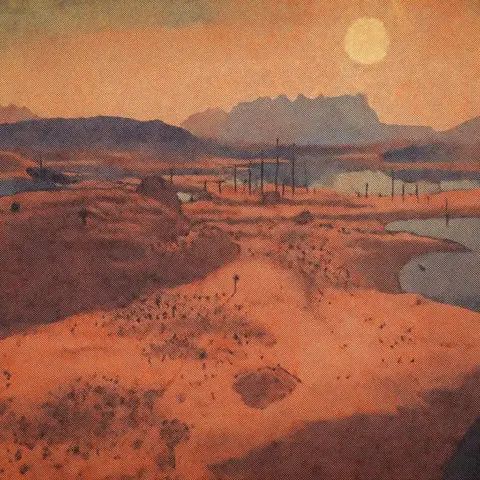
The standard map in Kenshi is already quite functional, but it looks… well, let's just say, it doesn't always help you navigate the 400 square kilometers of the game's large-scale world.
Map replacement mods solve this problem – some add zone boundaries, others turn the interface into a political map with factions, and others provide pure topography for understanding the terrain. Below I’ll look at map mods for Kenshi, which change the visuals of the in-game map, plus a couple of useful things for modders. I also have a page with all the materials on the game, don't forget to check it out.
Nice Map [Zones + Zone Names + Roads]
Kenshi's default map more or less says, "Here is a blotch. Figure it out." Nice Map fixes that with minimal changes: hand-drawn-looking zone outlines, region names, and roads. It fits the game's style, as though you had sketched out routes yourself during your travels.
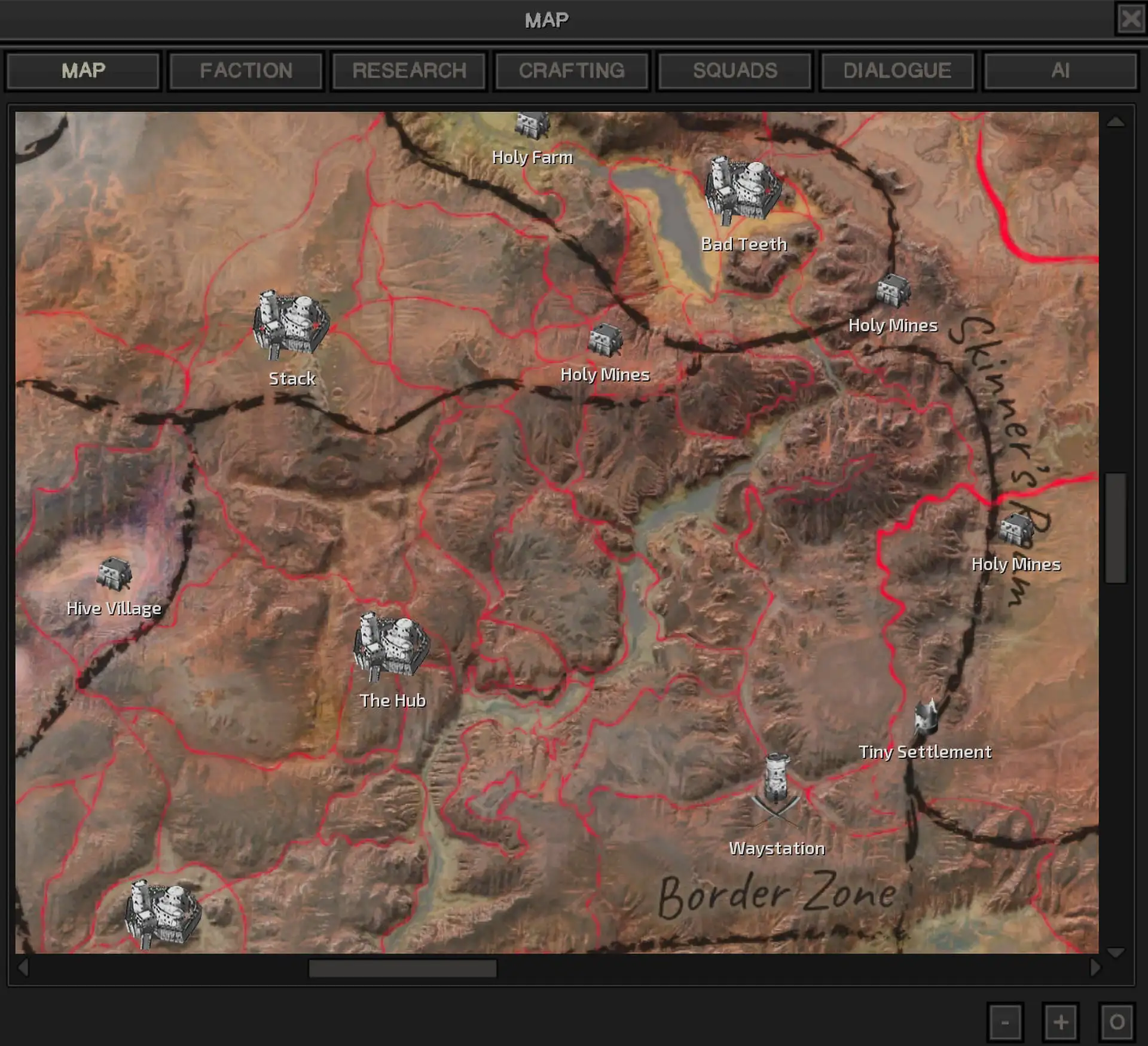
- Hand-drawn zone outlines
- Official names of the regions (Bast, Shem, Spider Plains)
- Road markings for quick navigation
- Color correction of the original map texture
- Compatible with Dark UI
✅ How it changes gameplay: Now you don’t have to go to the wiki to understand where Okran's Gulf ends and Blister Hill begins. Particularly useful when planning routes through dangerous areas – you can see where the paths are and can avoid Dust Bandit ambushes.
The author offers a whole collection of Nice Map variants with grids, topography, and different combinations of elements. If the basic version is not for you, browse the alternatives.
Political Map
Do you want to see the world of Kenshi through the eyes of a diplomat? Political Map turns the interface into a political map with faction boundaries, city names and a legend that marks faction control over territories. The author positions it as if an in-game cartographer from the game world worked on it – important locations are marked, but ruins and secret places are left for independent discovery.
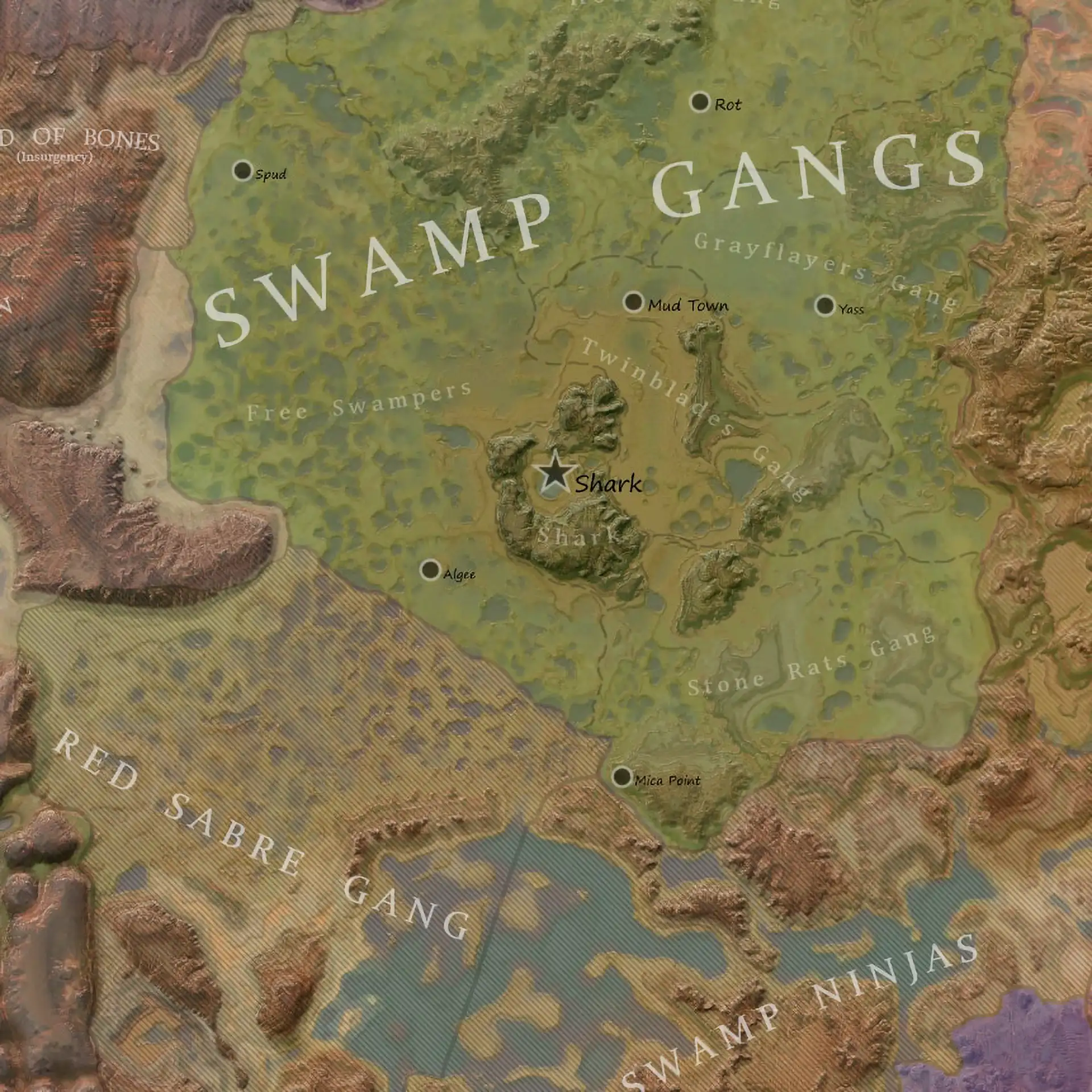
- Territories controlled by the Holy Nation, United Cities, and Shek Kingdom
- Custom names for large settlements (Heft, Bark, Admag)
- Lore-friendly design – looks like a handwritten document
- Hidden locations are not shown intentionally
- Final version (the author no longer updates the mod)
✅ How it changes gameplay: the map helps you understand the geopolitics of the world without reading forums. You see that the Holy Nation controls half of the northwest, and the United Cities are spread out around the Great Desert – it’s easier to plan trade routes or understand whose territory you invaded with your squad.
Precise Relief Map — Clean Map
The author took the heightmap from the game files and manually rendered a topographic map detailing every mountain and hill. The result shows only terrain, with no names, roads, or borders. It is useful for locating mountain ranges, whether you are building a base in Stobe's Garden or planning a route through the Crags.
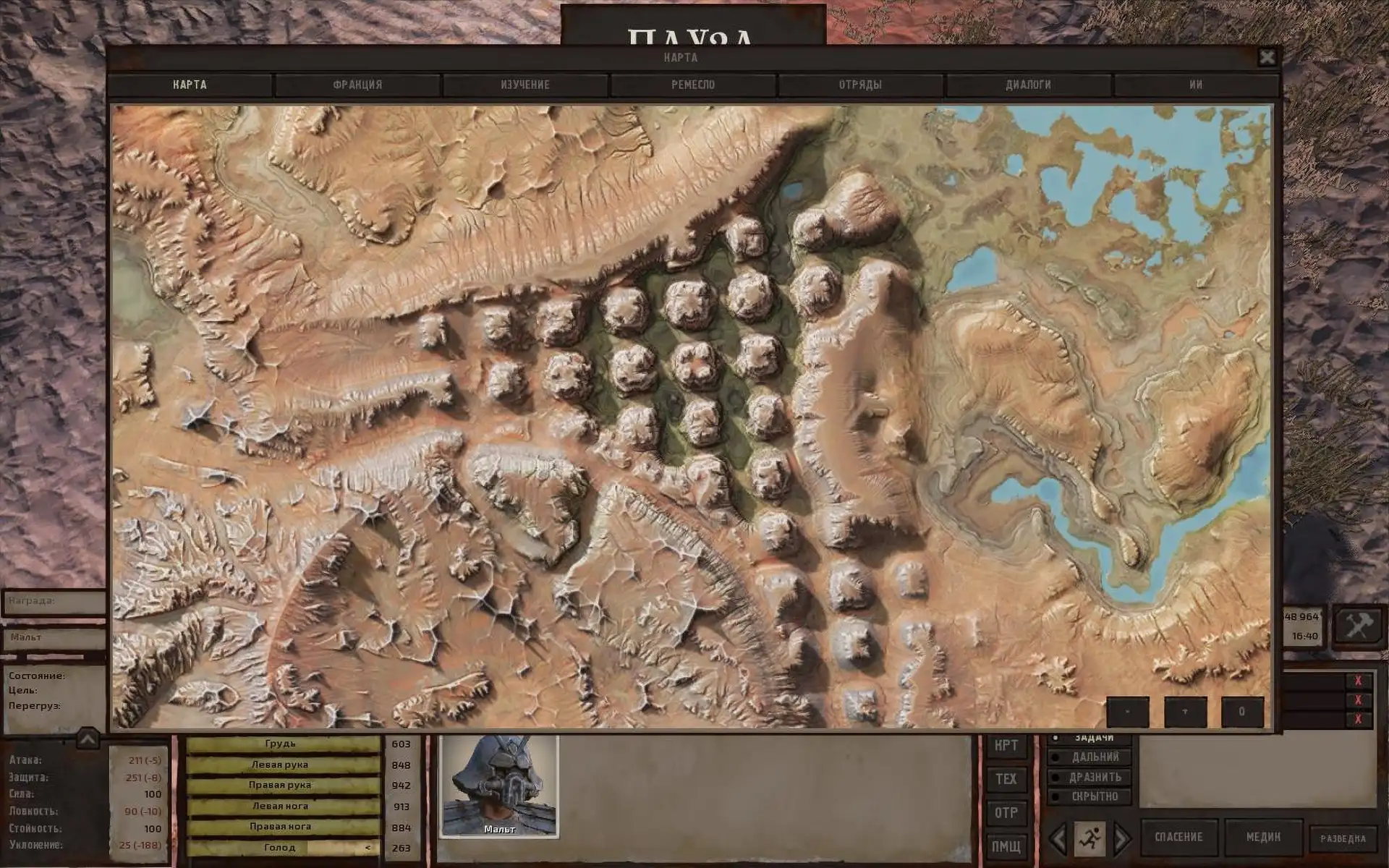
- Rendering based on the original heightmap
- Visualize valleys, mountains and plains without distractions
- Compatible with UI mods (transparent icons, ocean recolor)
- High resolution sources available upon request
✅ How it changes gameplay: You can see the terrain before sending your squad on a suicidal trek through the Spider Plains. It is especially useful for choosing outpost sites: mountain passes and high ground are clearly visible, helping you judge where enemies might gain a tactical advantage.
In-Game Biome Map
A simple biome overlay for the default map. It shows exact zone boundaries, including Arach, Venge, and the Swamp. You no longer need to minimize the game and check the wiki whenever you want to know where the Ashlands end and Venge, with its orbital lasers, begins.
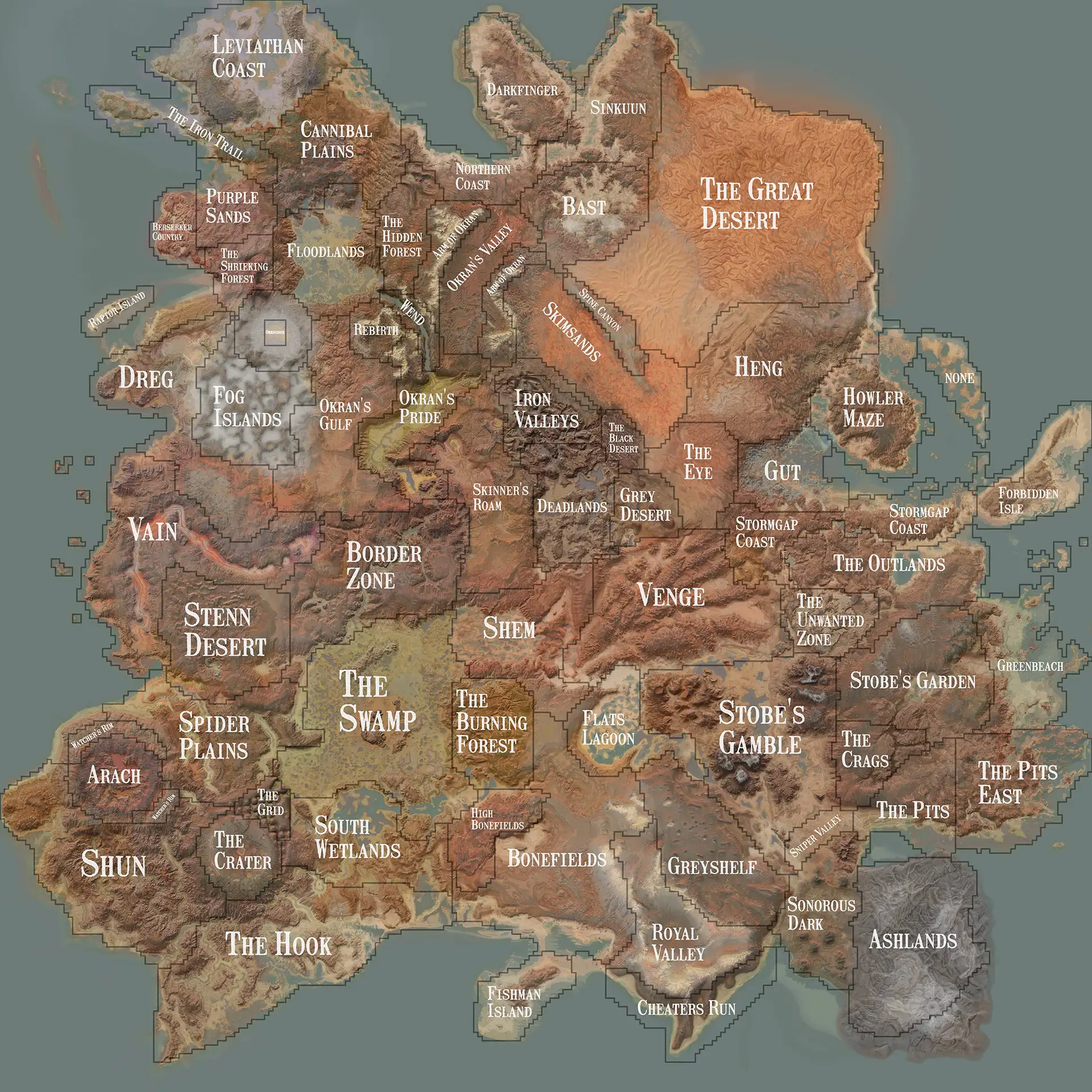
- Biome overlay to standard map
- Precise zone boundaries for navigation
- Does not require launching the game through the launcher (just replacing the texture)
- Original mod from Shidan from the Steam Workshop, ported to Nexus
✅ How it changes gameplay: You no longer wonder why your squad suddenly started to burn – the map immediately shows that you have entered an area with acid rain. It also helps with farming resources – certain materials are found only in specific biomes.
Better Map RUS EN noNames and Zones
An atmospheric rework of the in-game map with a vintage font and faded textures. The author, a Russian-speaking modder, originally made it for personal use before releasing it publicly, including a version with English zone names. Its worn, time-weathered look fits Kenshi's swordpunk aesthetic better than the clean vanilla map.
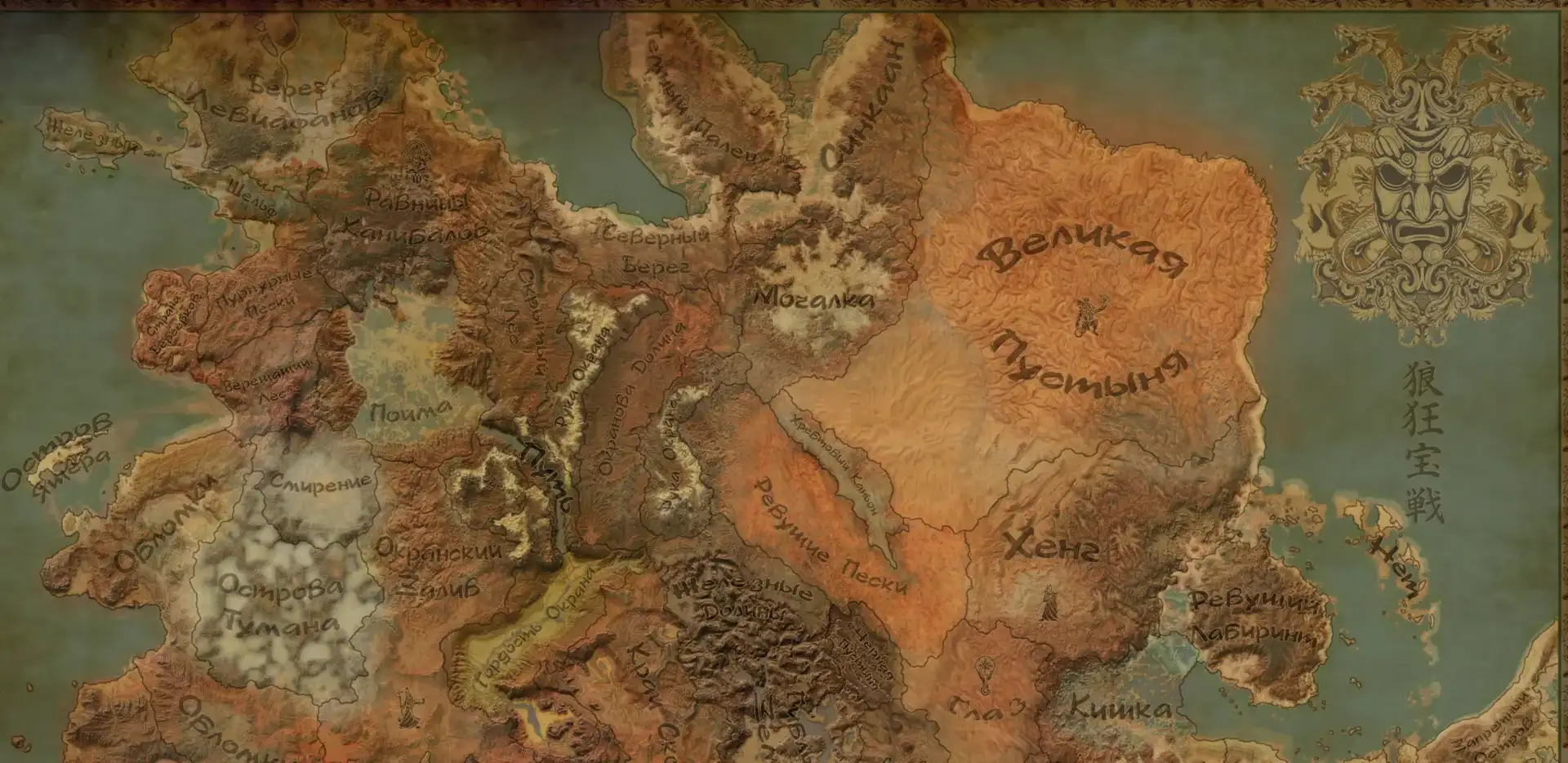
- Vintage map styling with scuffs and faded colors
- English map labels
- A font chosen to resemble old documents
- Source files available for customization
✅ How it changes gameplay: A purely visual improvement, but it adds the feeling that you are really looking at the map that you carried in your backpack for several hundred hours of play. It doesn’t change the mechanics, but it enhances the atmosphere of survival in a post-apocalyptic world.
Interactive maps can show town, faction, and resource locations without installing mods.
Nice Map — Variations
A collection of Nice Map variations from the same author. There are a lot of combinations: a map with zones, a map with roads, a map with a grid of coordinates, a topographic version, and all this in different color schemes. You can download only those elements that are needed – for example, only roads without zone names, or only borders without topography.
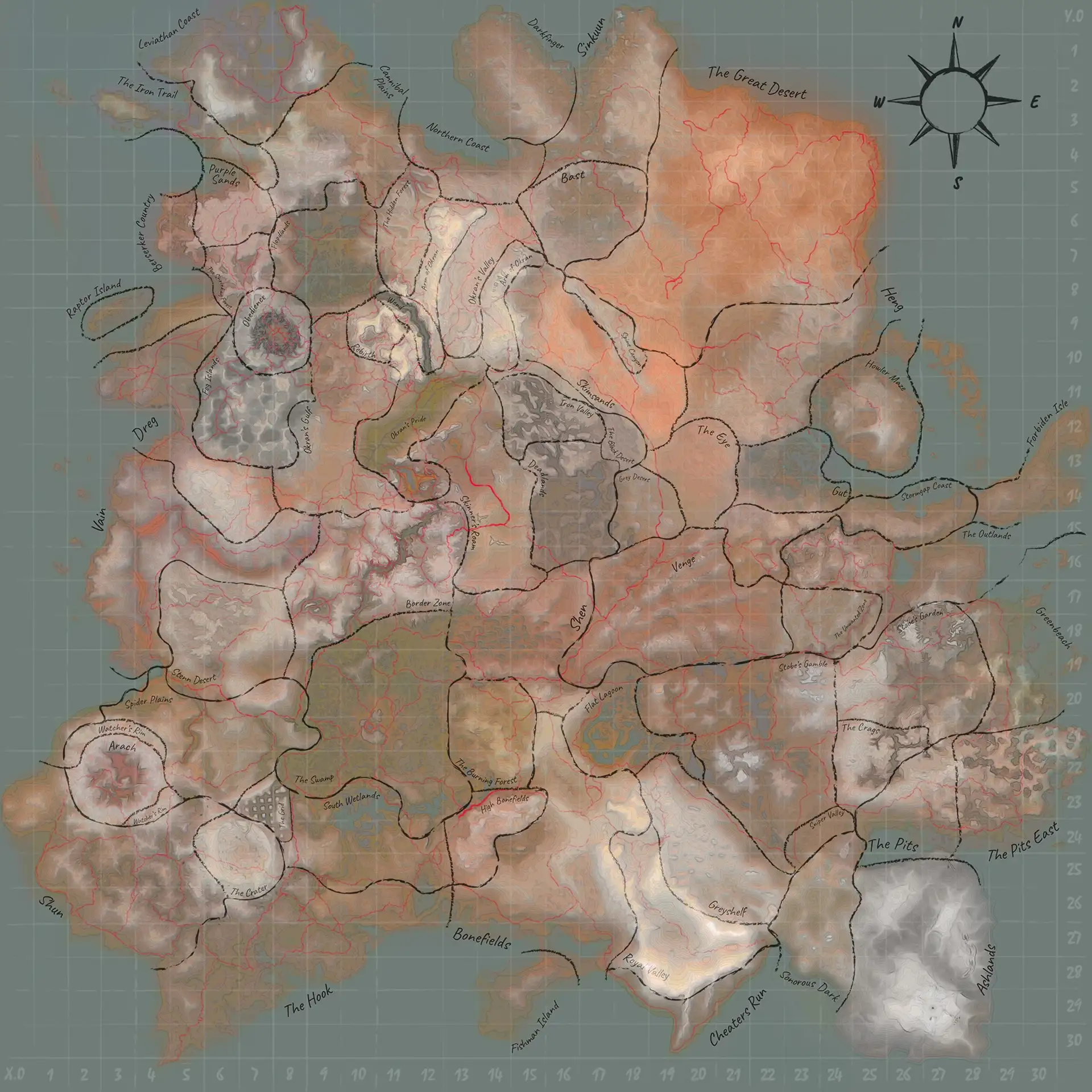
- Modular system (you choose elements to suit your needs)
- Zone outlines, names, roads, coordinate grid
- Topographical version with heights
- Five road colors: red, yellow, green, light blue, and blue
✅ How it changes gameplay: Customize the map for what you need. Building a base? Enable topography and the coordinate grid. Trading between towns? Roads and zone names may be enough. It is a flexible tool for different playstyles.
Nice Map (Road-only variants)
Addition to Nice Map – options only with roads without other elements. The author made a separate mod because the original Nice Map did not offer such a combination. There are versions for a standard map and a topographic one – all in five colors.
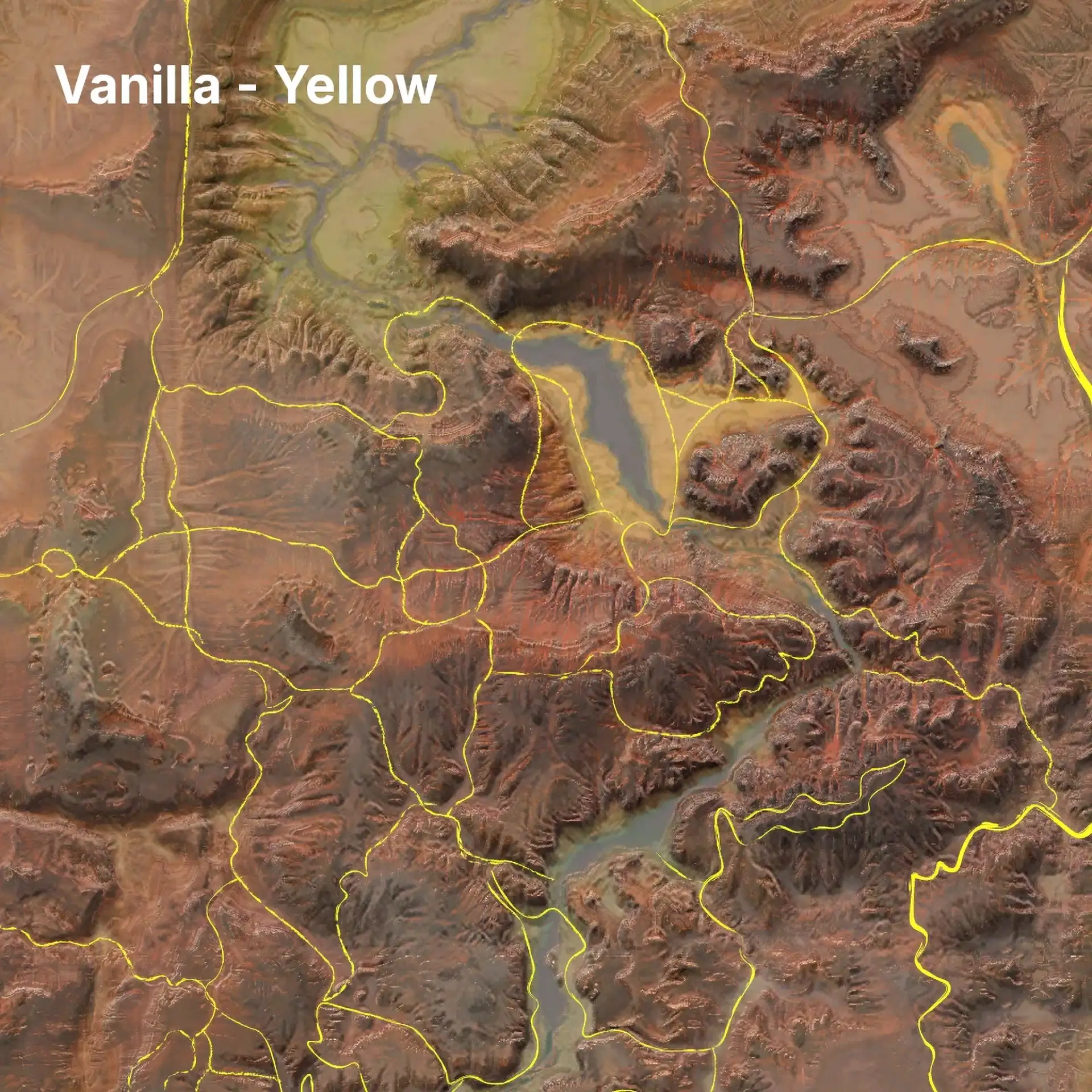
- Roads only (no zones or names)
- Options for regular and topographic maps
- Five color schemes
- Compatible with original Nice Map
✅ How it changes gameplay: minimalistic approach – you see the paths between cities, but the map remains clean. Convenient if you don’t need a map overloaded with information.
Kenshi Tiled Map
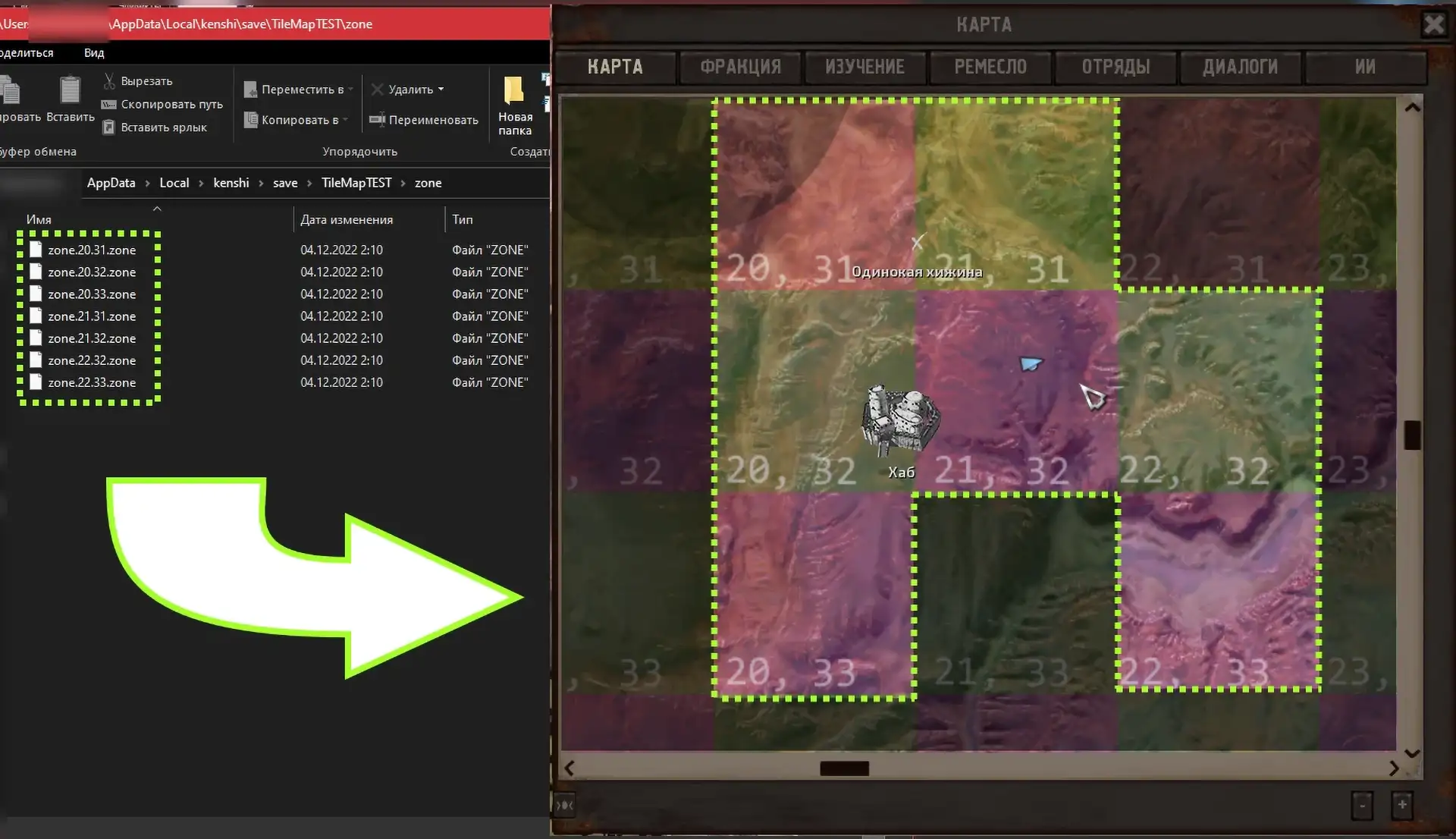
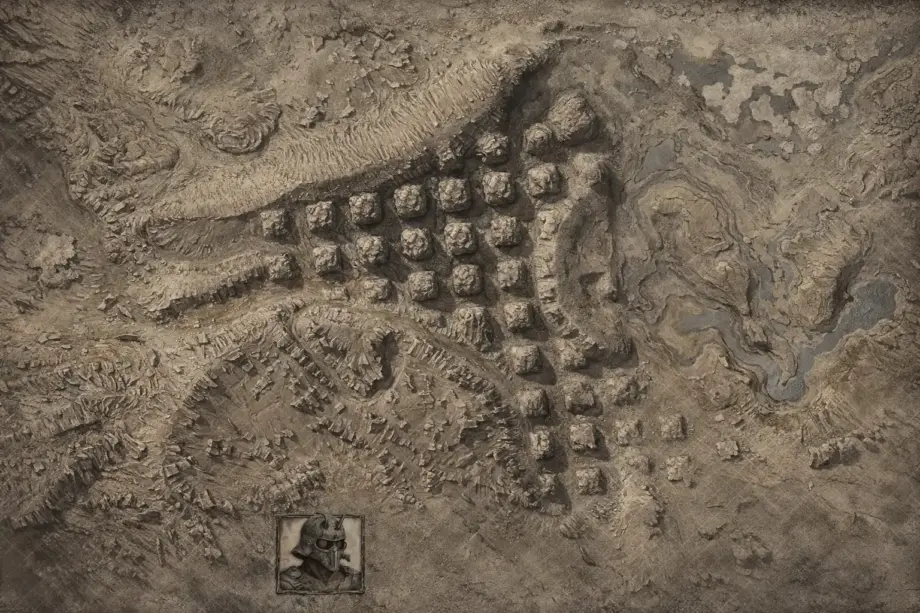
A technical mod for modders and those who edit saves. Shows the game's zone grid (zone tiles with coordinates in white) and overlay tiles (large squares with dark coordinates). Zone tiles control the spawning of NPCs and the loading of objects in the region – if you tinker with mods or edit game files, this map is indispensable for debugging.
- Visualization of zone tiles (64×64 grid)
- Coordinates for each tile
- Overlay tiles (8×8 grid) for advanced modding
- Helps to understand which files are responsible for specific zones
✅ How it changes gameplay: Ordinary players will not need it. If you make mods or edit saves, this map reveals how Kenshi's world is structured. The first number in a zone filename is its column from left to right (0–63); the second is its row from top to bottom (0–63).
Reveal Map
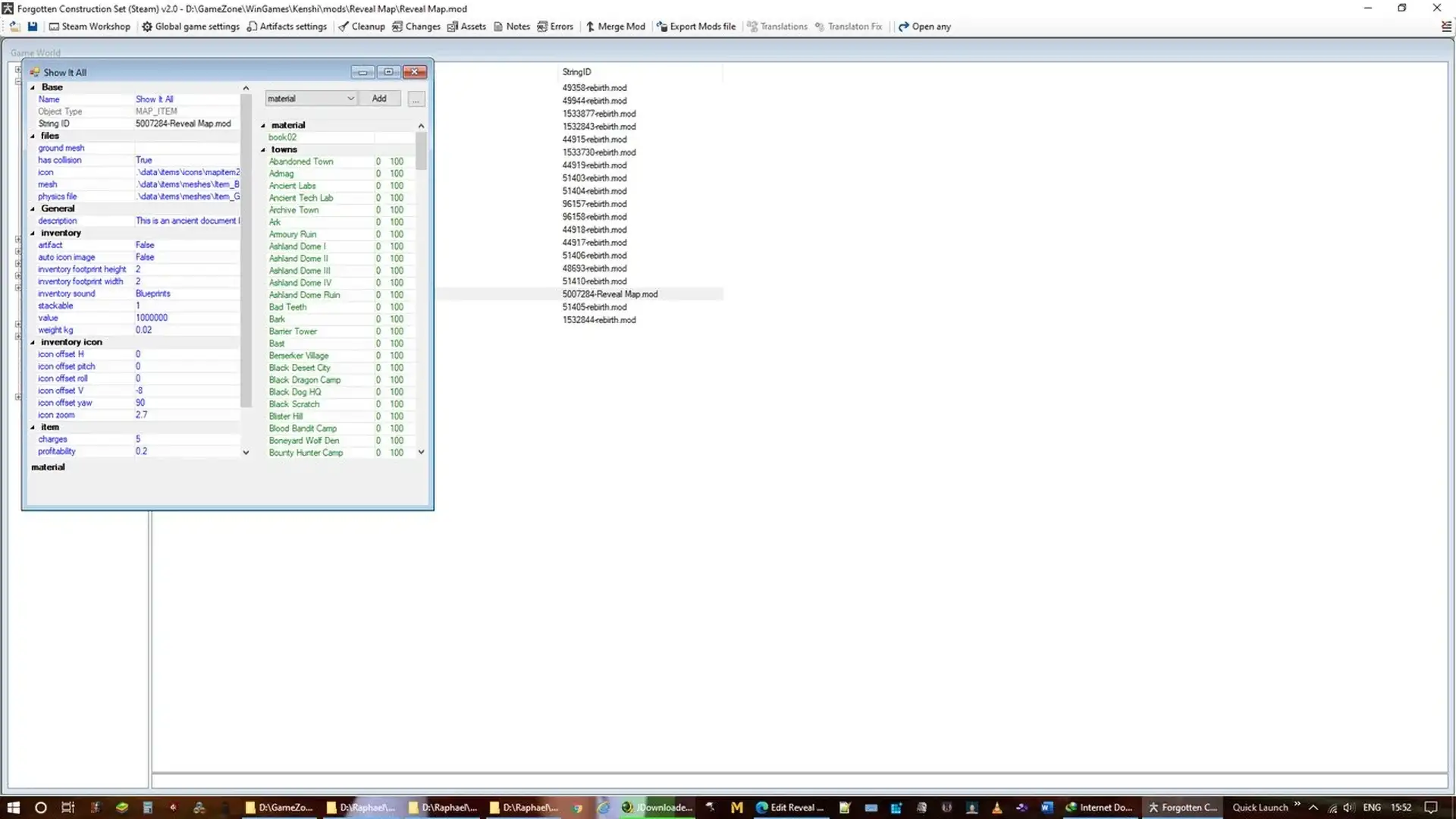
Tired of searching the world for maps to reveal locations? This mod adds a "Show It All" map to trader inventories. Use it to reveal all towns, settlements, towers, ruins, and camps, including locations added by mods such as Rebirth. It was the author's first mod, made for personal use and then released publicly.
- A "Show it all" map sold by traders that reveals every location
- Opens all points of interest with one click
- Works with mods (opens their locations too)
- Can be edited to suit your needs
✅ How it changes gameplay: Saves dozens of hours of running around the map in search of small outposts and ruins. Useful for the second or third playthrough, when you don’t want to run around and open everything for the hundredth time – you can immediately see where everything is and plan routes.
Modern-style Map
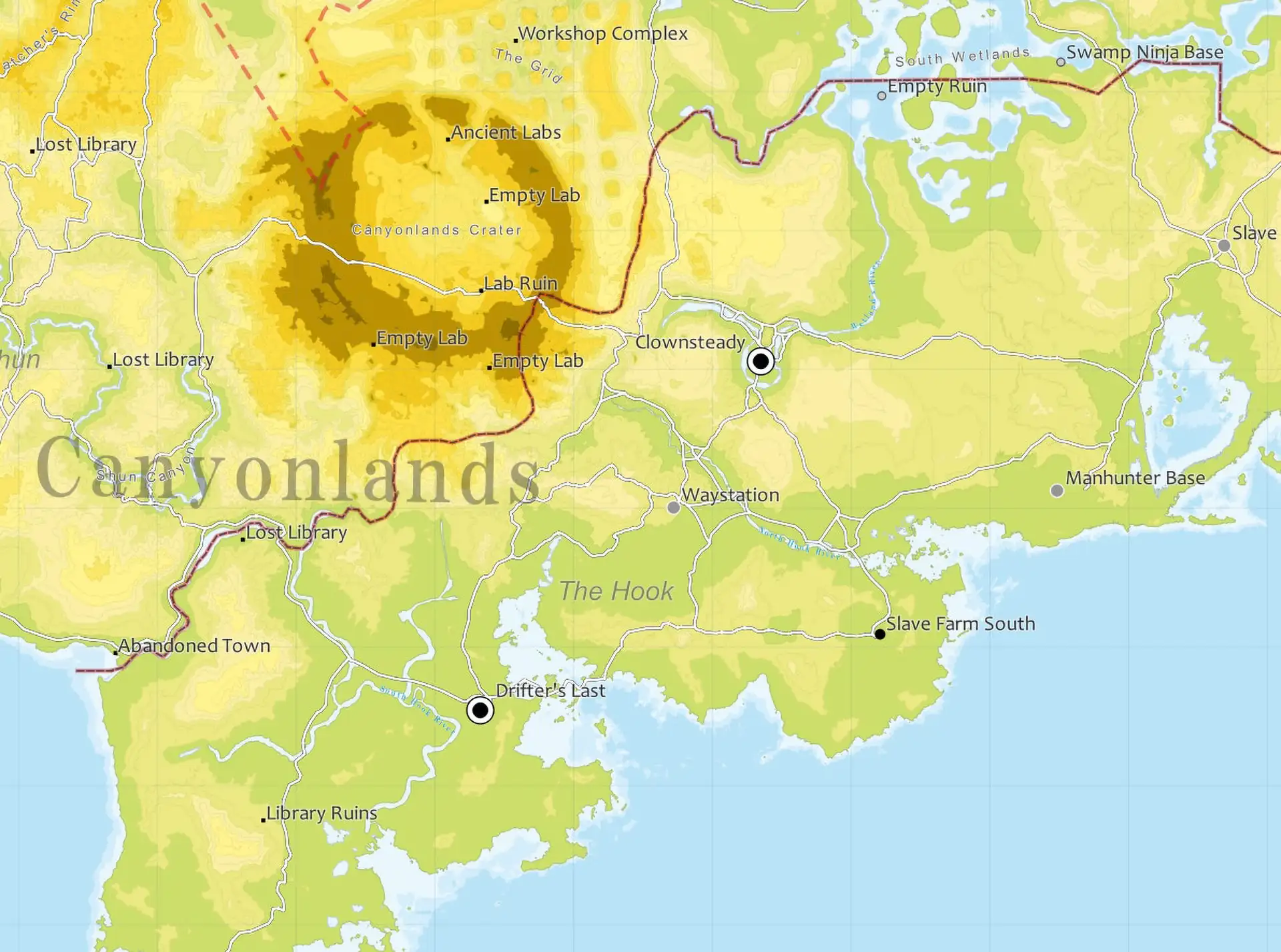
Google Maps style map – modern design with country names, borders, cities and roads. Uses DDS mipmaps to simulate zoom-dependent rendering (like digital maps). Doesn't require importing saves, just changes textures.
- A modern look, essentially Google Maps for the world of Kenshi
- Names of countries, faction borders, cities
- Mipmaps for zoom effect
- Place names are based on regions/biomes with descriptors added
- Officially promoted by Lo-Fi Games on their YouTube channel
✅ How it changes gameplay: The visuals change completely: the map resembles a modern GPS interface rather than a handwritten document. If vintage styling is not for you and you want a clear, practical map, this is the best choice. Versions for Dark UI and a version without locations are also available.
Recommendations for installing mods
- Make a backup of your map files – copy GUI_Map.dds from the Kenshi folder before installing mods (in case you want to go back to the original).
- Check compatibility with UI mods – some interface mods (Dark UI, transparent icons) conflict with map textures, read the mod descriptions before installing.
- Do not install multiple map mods at once : they overwrite the same file, so only the last one in the load order will work.
- Use FCS to check for conflicts – if something breaks after installation, open Forgotten Construction Set and see which mod is active.
- Activate mods through the launcher – most maps work through .mod files, do not forget to include them in the list of mods before starting the game.
Detailed instructions for working with mods on Kenshi (including solving loading problems) are available in my mod installation guide.
Which map mods work well with other mods?
Map mods are a kind of base that save you from a lot of unnecessary actions like constantly visiting the Kenshi wiki, but their effectiveness grows in conjunction with other modifications. Nice Map works well with faction mods (new boundaries of influence are displayed correctly), and topographic maps are indispensable when using construction mods (you can see the terrain before starting to build a base).
If I missed a good map mod, write to me. I will test it and may add it to the list.