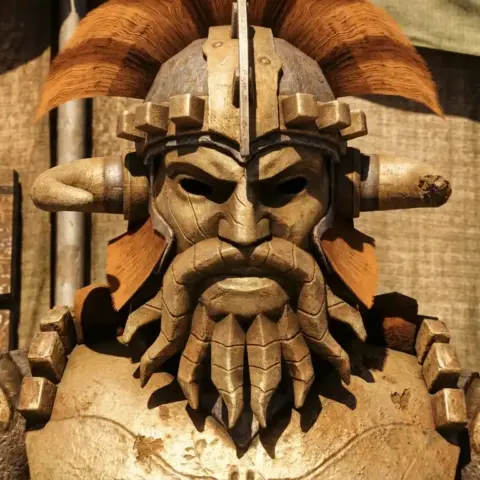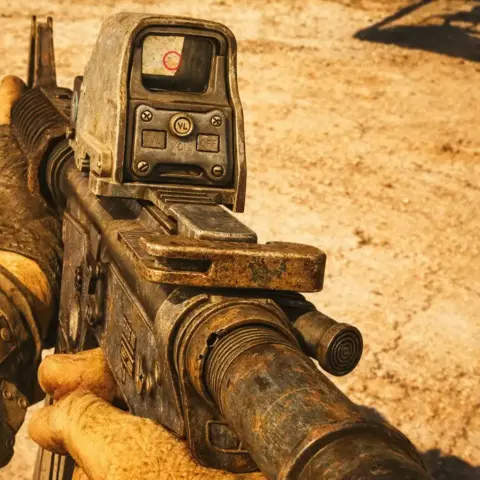
New Vegas's default animations look as though your character is controlled with a PlayStation 1 controller. Fallout: New Vegas animation mods solve that problem, from basic movement to small gestures such as pressing Pip-Boy buttons.
This selection brings together the main packs adding animations for firearms, melee combat, movement, and even crafting.
Enhanced Animations — 3rd Person Movement
Default third-person movement looks like animation from a 2004 tech demo. Your character moves stiffly, jumps without momentum, and barely bends their knees when landing.

- Completely reworked movement for every weapon type, with directional jump variants.
- Vanilla style focused on quality and smoothness.
- Base-game bug fixes not covered by 3rd Person Animation Fixpack.
- Separate female animations, softer and more lively.
- Improved melee attacks that account for movement direction.
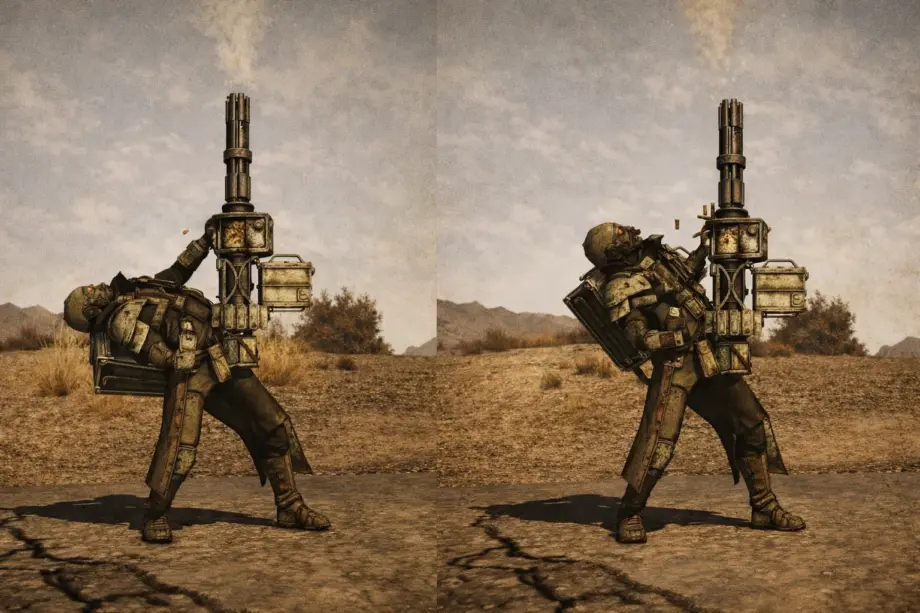
- Reworked minigun animations without the extreme back bend.
✅ How gameplay changes: Third-person view finally becomes comfortable for regular play. Movement looks natural rather than like a mannequin on rails. Jumps gain weight and momentum: you feel your character actually pushing off the ground.
Hit’s Anims — Season 1
You have 19 different guns in your inventory, but they all reload in the same boring way. Hit's Anims adds unique animations for specific weapon models, from the 9mm pistol to the sniper rifle.

- 19 weapon types with complete animation sets, including all unique and DLC versions.
- ISControl support for aiming.
- Tactical reloads and jamming animations.
- Bolt hold-open and last-round animations.
- Custom animations for compatibility with Inspect.
- Controller vibration.
- TTW support.
✅ How gameplay changes: Each gun gets its own personality. The lever-action shotgun reloads with its characteristic lever motion, the .357 Magnum revolver shows its cylinder assembly, and the service rifle has a separate last-round animation. Weapons feel different in your hands instead of being identical models with different damage values.
New Vegas Animation Overhaul (NVAO) — Guns
An animation mod for firearms. Two and a half years in development, reworking almost every gun in the base game, DLC, and TTW. NVAO compiles work by hitman47101 and rockbiter68 into a convenient FOMOD installer.

- Improvements for almost every firearm in the game.
- Two presets: Vanilla for standard meshes and WAP for Weapon Animation Replacer.
- A FOMOD installer with manual animation selection for each weapon.
- Custom meshes for the 10mm SMG, sawed-off shotgun, double-barrel shotgun, 9mm SMG, 12.7mm pistol, LMG, Bozar, and grenade rifle.
- Full TTW support.
- Compatibility with ISControl, HIPControl, and Iron Sights Aligned.
✅ How gameplay changes: A comprehensive solution for firearms. Instead of installing a dozen separate mods, you get everything at once with fine-tuning through the installer. The WAP preset is particularly useful with custom weapon models: animations are fitted to the altered geometry.
New Vegas Animation Overhaul (NVAO) — Melee
An animation mod for melee weapons. Melee combat in New Vegas amounts to three identical swings at different speeds. NVAO Melee rebuilds every club, knife, and set of knuckles from scratch.

- Complete coverage of all melee and unarmed weapons, without exceptions.
- Even hidden animations you normally never see are reworked.
- Vanilla timings retained, with no balance changes.
- The sole exception is the Shishkebab, with doubled equip/unequip time; an optional file restores vanilla timing.
- New, reworked, and improved animations from the author's earlier mods, Butcher Pete and Wasteland Warrior.
- Requires Gauntlets Debulked for wrist-mounted weapons to work correctly.
✅ How gameplay changes: Melee stops looking like one-button spam. Two-handed weapons swing with weight and a proper windup, one-handed weapons strike quickly and precisely, and knuckles and claws convey speed. Timings remain unchanged, so your familiar build still works, but everything looks ten times better.
Crafting and Repair Animations
You open the crafting menu, press a button, hear a hammer, and that is it. No visual representation. Crafting and Repair Animations adds animations for workbenches and repairs through the Pip-Boy.

- Custom workbench crafting animations.
- Repair animations through the Pip-Boy menu.
- An animator framework allowing custom animations.
- ESPless: no plugin.
- Animations by hitman47101.
✅ How gameplay changes: Crafting and repair menus gain visual feedback. Your character actually handles parts instead of standing motionless while something magical happens in the scripts and engine. A small detail that improves immersion, especially in survival playthroughs where you constantly repair equipment.
Animated Moments
Key story moments in New Vegas use the ordinary interaction menu. Press a button, an event happens. Animated Moments adds unique first-person animations for important quest actions.

- Animations for leaving Doc Mitchell's house and Vault 101.
- Activating the solar panel at HELIOS One.
- Blowing up a weapons cache.
- Sabotaging a rocket launch.
- A gas attack in the Sierra Madre.
- Launching missiles in Lonesome Road.
- Blowing up Megaton (TTW).
- Enclave capture and the camera flash in Herzog Mine (TTW).
- Long 15 support.
✅ How gameplay changes: Story triggers stop feeling anonymous. You do not merely click a panel: you see your character press buttons, turn levers, or recoil from a flash. Particularly effective in Lonesome Road, where launching missiles now feels like a full first-person cutscene.
Animated Greetings
NPCs stand like statues until you talk to them. Animated Greetings adds atmospheric greeting animations that play automatically on activation or during incidental dialogue.

- Animations tied to faction reputation.
- NCR troops salute when your reputation is high.
- Legionaries give a fist salute or kneel.
- Commoners bow.
- Omertas give their characteristic chin gesture.
- Cowboys tip their hats.
- Great Khans and Powder Gangers make a respectful gesture.
- A mixture of base-game and new animations.
✅ How gameplay changes: The world now reacts to your reputation. Walk past an NCR patrol with a good reputation, and soldiers salute. Enter a Legion camp with maximum reputation, and ordinary legionaries kneel. Ave Caesar, honor and prosperity!
Enhanced Animations — Pip-Boy
The default Pip-Boy animation abruptly raises your arm and instantly shows the interface. Enhanced Animations adds a detailed opening sequence with button presses.

- Immersive opening/closing animation with button presses, disabled with a weapon drawn or in combat.
- A regular replacement animation when the immersive one is inactive.
- New animations with smooth movement.
- Perfect interface alignment during animations.
- Configuration through MCM Extender or INI: cooldowns and activation conditions.
- Compatibility with Pip-Boy 2500A, 2000 MKVI, 2000, and Titans of The New West.
✅ How gameplay changes: Your character actually presses Pip-Boy buttons and the screen lights up, giving the device weight on your wrist. The mod does not slow gameplay down, since cooldowns are configurable, but adds a fresh, more realistic feel.
Neutral Sitting Animations
Female characters in New Vegas sit in exaggeratedly “girly” poses. Neutral Sitting Animations removes these and gives everyone the same neutral sitting animations.

- Female characters use male sitting animations.
- Dress checks added through a form list.
- Implemented through an ESP rather than file replacement, for safer compatibility.
- Separate vanilla and TTW versions.
✅ How gameplay changes: If overly theatrical female animations annoy you, as the running animations annoyed me, this fixes the problem. Female characters sit naturally without exaggerated mannerisms. Compatible with animation overhaul mods.
Enhanced Locomotion Remake
Wooombat's Enhanced Movement and Enhanced Locomotion fixed the default movement system, but their animations may not suit everyone. Enhanced Locomotion Remake offers alternative first-person animations for sprinting, walking, and other movement.

- Replaces most first-person movement animations.
- Sprinting, jogging, walking, sneaking, walking while aiming, and jumping.
- Requires Wooombat's Enhanced Movement and Enhanced Locomotion.
- Uses the Maya FNV animation plugin.
- Power armor and swimming animations are planned.
✅ How gameplay changes: You get Wooombat's movement fixes with a different visual style. Sprinting looks more dynamic, jumps more natural, and stance transitions smoother. If Enhanced Movement's basic animations feel too stiff and rough, this is for you.
Mod installation recommendations
- Install the basic requirements first: xNVSE, JIP LN NVSE, kNVSE, and JohnnyGuitar NVSE.
- Install movement mods before weapon mods: Enhanced Movement/Locomotion → NVAO.
- Use FOMOD installers where available: NVAO Guns lets you choose individual animations.
- Check the load order: Enhanced Animations should come after 3rd Person Animation Fixpack.
- Read mod pages for compatibility patches: many authors provide fixes for popular combinations.
- Install Iron Sights Aligned after NVAO Guns for correct sight alignment.
- If you use WAP (Weapon Animation Replacer), select the WAP preset in NVAO.
Which new animation mod should you choose?
One thing matters: animations are not about adding another reload variant just to tick a box. A good mod should make actions easier to read or give movement weight and personality. If it merely replaces one wooden animation with another, even a more detailed one, there is little point.
Compatibility deserves particular attention. Many animation mods look fine individually but conflict when combined in a mod setup: timings drift, transitions break, and movements cut off abruptly. Be careful.
If you know Fallout: New Vegas animation mods missing from this list, write to me. I will test them and may add them, provided they actually improve the visuals rather than replacing one mediocre animation with another.