You probably know the situation: food, arrows, keys and armor fill your inventory, leaving no room for loot. This selection covers seven interface-slot mods. They move equipment, food and arrows into dedicated slots, assign items to hotkeys and organize your chests.
ExtraSlots
In vanilla Valheim, meat, arrows, trophies, keys and coins end up in one heap, leaving little space for loot. Shudnal's ExtraSlots gives food, arrows and miscellaneous items dedicated slots. Equipment and quick-use items move to a convenient panel beside the inventory. The mod has around 1.37 million Thunderstore downloads; its latest update, version 1.2.21, was released on October 16, 2026.
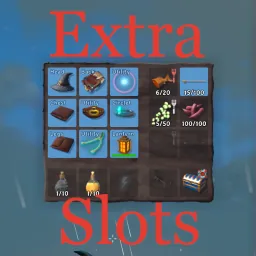
- Up to six quick slots with a separate hotkey bar.
- Up to three food slots and three arrow slots.
- Up to two miscellaneous slots for keys, fish, trophies and coins.
- Equip up to five utility items at once.
- Up to five additional rows in the ordinary backpack.
- Slots unlock gradually after boss kills or discovering the required items.
- Controller support and an API for integrating slots from other mods.
Manual installation requires ConditionalConfigSync. If you launch the game without ExtraSlots, items in the extra slots disappear from the character. Do not panic: they return from the backup when you reinstall the mod.
✅ How the game changes: your backpack stops resembling a dump. Food, arrows and keys each have their place. Quick slots use Alt+Z, Alt+X and Alt+C without interfering with normal keys. For a first playthrough, I recommend keeping gradual boss-based slot unlocks so they arrive at appropriate points without upsetting the balance.
InventorySlots
Crafting in Valheim often means scrolling through recipes, while chests quickly become chaotic warehouses. Sighsorry's InventorySlots tackles several problems together. It adds equipment and quick slots, convenient recipe search, favorites and chest sorting. The mod has around 111,000 downloads; version 1.6.14 was released on October 19, 2026.
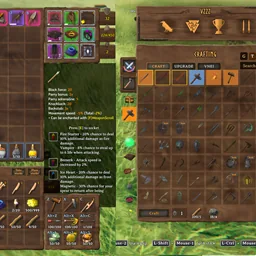
- Equipment and quick slots with configurable unlocking.
- Inventory expansion as you progress.
- A list or grid crafting window with search, categories and favorite recipes.
- Craft multiple items at once.
- Pin up to three tooltips to compare items.
- Quickly deposit loot into nearby chests by holding E, and restock favorites with Alt+E.
- Inventory and chest sorting, a trash slot and an auto-pickup exclusion list.
- Controller support and compatibility with EpicLoot and Jewelcrafting.
The mod is client-side, so you can join vanilla servers with it. If it is installed on the server itself, however, every player's version must match.
✅ How the game changes: crafting and rummaging through chests stop consuming your time. Recipes are found instantly, pinned windows make comparing swords convenient, and holding E sends loot into nearby boxes. The author has applied the AI Generated tag on Thunderstore, so back up your world before installing.
EquipmentAndQuickSlots
A helmet, chest piece, trousers and cape occupy backpack space better reserved for loot. RandyKnapp's EquipmentAndQuickSlots, rewritten by MidnightsFX from version 3.0 onward, moves armor into dedicated slots and adds six hotkey quick slots. It is a classic dating back to 2021, with around 1.58 million downloads; version 3.1.3 was released on September 15, 2026.
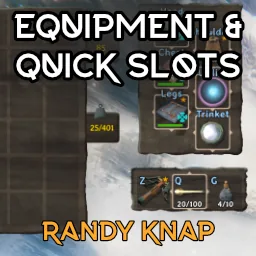
- Dedicated head, chest, leg, shoulder, utility and trinket slots.
- Up to six quick slots with hotkeys.
- Up to three utility slots, disabled by default.
- Configurable item loss on death and automatic armor equipping when recovering a tombstone.
- An API for integrating slots from other mods.
Install it on the client. Server installation is only needed to enforce shared balance settings, which also requires Jötunn. Characters from older 2.x versions migrate automatically. Remember that saving in version 3.0 prevents rolling back to an older version.
✅ How the game changes: armor no longer takes up backpack space, and potions or tools are one key away. There are no dedicated food or arrow slots here; the author recommends ExtraSlots for those. BetterUI and Better Archery work out of the box.
EquipmentAndQuickSlotsPlus
Valheim chests fill faster than you can build them. NooblyCrew took the classic EquipmentAndQuickSlots, added up to three extra rows per chest and made the player inventory expandable too. The mod launched on September 11, 2026 specifically for Valheim 1.0; the current version is 3.1.1.
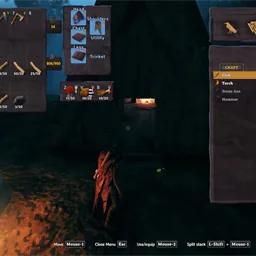
- Head, chest, shoulder, leg, utility and trinket slots.
- Quick slots with convenient keys, initially Z, V and B.
- Extra rows in the character's backpack.
- Zero to three additional rows in every chest and container.
- The relevant slot highlights while you drag an item.
- Right-click to unequip gear.
- Backs up slots and transfers items if you decide to change mods.
Important: remove the original EquipmentAndQuickSlots DLL before installing, or the mods will conflict.
✅ What you get: plenty of space where you always lack it: chests. This mod is still new, with about 8,500 downloads and only two ratings, so test on a copy of your world. It is incompatible with ExtraSlots, AzuExtendedPlayerInventory, ExtendedPlayerInventory and ComfyQuickSlots.
Extended Player Inventory
Many slot mods split the inventory into separate windows, often causing conflicts. Aedenthorn's Extended Player Inventory stays inside the standard window instead. It simply adds rows and reserves the bottom row for five equipment slots and three quick-item slots. It has roughly 162,000 Nexus Mods downloads and 3,141 endorsements.
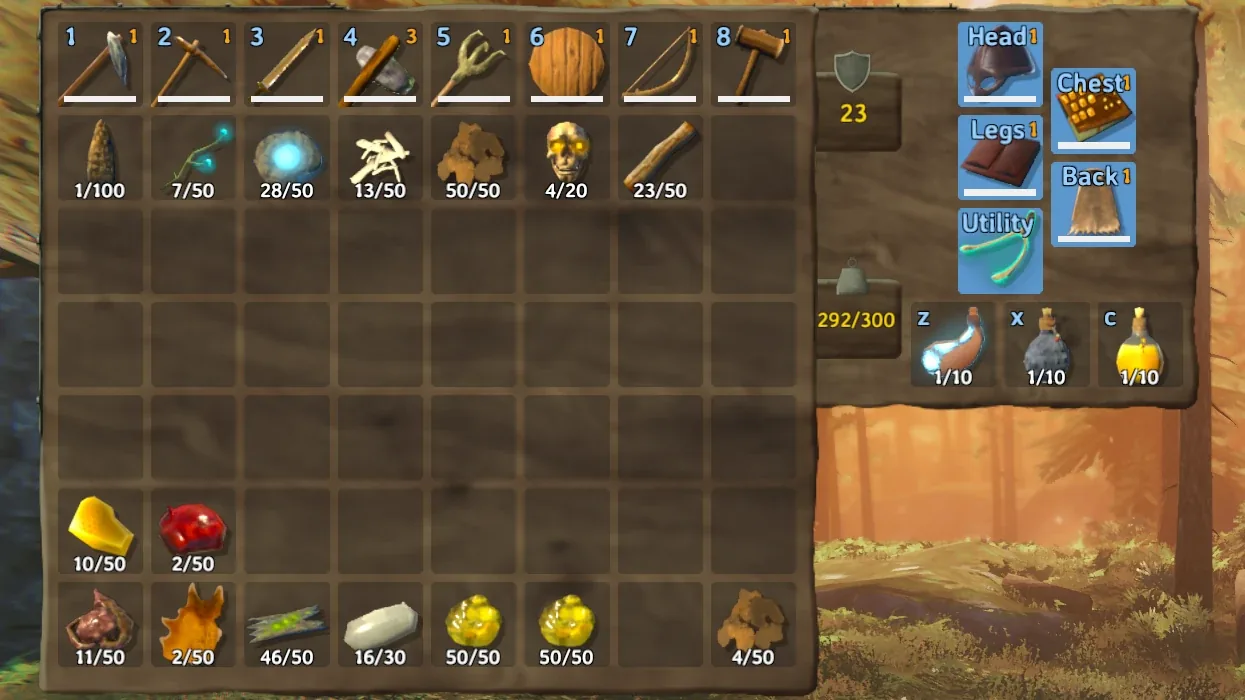
- Extra ordinary inventory rows, with zero added by default.
- A dedicated eight-slot row: five armor slots and three quick slots.
- Quick slots use Z, X and C.
- Hold Ctrl to move on-screen slots with the mouse.
- Tombstones expand automatically to match the larger backpack.
One thing to watch: too many extra rows can make the inventory overlap chests. The author recommends the dedicated fix on Nexus Mods page 577. If you use Simple Sort, exclude the final row from sorting or armor will keep being moved out of its slots.
✅ How it feels: the interface looks almost native. Minimal intervention means fewer chances of conflicts with other mods, but there are drawbacks. The author openly warns that items can occasionally disappear when equipped, and Better Archery's quiver does not work here. I would avoid experimenting on my main character.
CDEV.EquipmentSlots
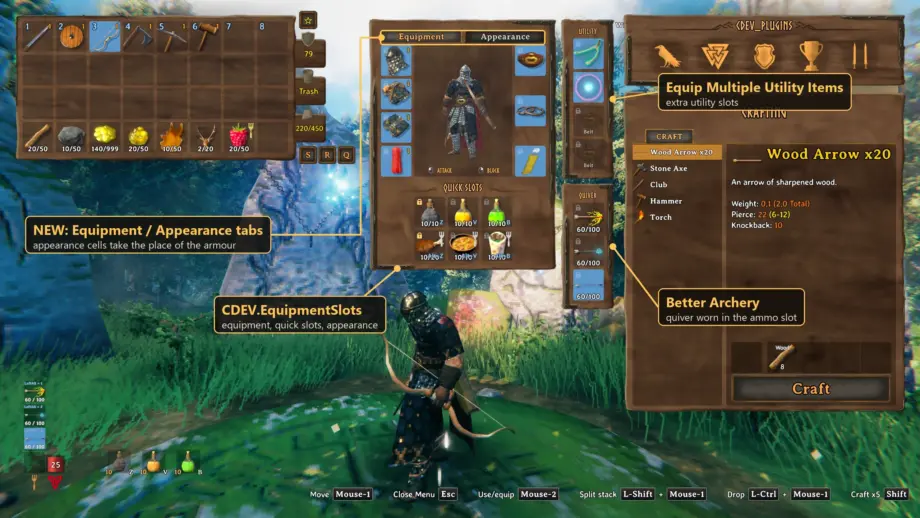
Armor takes up backpack space, and ugly items often have to be worn for their stats. CDEVx's CDEV.EquipmentSlots solves both problems. It moves armor and six quick slots into a character sheet beside the inventory and, crucially, separates armor appearance from protection. Version 0.1.17 was released on September 24, 2026 and updated on October 17. The mod has around 8,400 downloads and 80 endorsements.
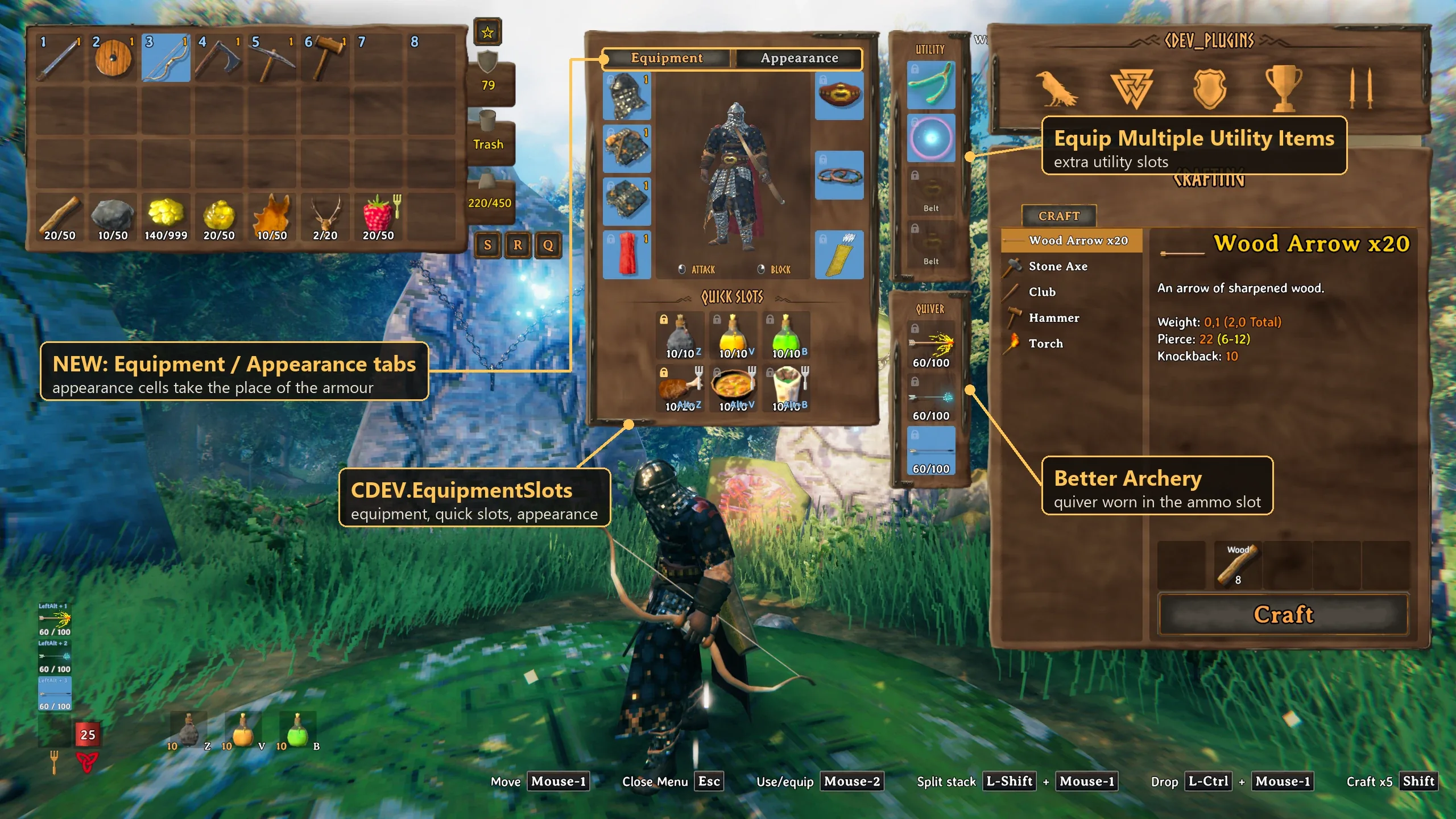
- Slots for helmet, chest, trousers, cape, belt, trinket and arrows.
- Six quick slots use Z, V and B, plus the same keys with Left Alt.
- An appearance tab lets you equip a helmet, armor or cape cosmetically without changing weight or protection.
- Lock slots to stop automatic sorting and other mods from pulling items out.
- On death, equipped gear goes into the tombstone's top row. Take All returns everything to its proper place.
Installation requires BepInEx 5.4.23 and Jötunn 2.30 or newer.
✅ What changes: survival no longer demands sacrificing style. You can use the appearance of any item you have held, and other players see your outfit even without the mod. Before uninstalling, empty every additional slot or its contents will drop on the ground. Do not install it alongside EquipmentAndQuickSlots.
Slot Lock
Every wood-gathering trip fills your inventory, while small items clog chests immediately. BrainlessAzura's Slot Lock lets you impose strict rules on any slot. Permanently pin an item in place, or reserve a slot for one item or an entire resource category. Released on October 16, 2026, it reached version 2.4.0 on October 19.
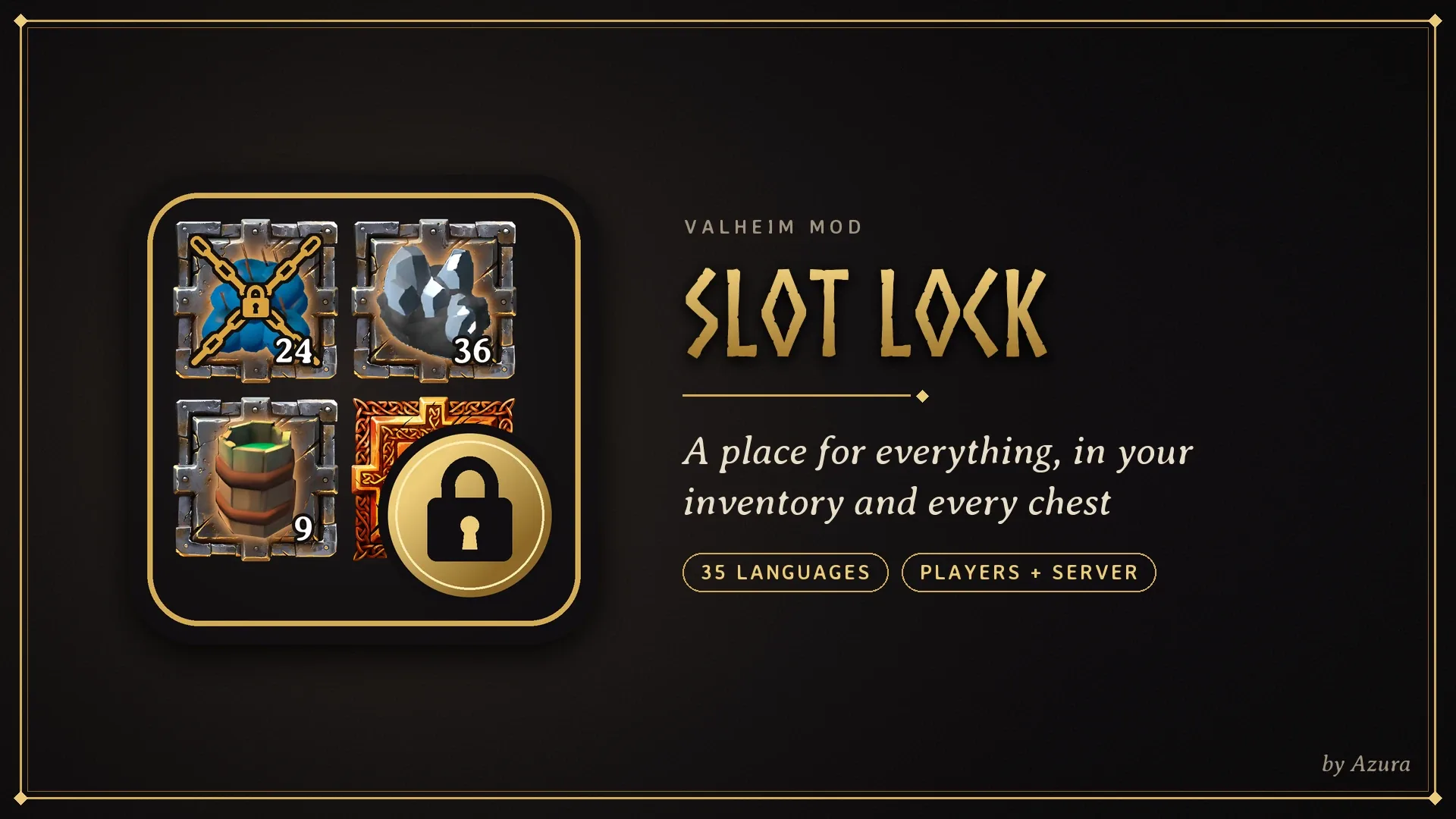
- Mode 1: an item stays in its slot, unaffected by quick-deposit or sorting buttons.
- Mode 2: a slot accepts only the specified item, sending anything else to other slots.
- Twelve filter categories, including raw meat and fish, cooked food, ore, bars, wood, stone, hides, trophies and mead bases.
- Reserve an entire chest with Shift+K.
- Chest settings are saved in the world and apply to every player.
- Built-in help includes a simulator for practicing slot configuration without risking real items.
- Support for 35 languages.
Install it on both the server and every client, or shared chest rules will not work. Versions before 2.1.1 sometimes lost chest items, so download only the latest release.
✅ How your playthrough changes: junk stops clogging the inventory, and needed resources stay where you left them. The mod manages existing slots rather than adding new ones. The author tested compatibility with InventorySlots and OttoStash. I recommend it alongside your main inventory mod, but with only 51 downloads and two endorsements, backing up your world is essential.
Mod installation recommendations
The main slot rule is one inventory mod per inventory. ExtraSlots, InventorySlots, EquipmentAndQuickSlots, EquipmentAndQuickSlotsPlus, Extended Player Inventory and CDEV.EquipmentSlots conflict, so choose one. Slot Lock is the exception and can be added alongside InventorySlots.
- Back up your character and world saves.
- When changing slot mods, empty every extra slot before removing the old DLL.
- Install BepInExPack Valheim; EquipmentAndQuickSlots and CDEV.EquipmentSlots also need Jötunn.
- Put the new mod's DLL in BepInEx/plugins. Remember that ExtraSlots requires ConditionalConfigSync.
- Launch once to generate the configuration file, then adjust hotkeys and move interface panels to suit you.
- For multiplayer, make sure everyone's mod versions match.
Which Valheim slot mod suits solo play and servers?
ExtraSlots is ideal for a first playthrough. Food, arrows and miscellaneous items have dedicated places, while gradual slot unlocks preserve balance. Choose InventorySlots if vanilla crafting and chest chaos annoy you. For proven classics without experimentation, install EquipmentAndQuickSlots.
If chest space is always short, consider Plus. Extended Player Inventory suits players who value the vanilla interface and worry about conflicts. CDEV.EquipmentSlots is for those who want armor protection and appearance separated. Slot Lock simply brings order to chaos. The last two mods are very recent, so remember those backups.
Before installing your chosen inventory mod, read my guide to downloading Valheim mods after version 1.0 for more on Thunderstore, Nexus Mods and the other places authors publish their work.