In unmodded Valheim, your base inevitably turns into a maze of identical wooden chests. You return from an expedition and start guessing which fifteenth box under the stairs holds your scrap iron. Sound familiar? These chest mods will help you organize all your storage and stop worrying about it.
Bigger Chests
A standard wooden chest offers a laughable 5×2 slots. Spend half an hour in the Sunken Crypts and there is already no room for your iron and leather, with half the haul left on the floor. Bigger Chests quietly increases storage capacity so you do not have to build another box every five minutes.
- Wooden chest: expanded from 5×2 to 5×3 slots
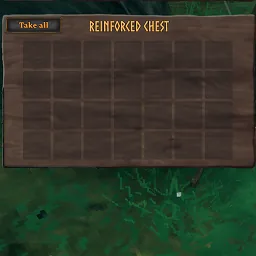
- Reinforced chest: increased to 7×4; the original 6×4 was barely different from the basic chest and frankly not worth the iron
- Black metal chest: holds 8×4, fitting the window without a scrollbar
- Personal chest: expanded from 3×2 to 5×2, with enough room for a complete armor set
- Cart and longship: 8×4 slots; cargo weight still slows the cart, preserving that part of the game's balance
- Karve: 3×3 instead of the miserable 2×2
An important detail: you must install the mod on the server and for every player. If versions differ, items in the bottom rows can simply disappear.
✅ How it feels in-game: no extra settings or fiddling with files. Chests simply become roomier. You need fewer unloading trips back to base, and the walls are no longer barricaded with boxes.
AzuContainerSizes
Where Bigger Chests fixes the sizes in place, Azumatt's AzuContainerSizes lets you customize the slot grid. It works with both standard furniture and containers added by building mods.
- Manually configure the slot grid of any chest through the BepInEx configuration file
- ServerSync support: installing it on a dedicated server enforces your settings for every connected player
- Live configuration loading: change the numbers in the text file while the server runs, and container sizes update without a restart
- Full compatibility with furniture from other mods
This is primarily a client-side plugin, so server installation is optional. The server component is only needed to enforce identical rules for every Viking on the map.
✅ What you gain: complete freedom to organize your storage. Want a 10×6 black metal chest and a compact 3×3 personal chest? Change a couple of lines and you are done.
ItemDrawers
Ten kinds of wood, tons of ore and mountains of trophies, all jumbled together in storage. ItemDrawers, the recent fork by modder KG, brings smart storage from factory games into the harsh Norse world: each resource gets a dedicated drawer with a clear icon on the front.
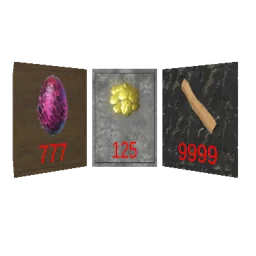
- Automatic collection: matching resources are drawn inside when you get close
- Instant retrieval: take a hundred stone at once or a single item with a mouse click
- Backpack deposit: a dedicated button sends every item of the selected type straight to its assigned drawer
- Quickly deposit the selected item from the hotbar
- Three finishes to suit your home: wood, stone and carved marble
The mod runs entirely on the client, so there is no server installation to deal with.
✅ How your base changes: neat rows of drawers replace a dozen anonymous wooden boxes. You can immediately see how much flint or resin is gathering dust, and pairing it with AzuAutoStore turns your home into a proper sorting station.
Quick Stack Store Sort Trash Restock
You know the routine: sail home after a difficult Swamp expedition, then tediously click through dozens of icons to put away bone fragments, scrap iron and draugr entrails. Goldenrevolver's Quick Stack Store Sort Trash Restock removes that monotony with a few useful buttons. It did not rack up almost a million Thunderstore downloads for nothing.
- Quick unloading: press one button to send every non-favorited item into nearby chests that already contain matching resources
- Smart restocking: the system also works in reverse, topping up your wood, arrows and food from chests
- An additional Store All button directly in the storage window
- Sort inventories and chests by weight, type, name or value
- A built-in trash slot in the character menu for destroying junk
- Junk marking: choose an unwanted category and delete all matching junk with one press
- Favorites protect your preferred bow and armor from accidental deletion or being sent into storage
It works well with Comfy Quick Slots and Odins QOL. Its interface is incompatible with Project AUGA, although assigned hotkeys still work. You can remove the older Trash Items plugin because a trash slot is already included here.
✅ How life changes: manually emptying your pockets becomes a thing of the past. Returning to camp takes a second: come through the door, press the hotkey and get on with your day.
AzuAutoStore
Gathered resources often end up in piles by the entrance, and you no longer have the energy to collect and sort them manually. AzuAutoStore handles that work: dropped items go into the right chests automatically, while a single key empties your inventory.
- Items on the ground are drawn into chests automatically if a matching item is already inside
- Quick-deposit key, the period key by default: pocket contents are distributed among nearby chests in a fraction of a second
- Quickly deposit a specific resource by middle-clicking it
- Built-in search: hold Y and click an item to highlight its chest and create a temporary minimap marker
- Works with Quick Stack Store's favorites system
- Direct compatibility with ItemDrawers and backpack mods
- Support for WardIsLove wards and an allowed-item list in the configuration file
If you install this plugin on the server, players with an unmodded game cannot connect. All settings synchronize through ServerSync.
✅ What happens at base: piles of stone and resin no longer litter the workbench area. Chests collect the loot themselves, and you can unload everything unnecessary without opening a menu.
AzuCraftyBoxes
You walk up to the forge, choose a mace recipe, then remember the bronze bars are in a chest by the door. Fetch the metal, forge the weapon, carry the leftovers back. In my 300 hours with the game, I grew to hate that cycle. AzuCraftyBoxes solves it once and for all: crafting draws materials from nearby chests.
- Wood and metal in containers within 20 meters are used automatically for crafting, repairs and hammer construction
- A yellow counter in the menu shows how many materials the game is taking directly from storage
- Quickly toggle the mod with O + Left Alt to avoid crafting more than intended
- Resource filtering lets you explicitly prevent valuable bars from being taken from particular chests
- Full compatibility with Epic Loot enchanting and storage from other mods
- An option always leaves one item in the chest, helping automatic sorters retain the item's storage assignment
✅ How the process changes: no more hauling bars between chest and forge. Combined with AzuAutoStore, it creates a complete cycle: put ore in the smelter, finished bars go into a chest automatically, and the anvil draws them straight from there.
StorageAndCraft
Instead of assembling storage logistics from a heap of separate mods, you can install the all-in-one StorageAndCraft. It combines automatic loot sorting, crafting from chests, furnace refueling, garden maintenance and a convenient settings menu opened with F10.
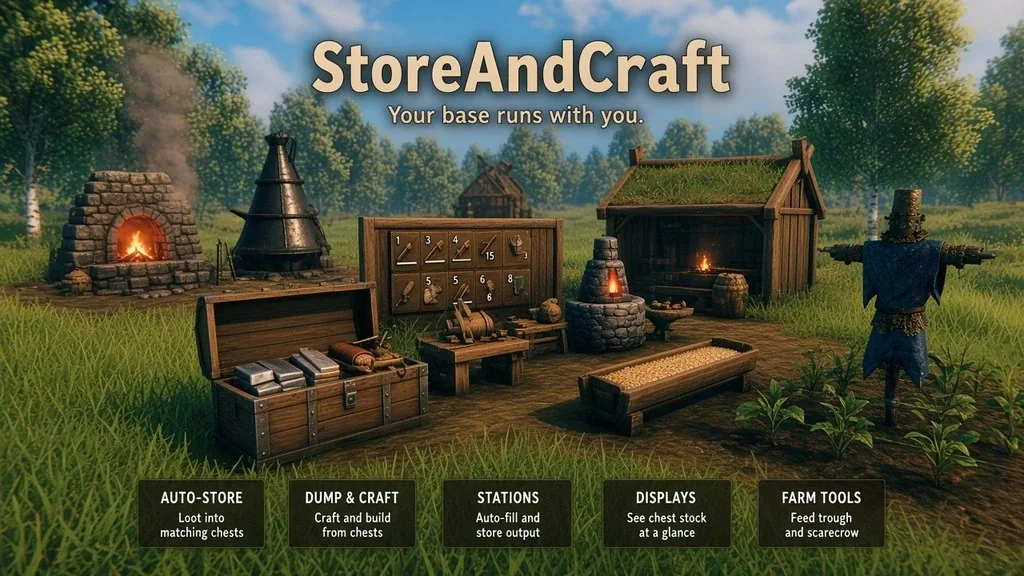
- Automatically collect ground items into the correct chests when matching resources are already inside
- The deposit key empties your pockets while leaving the hotbar and armor slots alone
- Crafting stations and the building hammer draw materials directly from chests, highlighted in yellow
- Smelters, charcoal kilns, fermenters and torches draw fuel from chests and send finished products back into storage
- Information signs show remaining resources and open their linked chest with a click
- A garden scarecrow plants on an even grid, harvests ripe crops and grows spare seeds automatically
- A feeder for tamed livestock that filters suitable food
- Special ice, crystal and royal beehives produce unique materials at the same rate as ordinary honey
The mod requires exactly the same version on the server and every player's machine. As expected, it does not run on consoles.
✅ How your base feels: furnaces smelt metal without supervision, torches keep burning and crops harvest themselves. This is a fairly heavy solution with extensive features, so players on older computers should watch their frame rate.
StorageCore
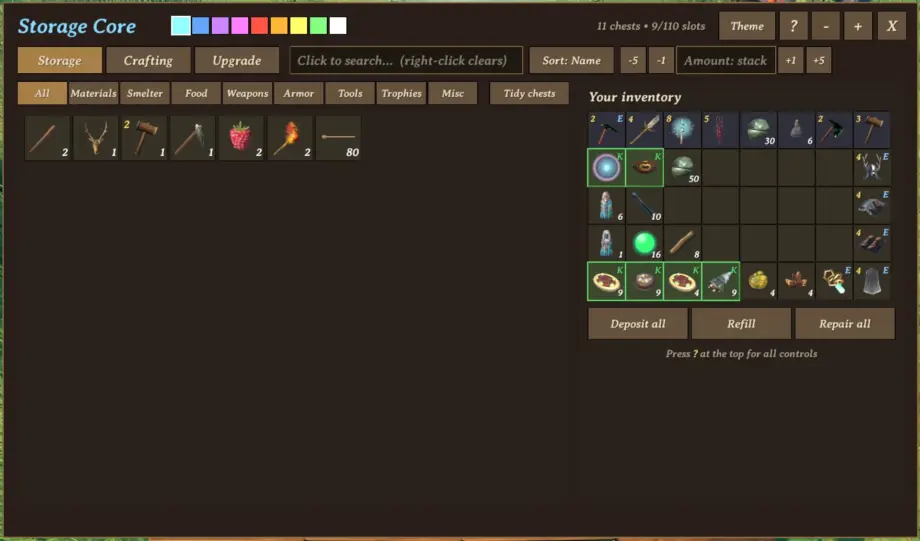
If you have built a huge storage network in Minecraft or Terraria mods, you will understand StorageCore immediately. Build one runic obelisk and every chest within 20 meters joins a shared digital network with instant search.
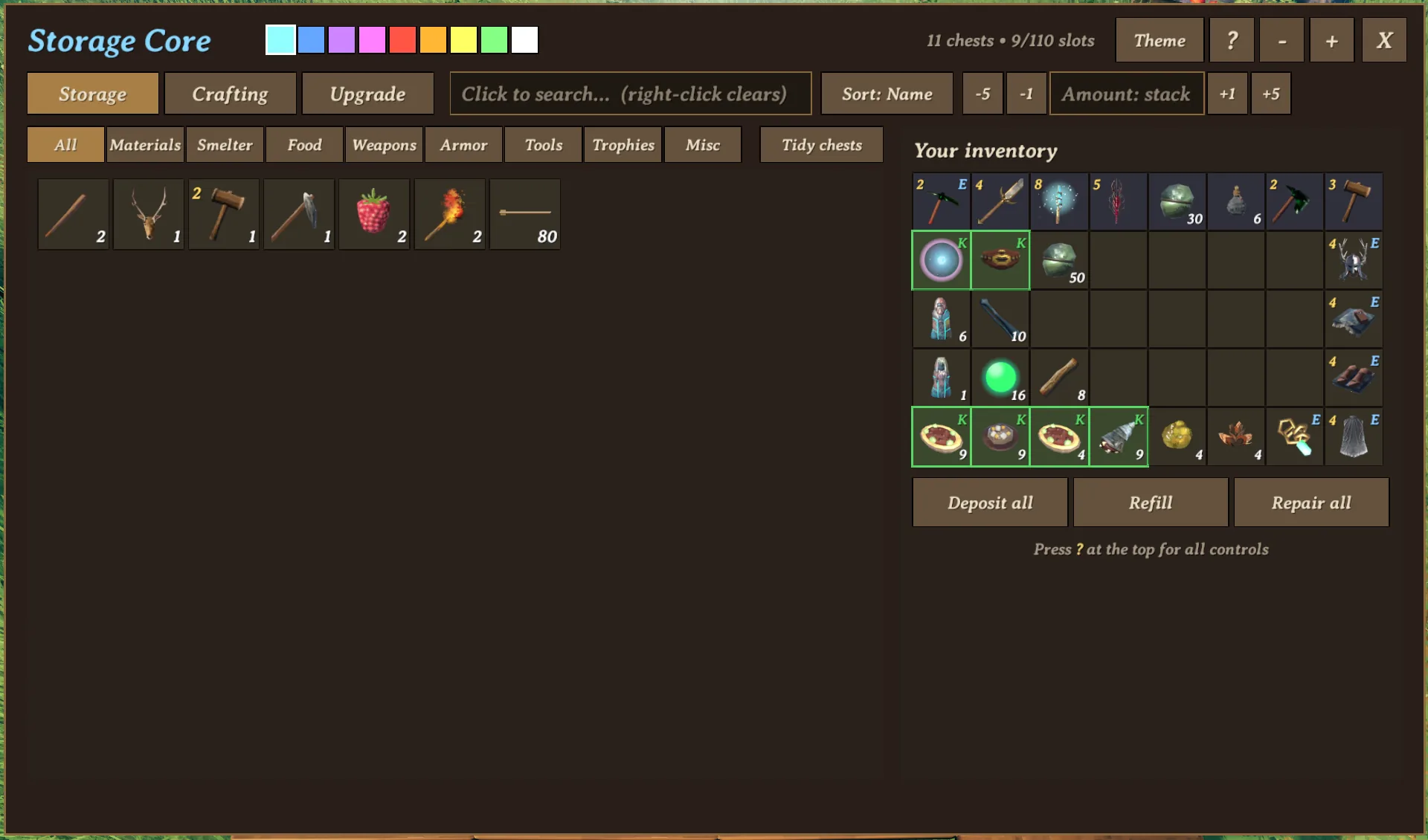
- A unified window listing everything at your base, with text search and category filters
- Quick controls: left-click takes a stack, right-click takes one item, and Shift + left-click takes everything at once
- Smart sorting sends new items to explicitly filtered chests first, then to chests containing similar items
- Exclusions protect backpack potions and arrows from being deposited
- Craft and repair equipment directly through the obelisk, as long as the necessary workstations are nearby
- A repair button instantly repairs all equipment in your inventory
- A restock button fills food and potion slots from the shared storage in a second
- One-meter-square Rune Vault stone blocks can be upgraded in place and hold 16 to 64 slots
Rune Vault blocks can sit directly against one another, replacing entire storage rooms. You upgrade them at the forge, progressing from basic bronze to eitr and heavy flametal. If your setup includes Valheim Plus, its crafting-from-chests feature takes priority.
✅ How your base works: one attractive monument replaces irritating trips through chest-filled warehouses. The plugin is relatively new, so stability on busy servers is still something best checked in your own setup.
BottomlessChest
Sometimes there is no time to build elaborate logistics, and all you need is one enormous bottomless chest. BottomlessChest is crafted with the hammer under Furniture near a workbench and holds any amount of loot. The author personally loaded it with a hundred thousand stacks, which the chest handled comfortably.
- An infinite container with no slot-count limit
- A full search bar that filters as you type
- Convenient tag searches: @food, @weapon, @armor, @material, @ammo, @tool, @trophy and @misc
- Take All and deposit operations apply only to search results, leaving the rest of storage untouched
- Network optimization: the server sends only what the client currently sees on-screen, avoiding excessive bandwidth use
- Items are stored in a separate file beside the world save: if the chest is accidentally destroyed, its contents remain recoverable with bottomless rebind <id>
This mod requires the Jotunn library. Its default recipe costs 10 wood, but you can set any cost in the configuration file.
✅ What you get in practice: one compact monolith instead of an enormous shed full of boxes. I would not recommend dumping millions of items into it on a shared server, but for solo survival or a couple of friends it is an ideal option.
ServersideQoL
Most storage improvements require files on every player's computer, or desynchronization and disappearing items become a problem. ServersideQoL works differently: it is installed exclusively on the server machine. People with an unmodded game, or players on Xbox, PlayStation and Switch, do not need to install anything.
- Installed only on the dedicated server; clients do not need to download anything
- Full support for unmodded players and console versions of the game
- The base archive is a framework: features such as sorting, loot deposits and smelter refueling require separate ServersideQoL modules
- Configuration changes load live, without restarting the world
The main rule: the base framework does not add new buttons by itself. You need the author's separate server modules for the features you want; all are hosted on Hexium.
✅ The main attraction: your friends face no setup barrier. If your group mixes computer players and console players on the living-room TV, this is practically the only way to organize smart storage without breaking connectivity.
Mod installation recommendations
Before dropping files into a folder, check the compatibility rules. A few simple steps will protect your storage from bugs and lost resources.
- The BepInExPack Valheim library is essential. Without it, none of these scripts will run.
- StorageAndCraft, Bigger Chests and StorageCore require matching versions on both server and clients. A version mismatch can easily cost you the items in a chest's bottom slots.
- Installing AzuAutoStore or AzuCraftyBoxes on the server blocks unmodded clients. If someone in your group plays without mods, keep these solutions client-side only.
- AzuContainerSizes works on the player's side; its server installation is only needed to enforce synchronized settings.
- BottomlessChest requires the Jotunn library.
- ItemDrawers does not require server-side installation; everything renders locally.
- Install the ServersideQoL framework only on the server host. Remember to add the functional modules you need, or nothing in your storage will change.
- Running StorageAndCraft alongside AzuCraftyBoxes or StorageCore causes serious conflicts in crafting-from-chests logic. Choosing one system and sticking with it is more reliable.
- I recommend managers such as r2modman or Thunderstore Mod Manager: they handle dependencies and updates automatically.
Which Valheim chest mod, or combination of mods, should you choose?
It comes down to how much automation you want. For more storage space without digging through configuration, choose Bigger Chests or the more flexible AzuContainerSizes. If you like resources neatly displayed on shelves, pick ItemDrawers. For quick unloading after a Swamp expedition, download Quick Stack Store Sort Trash Restock.
Tired of collecting ore from the floor by the forge? AzuAutoStore helps. Fed up with hauling heavy metal to the anvil? AzuCraftyBoxes handles that. If you want furnace refueling, gardening and crafting from chests in one big mod, look at StorageAndCraft. Fans of industrial setups and shared networks should enjoy StorageCore. For a single limitless warehouse without the fuss, choose BottomlessChest; for a group with console players, the server-only ServersideQoL remains the option.
Many of these plugins complement one another well, but you should absolutely avoid duplicating crafting-from-chests features. If your base has long relied on a great solution I missed, leave its name in the comments and I will check it on my next run.
Once you have chosen your storage setup, read my guide on where to download Valheim mods for a breakdown of Nexus, Thunderstore and Hexium and where authors now publish their updates.