Gothic 1 Remake console commands can help when a quest gets stuck or you want to test a build. Which tools you can use depends on your game version, and some can affect your save. For regular quest and progression help, see my Gothic 1 Remake hub.
The built-in Marvin Mode arrived with Feature Update #1 (version 1.1) on October 29, 2026. This guide starts with that mode, then covers the older Simple ModLoader (SML) method and its command tables.
How to enable the built-in Marvin Mode
Make a separate manual save before enabling Marvin Mode. It marks the save and can disable autosaves and achievement progress. To resume an achievement run, reload the untouched save you made beforehand.
With a keyboard, press Esc while playing, type MARVIN and press Esc again. Follow the on-screen instructions, then use F2 to bring up the cursor if you need it.
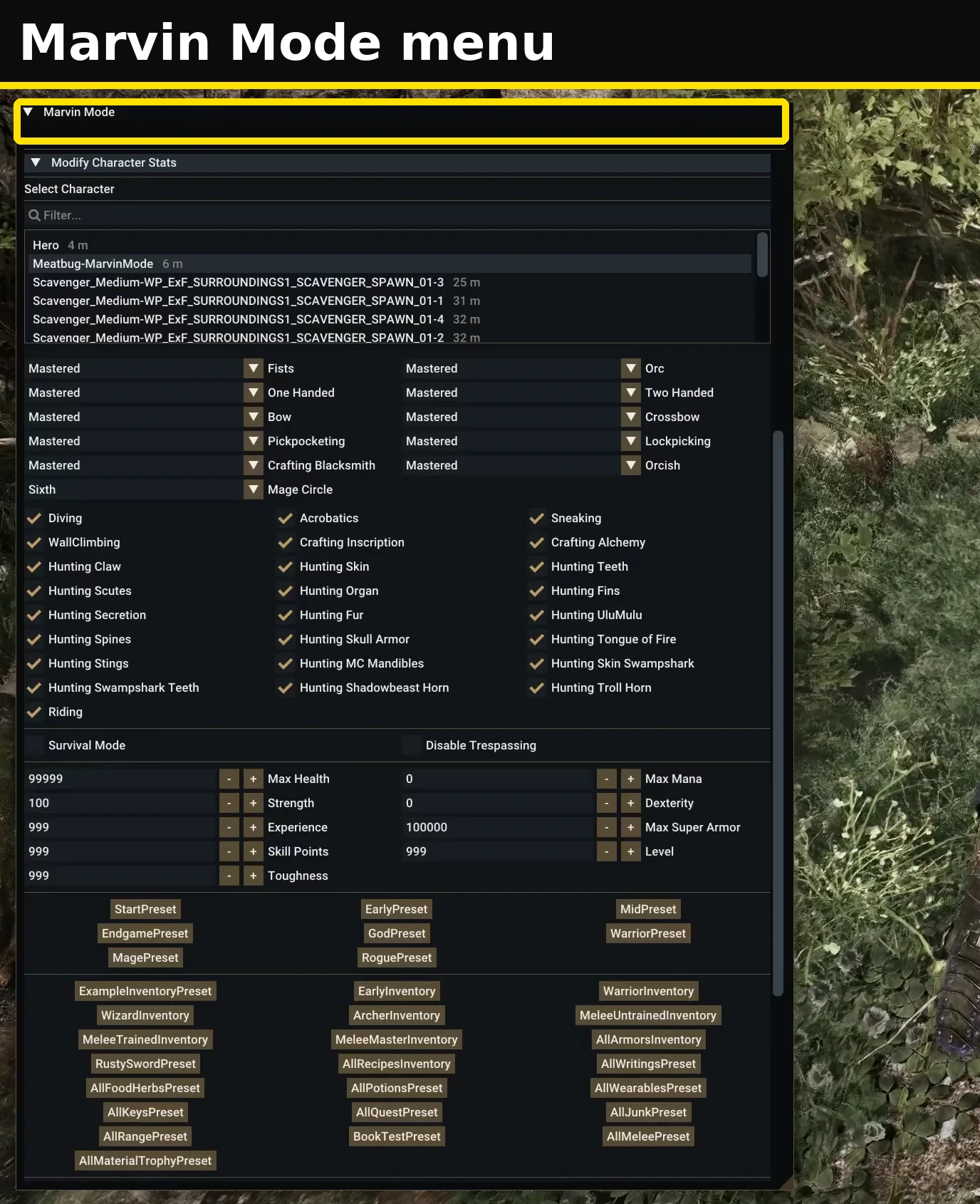
To solve a lock, start the lockpicking minigame, expand LockPicking in the Marvin Mode window and click Unlock. The same window has SpawnItem for items, SpawnCharacter for NPCs and creatures, and options for teleporting or changing character stats.
To turn it off, press Esc and type 42. Check that Marvin Mode has closed before reloading your clean save.
The official Modkit also documents -console as a launch option for Unreal’s separate command console. The command tables below apply to SML. In Marvin Mode, use the options in its own window.
How to install Simple ModLoader for its in-game console
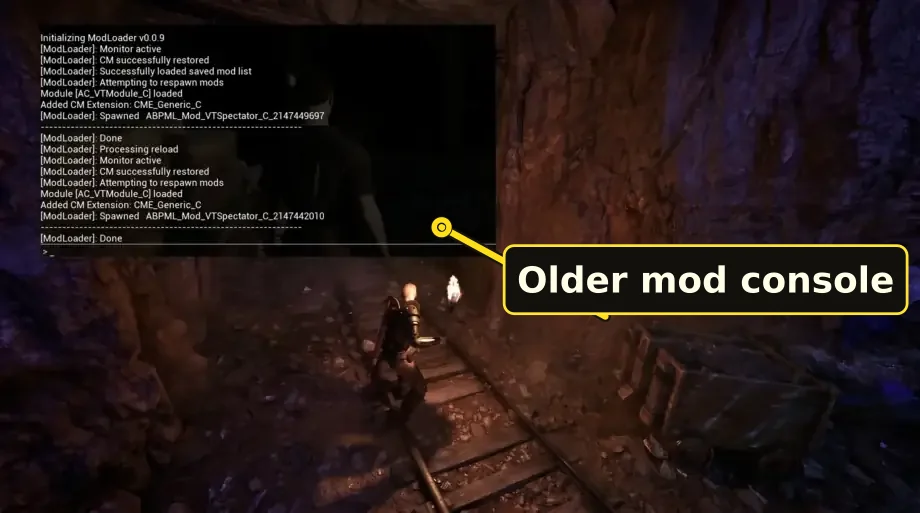
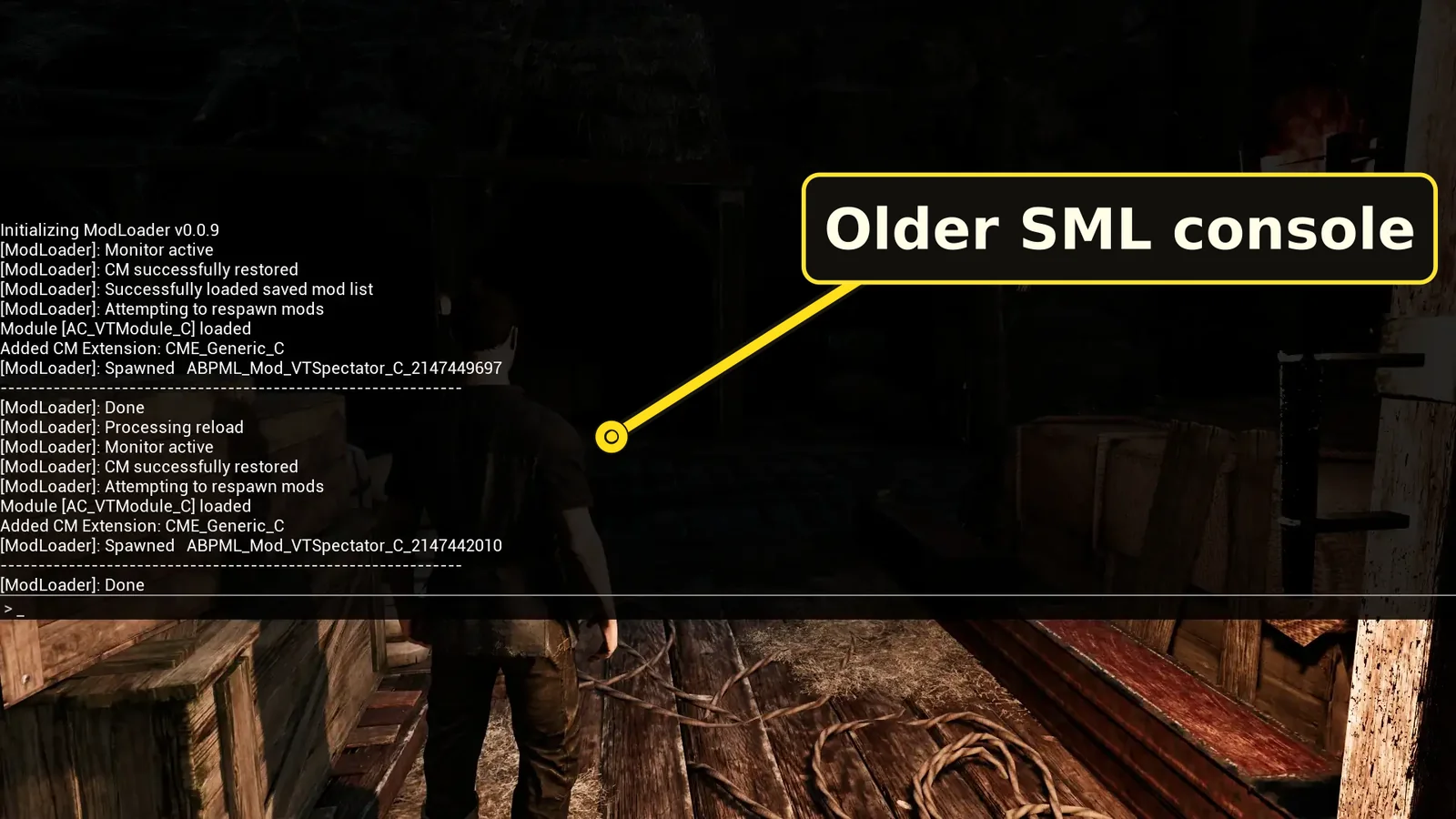
BP Mod Loader and Console Enabler, also called SML, loads Blueprint mods and adds console commands. Its changelog lists SML 0.6.0u for Gothic 1 Remake 1.0.6 and a Marvin Mode fix in 0.6.0v. Check the file notes for your build before downloading. The screenshots show the older SML interface.
Back up your saves before installing SML. If you already use UE4SS, back up the setup and test SML on its own first.
Install SML manually on Steam.
- In your Steam library, right-click Gothic 1 Remake and choose Manage → Browse local files. That opens the folder called
<game_root>in the steps below. - Download the mod archive from Nexus Mods.
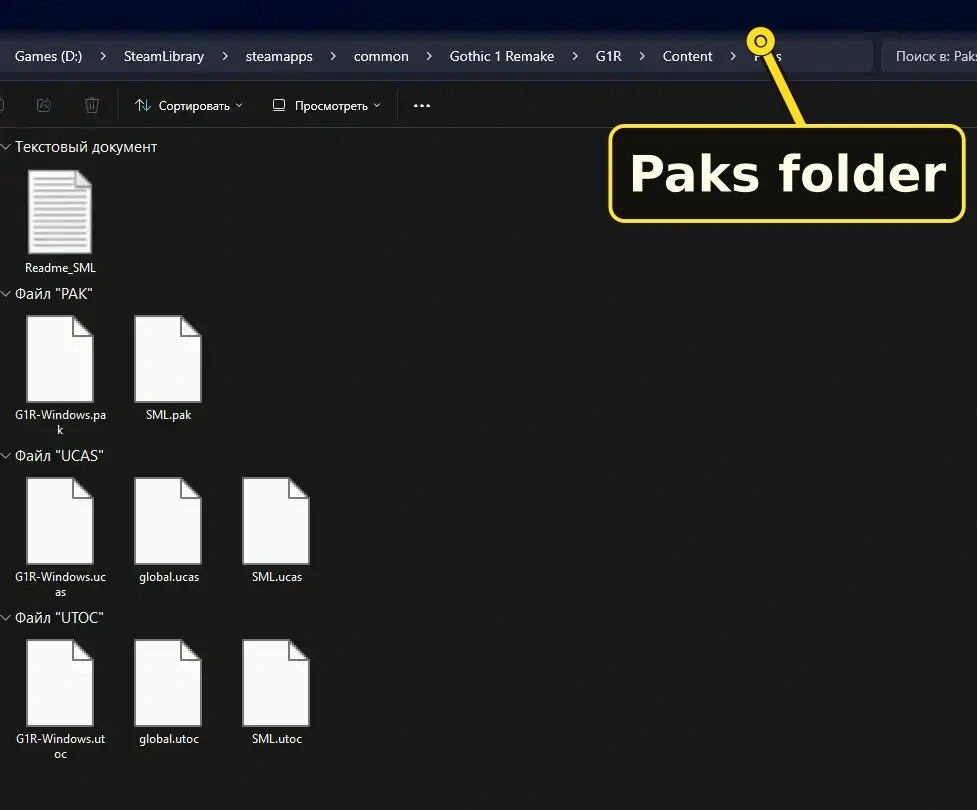
- Extract the archive into
<game_root>\G1R\Content\Paks\. - Check that
SML.pak,SML.ucasandSML.utocare all in that folder.
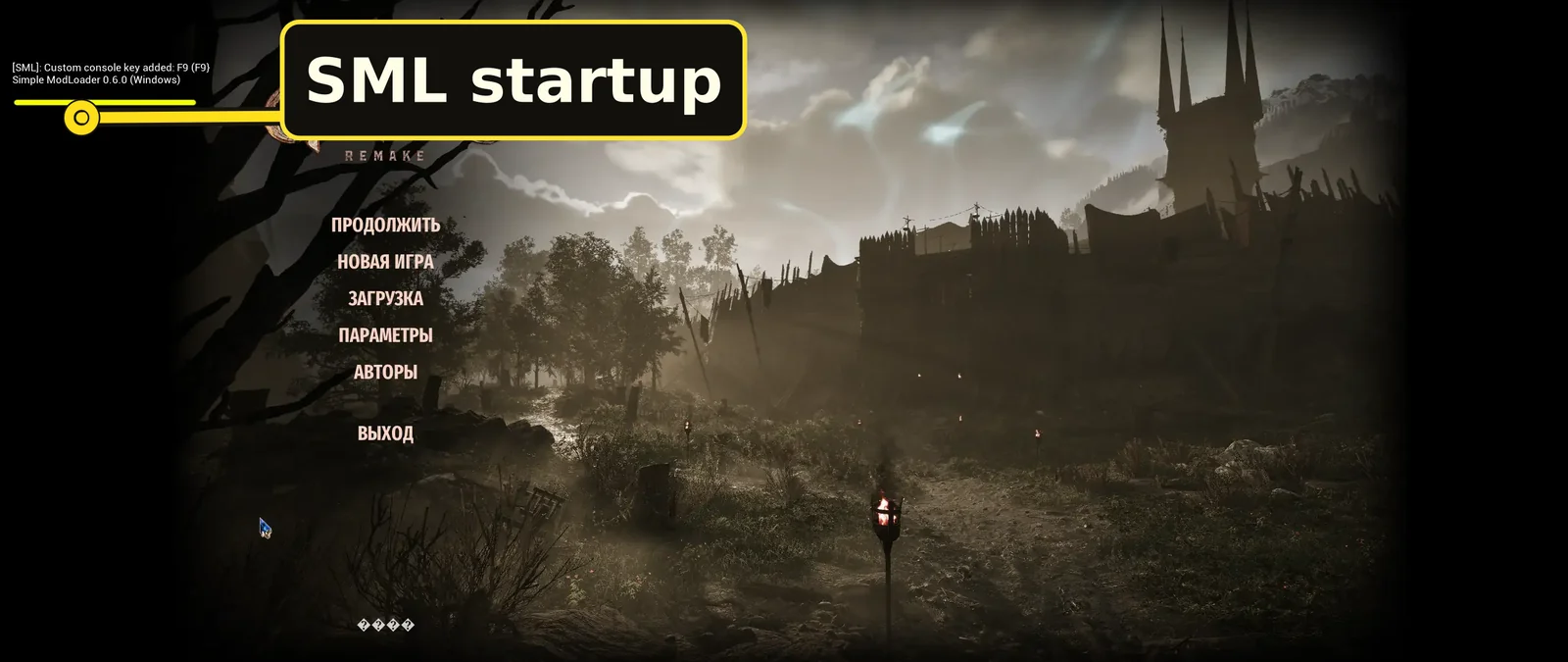
Launch the game. The SML message at the top left tells you the loader started.
Uninstalling SML
- If you added mods through the SML console, use
mod clearin-game before uninstalling to clear its autoload list. - Close the game and remove
SML.pak,SML.ucasandSML.utocfrom<game_root>\G1R\Content\Paks.
How to open the SML console
Press ~ or ` to open the SML console. You can assign another key in the launch options.
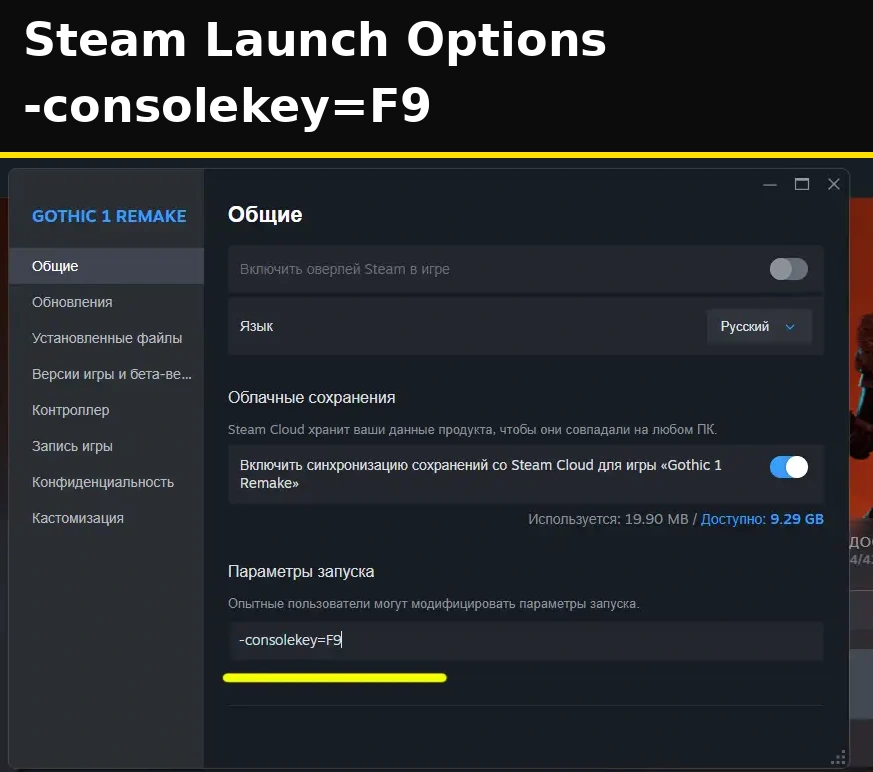
In Steam, right-click the game and open Properties → General → Launch Options.
I use -consolekey=F9.
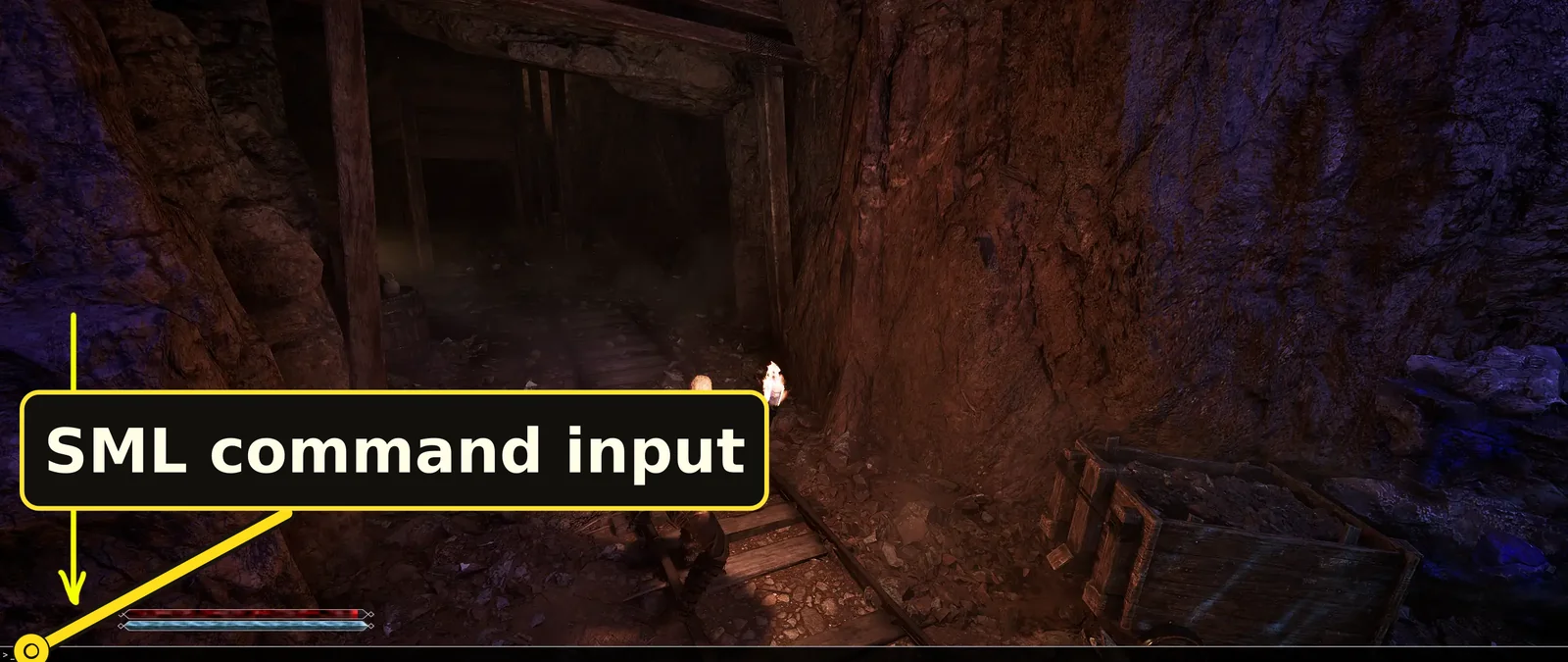
To use another key, replace F9 with a name from the UE4 input names list. With the example above, SML shows [SML]: Custom console key added: F9 (F9) at startup.
SML commands for combat and survival
| Command | What it does |
|---|---|
| godmode true/false | Turns invincibility on or off |
| parrycheat true/false | Makes parries succeed automatically |
Use godmode true to explore an area or test a build without dying. Use godmode false to turn it off. The parrycheat command uses the same true or false values to toggle automatic parries.
Game time and weather
| Command | What it does |
|---|---|
| freezetime true/false | Stops or resumes in-game time |
| skiptime [seconds] | Fast-forwards time by the specified number of seconds |
| setclocktime [hh mm ss] | Sets the time of day |
| setgametime [dd hh mm ss] | Sets the full date and time in the game |
| getgametime | Shows the current time |
| setweather [name] | Changes the weather |
| timescale [value] | Adjusts the game speed |
| gametime [value] | Adjusts the rate at which time passes in the world |
For setweather, use Sunny, Rain_Level1, Rain_Level2, Rain_Level3 or Cloudy.
Crime and faction hostility
| Command | What it does |
|---|---|
| getcrime [id] | Shows information about a specific crime |
| forgivecrime [id] | Removes a specific crime from the record |
| getpastcrimes | Lists the crimes still on your record |
| clearcrimes | Removes all crimes at once |
These are useful if you’ve picked up a crime by accident and would rather try clearing it than reload a save.
The clearcrimes command clears your entire crime record. Use forgivecrime with the ID if you only want to remove one offense.
Inventory and item spawning
| Command | What it does |
|---|---|
| listitems [string] | Lists items whose names contain the search text |
| additem [name] [quantity] | Adds the specified quantity to your inventory |
| removeitem [name] | Removes an item by its internal name |
| listinv | Shows the current inventory |
addallitems or giveallitems | Gives you every item in the game. Can break quests. |
addallitems and giveallitems can break quest progress. Make a separate save before experimenting. If you only want one item, run listitems ore to find a match and use its internal name with additem.
NPC and creature commands
| Command | What it does |
|---|---|
| summon [path to class] | Spawns an actor using its asset class path |
| spawnai [class] | Spawns an NPC or creature |
listnpcs [action] [match] [dead] | Lists NPCs with nearby or all. For all, match part of an NPC ID. The last argument sets whether to include dead NPCs. |
bringnpc [match] | Brings an NPC whose name contains the search text to the player |
gotonpc [match] | Teleports the player to an NPC whose name contains the search text |
killnpcs [match] | Kills killable NPCs loaded nearby |
Quests, skills and character stats
| Command | What it does |
|---|---|
| setstats [STAT] [value] | Sets the value of a stat |
| addskill [name] | Activates a skill |
| removeskill [name] | Removes a skill |
| printskills | Shows active skills |
| quests [mode] [match] [details] | Displays quests by status |
| setquest [action] [match] | Changes the state of a quest |
The stat names for setstats are LVL, LP, HP, MP, STR and DEX.
Use None, Available, Running, Failed or Succeeded with quests. None lists all quests. For example, quests Failed "" True lists all failed quests with details.
Save in a separate slot before changing quest states. The setquest actions are unavailable, available, fail, succeed and restart. For example, setquest fail magic fails quests whose internal IDs contain “magic”.
Commands for chests and doors
| Command | What it does |
|---|---|
| unlocknearby | Opens nearby chests |
| unlockdoor [name] | Opens a specific door by internal name |
| unlocknearbydoors | Opens all loaded doors |
| printdoors | Displays a list of loaded doors |
SML console commands at a glance
| Command | Category | Note |
|---|---|---|
| godmode true/false | Combat | Full invincibility |
| parrycheat true/false | Combat | Automatic parrying |
| freezetime true/false | Time | Game time pause |
skiptime [seconds] | Time | Fast forward |
| setclocktime [hh mm ss] | Time | Set time of day |
| setgametime [dd hh mm ss] | Time | Full date and time |
| getgametime | Time | Current time |
| timescale [value] | Time | Game speed |
| gametime [value] | Time | Time flow speed |
| setweather [name] | World | Sunny, Rain_Level1, Rain_Level2, Rain_Level3, Cloudy |
| getcrime [id] | Reputation | Crime data |
| forgivecrime [id] | Reputation | Clears one crime |
| getpastcrimes | Reputation | Current crime record |
| clearcrimes | Reputation | Clears the entire crime record |
| listitems [string] | Items | Search by name |
additem [name] [quantity] | Items | Add item |
| removeitem [name] | Items | Removes an item |
| listinv | Items | Current inventory |
| addallitems | Items | Everything at once (risky) |
| summon [path] | NPC | Spawn by class path |
spawnai [class] | NPC | Spawns an NPC or creature |
listnpcs [action] [match] [dead] | NPC | Lists NPCs and their IDs |
bringnpc [match] | NPC | Brings a matching NPC to the player |
gotonpc [match] | NPC | Teleports the player to a matching NPC |
killnpcs [match] | NPC | Kills killable NPCs loaded nearby |
| setstats [STAT] [value] | Character | LVL, LP, HP, MP, STR, DEX |
| addskill [name] | Skills | Activate skill |
| removeskill [name] | Skills | Delete skill |
| printskills | Skills | List of skills |
| quests [mode] [match] [details] | Quests | View status |
| setquest [action] [match] | Quests | Change status |
| unlocknearby | Locks | Opens chests nearby |
| unlockdoor [name] | Locks | Opens a specific door |
| unlocknearbydoors | Locks | Opens all loaded doors |
| printdoors | Locks | List of doors |
| killnpcsr [match] | Combat/NPC | Listed as unimplemented in the SML documentation |
| pause | Time | Pause the game or resume it. |
| forceqstate [mode] [match] | Quests | Forces a quest state. [ALL] applies it to all quests, so keep a separate save. |
| chapter [num] | World | Forces the specified chapter number. Keep a separate save before changing it. |
| ownership | World | Displays information about the owner of the object you are looking at or interacting with. |
| relationship [action] [val] | NPC | Relationship actions are hero, npcs, removeallof and clearall. |
guild [get/set] [value] | Character | Use get to see your current guild or set to assign a guild from the mod’s list. |
| diff [action] [value] | Difficulty | Use get or set for presets. Use survival or pdeath with True or False to toggle Survival or Permadeath. |
| giveallitems | Items | An alias for addallitems |
Should you use cheats on your first playthrough?
I’d leave cheats off on a first run. In the opening hours, sparse directions make you pay attention, and a bad swing can cost you a fight. Invincibility takes the tension out of those moments.
I’d save cheats for a few situations.
- Replaying the game
- Testing a build
- Exploring after the ending
- Experimenting on a separate save
- Trying to fix a bugged quest
If SML stops working after a game update, check the Nexus file notes for a build that matches your game version. Keep a backup from before you used the loader.
SML compatibility, command IDs and the autoload list
Does SML work on Game Pass and Epic Games?
The author lists Game Pass as untested and unsupported. Epic Games compatibility is unknown. The author documents launch options for Steam and GOG.
Can you use SML with UE4SS?
If both loaders are installed and SML fails to start, back up the setup and test SML with UE4SS disabled.
Where are the NPC classes and skill IDs?
Look for AI ITEMS CHEATS LIST under Files on the mod’s Nexus page. The class path goes into summon and the AI class goes into spawnai. The documentation also points to a list of names for addskill.
How do you save the SML autoload list?
SML saves its own autoload list. To save the list manually, enter mod save.