Phantom Blade Zero mods can address a specific annoyance, from a cramped camera and poor performance to repeated button presses when collecting loot. Others let you change the hero’s appearance or try a different sort of fight. I’ve chosen 11 mods and explain what each one does and how to install it.
Mods Menu – In-Game Mod Settings
Mods Menu brings supported mods into a new tab in the game’s Settings. With several installed, you can choose one and adjust its options without hunting through separate text files; the menu also explains what each setting does. Press F9 during play when the System menu is available. A newly installed mod appears after a restart.
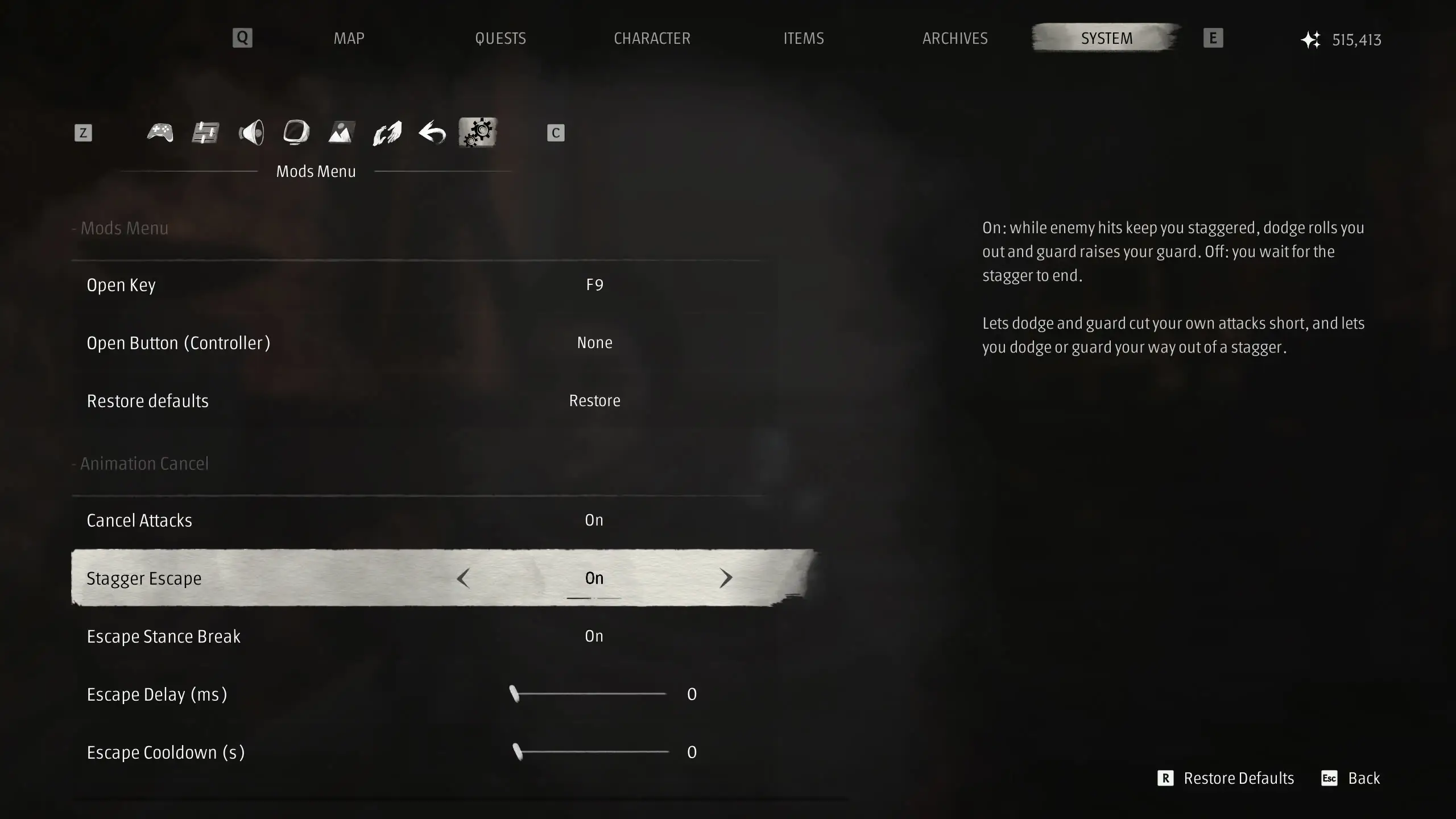
Through the menu, you can:
- see installed mods and their versions;
- reset one setting or an entire mod after confirmation;
- stop a mod loading on the next launch without deleting its files.
✅ Mods Menu is handy when you want to change settings in the game. It does not install other mods or add moves by itself. The author supports the Steam release; the Epic Games Store version is not supported.
FOV Camera Distance and Clean Image – PBZVisualTweaks
PBZVisualTweaks helps when an enemy often slips toward the edge of the screen. Move the camera back, raise it or shift it sideways, and widen the field of view. If motion blur, vignette, bloom or fog gets in the way, you can change each effect separately; you can also enlarge subtitles. On a fresh install the picture stays the same until you choose new values.
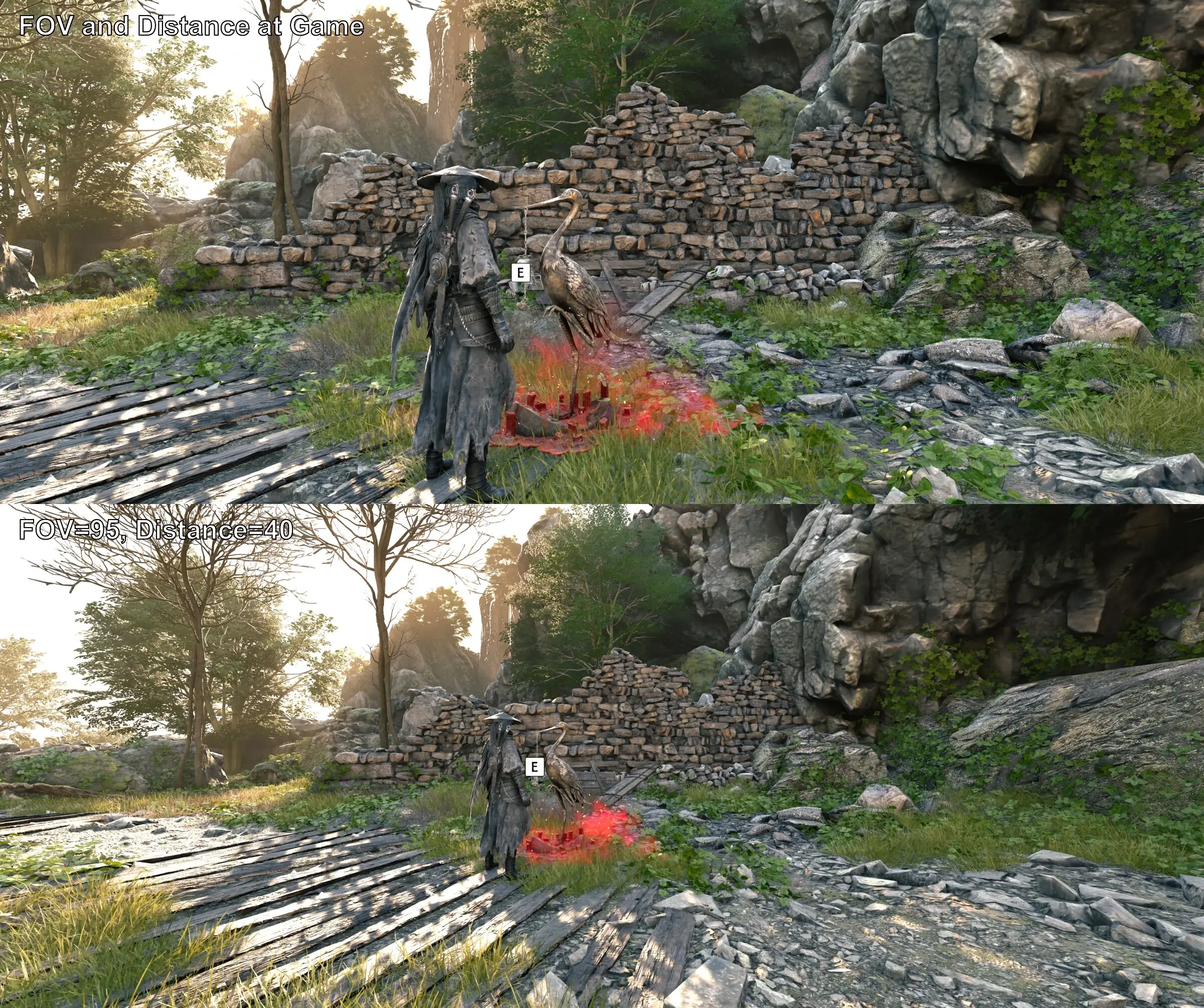
Here is how installation, settings and upgrades work:
- the mod requires Mods Menu 0.5.1 or later;
- adjust settings in the Visual Tweaks tab or
PBZVisualTweaks.txt; - when upgrading from the earlier PAK release, remove old
zzz_PBZVisualTweaks_Pfiles; the author warns that they break the title screen;
✅ I would start with camera distance or field of view and see whether following an enemy becomes easier. Turning every effect off at once makes it harder to tell which change helped and can alter the game’s look substantially. Combat-camera settings also deserve a check in a real encounter.
Phantom Blade Zero Optimyzer by Aiorro
Phantom Blade Zero Optimyzer offers three ready-made graphics presets: Minimum, Recommended and Low-End. If the game struggles on your current settings, they reduce shadows, draw distance, vegetation and some effects. That cuts rendering work, but the most aggressive preset changes how scenes look, particularly indoor lighting.
Each preset has its own target and installation conditions:
- Minimum targets 1080p, Recommended targets 1440p, and Low-End reduces visual detail the most; the author’s FPS targets are not a guarantee on your PC;
- with the game closed, put only one PAK file in
ProjectPBZ/Content/Paks/~mods; remove the previous PAK before switching presets; the author asks you to turn off ray tracing and Path Tracing in the game, then set resolution, upscaler and frame limit separately; - the presets override
Engine/Config/Windows/WindowsEngine.ini; another mod replacing that same file will conflict.
✅ This can reduce graphics load without editing a config by hand. You lose some detail and effects, and the author does not guarantee a particular FPS gain: it depends on the PC and the scene. The author does not guarantee that the presets will eliminate shader compilation or traversal stutter.
Visible HP and Stamina Numbers
Visible HP and Stamina Numbers puts current and maximum health and stamina values on the player’s bars. Instead of judging bar lengths by eye, you can see exactly how much of each resource remains. Normal enemies get numbers that follow their bars as they move. The author included numbers on boss bars but has not yet tested them in a boss fight.
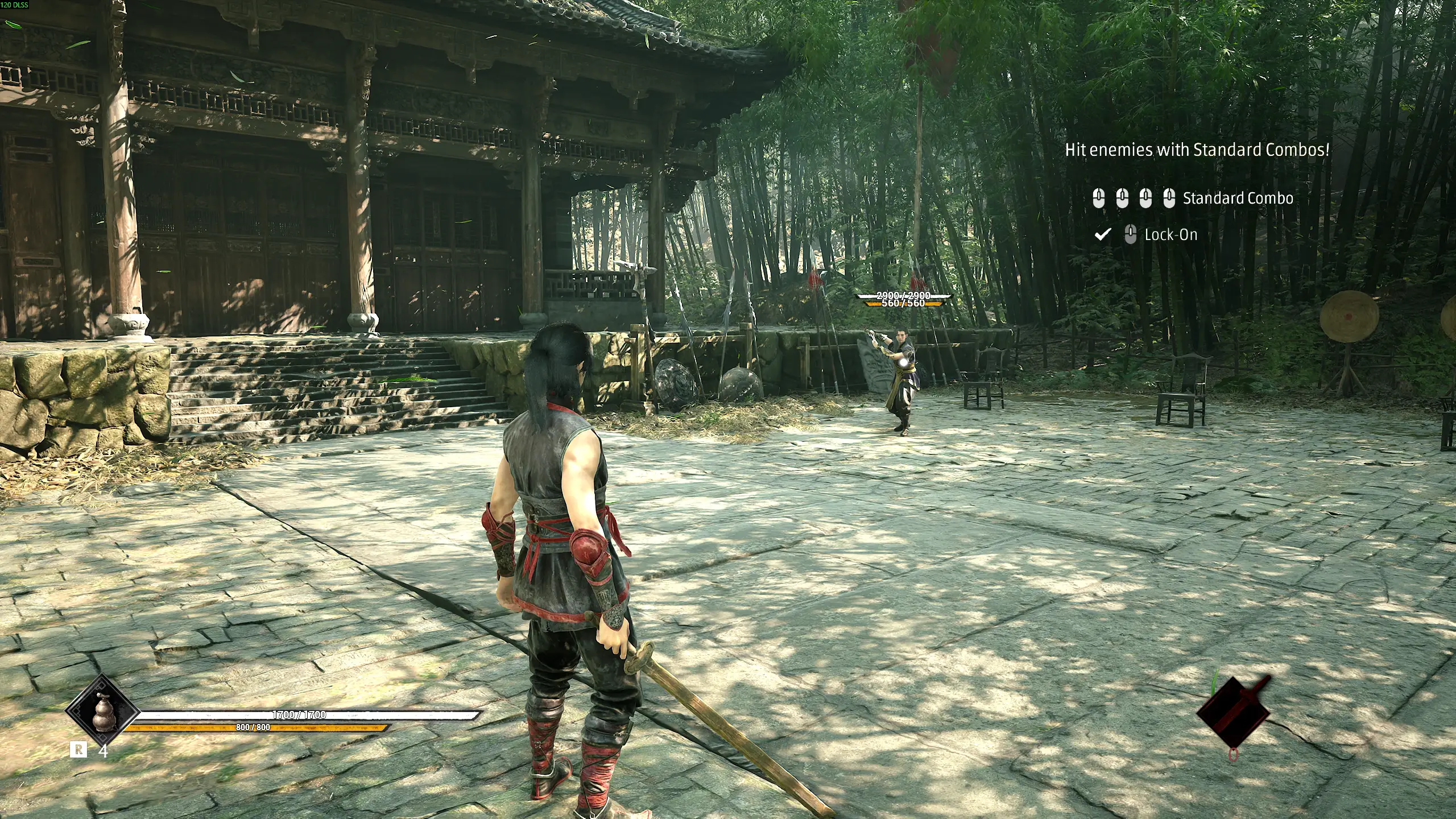
This mod uses UE4SS and installs separately from Mods Menu mods:
- you need UE4SS for Phantom Blade Zero version 1.0.1 or a newer version compatible with your game build;
- the mod folder goes in
PBZ/platform/steam/ue4ss/Mods; its helper DLL is included in the archive; - text size can be changed in
Scripts/settings.lua.
✅ Exact values are useful if you want to judge a fight from numbers rather than estimates. The numbers take extra room on the HUD. The author tested the player and normal enemies on a stated Steam build under Windows; boss numbers remain unverified.
Auto Collect Loot – PBZAutoCollect
Auto Collect Loot picks up ordinary loot and notes when you walk near them. In an area with items scattered close together, that saves a separate button press for each pile. Chests, memory flowers, collection from a distance and pickups during combat have their own switches. Quest items and interactions that start a scene stay manual.
These installation and collection details matter:
- it requires Mods Menu 0.5.1 or later;
- locked chests stay manual; extra options for chests, memory flowers, collection from a distance and pickups in combat are off by default;
- old PAK release files must be removed before an update or the title screen can break.
✅ For ordinary loot, the benefit is fewer repeated button presses. Take more care with memory flowers: the author fixed an earlier issue that disrupted a key sequence, but that fix cannot repair a save already affected. Enabling extra options one at a time makes their effect easier to check.
Easier Perfect Parry and Dodge – PBZPerfectDefense
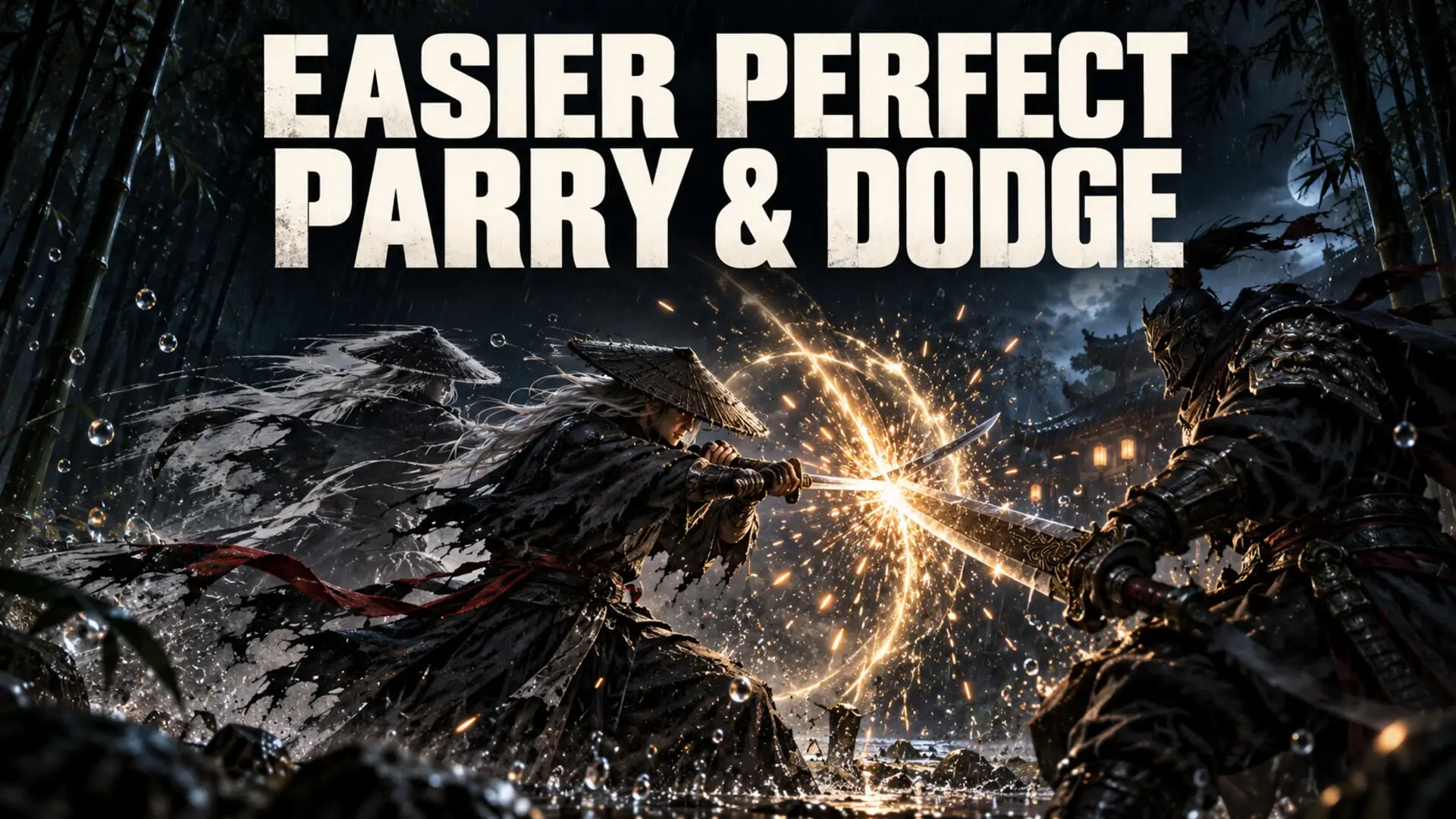
Easier Perfect Parry and Dodge widens the timing windows for perfect deflects and dodges. If you see an attack coming but keep pressing a little late, you can set each window to 1.25, 1.5, 2 or 3 times its normal length. Both begin at 1.5 after installation. There is also an Always option that makes every relevant action perfect.
It requires Mods Menu, while the extra guard option can be set separately:
- it requires Mods Menu 0.5.1 or later;
- version 1.10.0’s separate Guard Unmarked Attacks setting lets you block some melee attacks without a colored warning and is off by default;
- the Guard Unmarked Attacks option leaves grabs, red- and blue-warning attacks, sword waves, other projectiles and area blasts unchanged.
✅ A modest multiplier still asks you to choose the right moment; it just gives you a little longer. Always changes that task much more, leaving little timing challenge. Starting with a multiplier makes the difference easier to judge.
Boss Retry
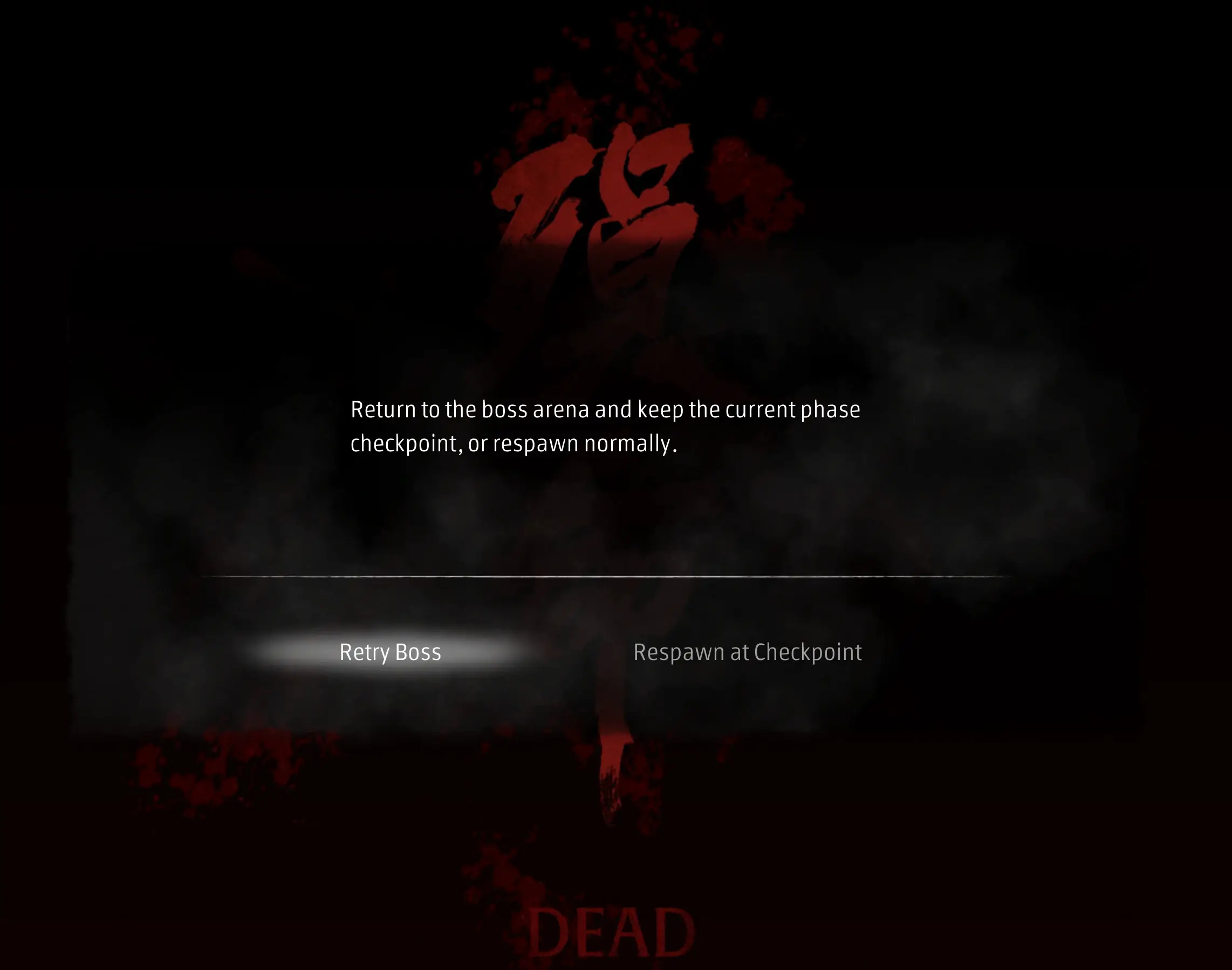
After a death against an eligible boss, Boss Retry lets you choose Retry Boss to restart the encounter or respawn at the checkpoint. Retrying returns both characters to recorded starting positions while the game keeps its normal phases and resource restoration rules. The mod does not load an earlier save, so it cannot undo other actions.
Before installing, check the loader, old files and tested build:
- Install the separate PBZModLoader, which Boss Retry does not bundle. The author checked version 0.3.6-preview; current version 1.0.4 has not been separately verified, so check the file you select against Boss Retry’s stated requirement;
- Move old
zzzz_PBZBossRetry_Pfiles from version 0.1.2 or earlier out of Paks; - Note that the author checked startup on Steam build 26367565 after the November 4 patch; native Windows and other loader versions have not been tested by the author.
✅ Boss Retry removes the run back to a boss between attempts. An unusual arena entry, a death after victory or a blocked return position can lead to normal respawn instead. Compatibility with mods that hook the same game methods needs its own check.
PHANTOM MASTER NINJA – Hardcore Survival Waves (Ninja Gaiden 2 Style)
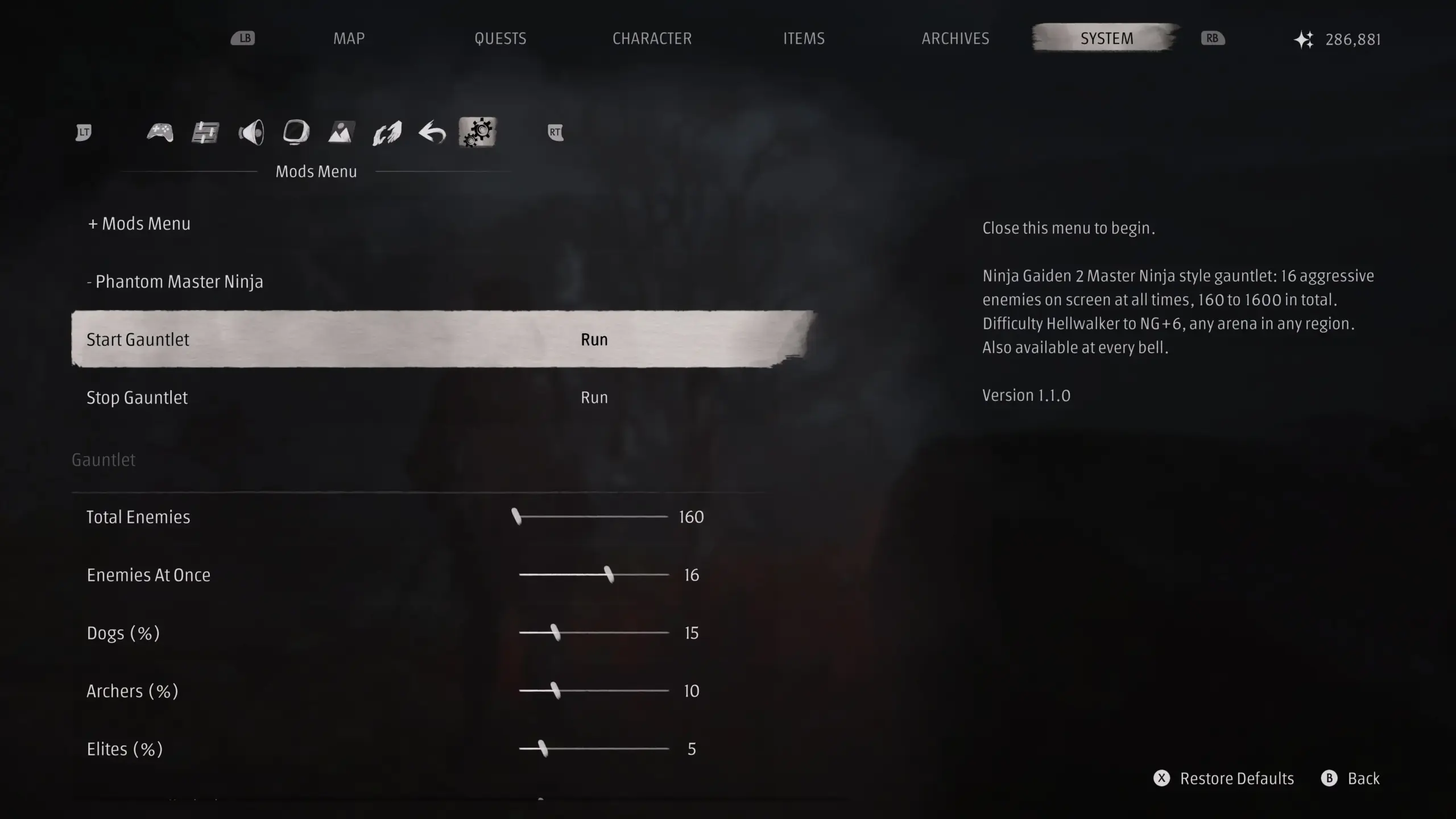
PHANTOM MASTER NINJA adds a series of survival waves. You can choose 4 to 24 enemies on screen, change their mix and adjust difficulty; the author lists 160 to 1,600 enemies over a full run. That makes for a configurable challenge, though the upper on-screen limit can cause performance problems or bugs.
Before the first wave run:
- install Mods Menu and place the mod folder in
PBZ/ProjectPBZ/Content/JavaScript/PBZModsMenu/Mods/PhantomMasterNinja; - make a manual save and back it up before starting a gauntlet;
- if you use the Arena slider, the author recommends loading your manual save after the session ends or is stopped.
✅ This is a separate challenge for anyone who wants more enemies than ordinary encounters provide. The load is especially high at 24 enemies, so it makes sense to use a save you can return to. Whether bosses appear in a chosen arena depends on previous encounters and arena-unlock settings.
VeilShift-Transform Into Any Boss 76 Forms Native Movesets
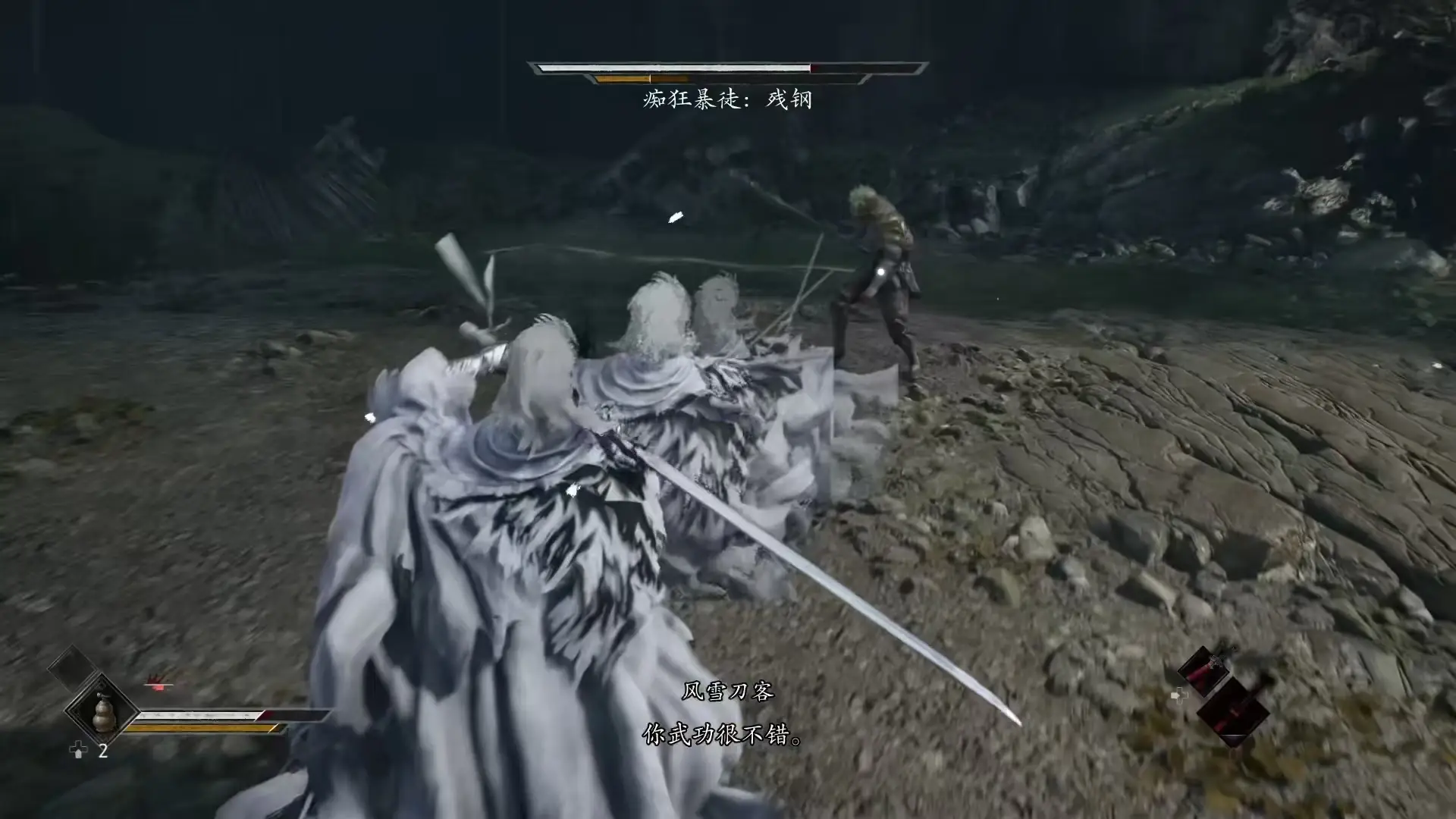
VeilShift lets you choose a boss or elite form and assign its moves to keys. The author lists 76 forms, including second-phase versions, with the enemies’ own animations and attacks. You can build combinations for each form rather than accepting one fixed moveset.
Before installing, check the loader, controls and limitations:
- you need UE4SS with Lua support; put VeilShift in that loader’s
Modsfolder and enable it throughmods.txtorenabled.txt; F8opens the menu andF10triggers an emergency return to the player;- some forms have no grab or execution, leaving those slots empty;
- hot reload is unsupported; VeilShift uses
F9to write a status report, which can overlap with Mods Menu, so rebind that key if using both.
✅ This mod suits anyone who wants to use bosses’ own moves in combat. The author describes VeilShift as a single-player sandbox and does not guarantee the same behavior from every form in every situation. Trying one form and its bindings first makes the next set of moves easier to configure.
Soul’s Appearance Studio
Soul’s Appearance Studio lets you change parts of the hero’s appearance in the Character screen: choose a hairstyle, face, mask or hat, then adjust hair and eye colors. The author supplies 22 hairstyles, 16 masks and facial accessories, six hats and three faces. Hair, iris and sclera each have 112 shades. You choose individual details rather than replacing the whole outfit.
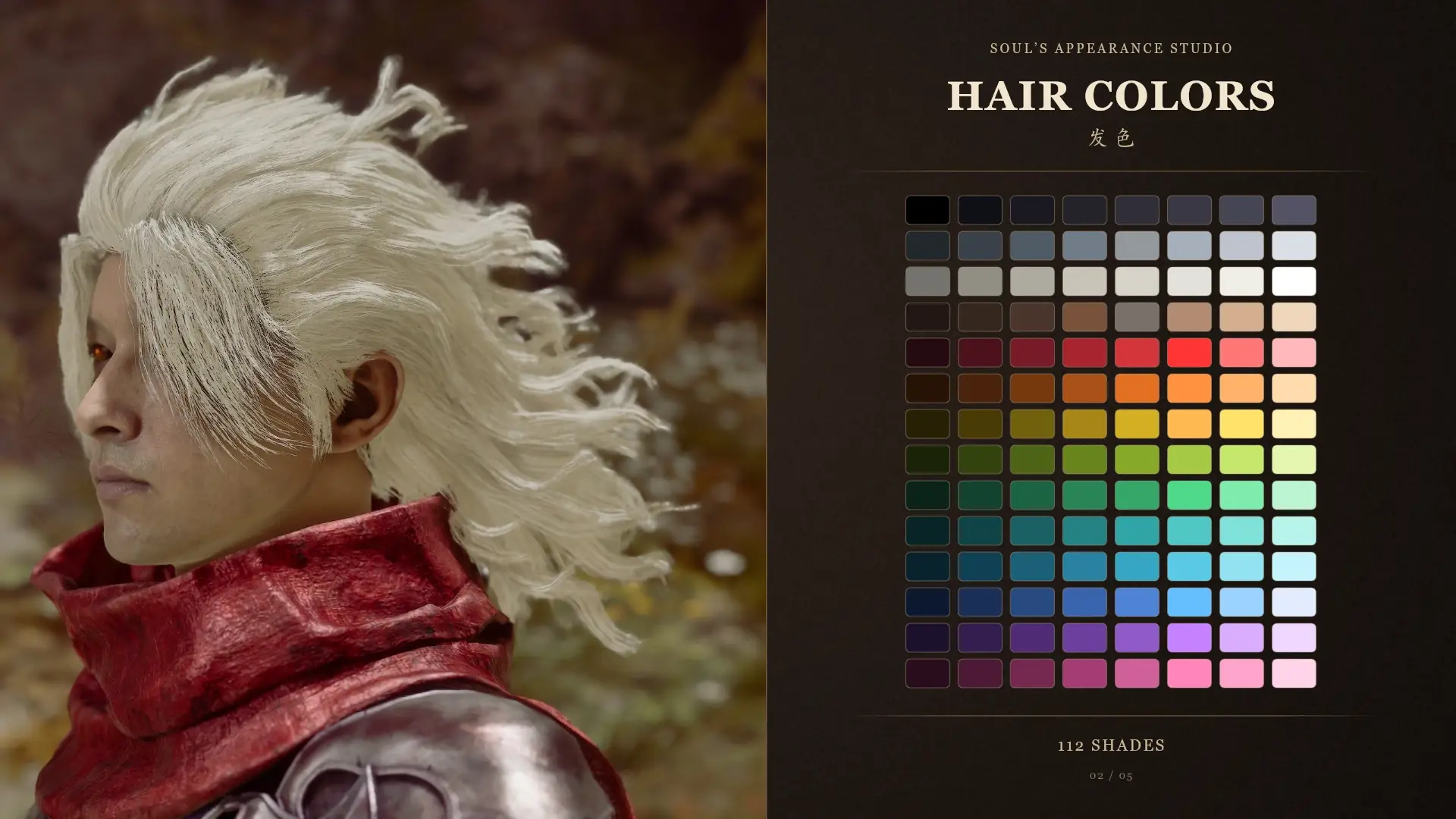
Choose one script loader, but install the shared resources whichever route you take:
- with PBZModLoader 1.0.0, the scripts go in
ProjectPBZ/PBZModLoader/mods/PBZSoulHairStudio; alternatively, use Mods Menu 0.7.2 andProjectPBZ/Content/JavaScript/PBZModsMenu/Mods/PBZSoulHairStudioMenu; - all 22 resource groups from the archive belong in
~mods; the script folder alone cannot provide the full appearance set; - the mod is built for Steam build 26367565; mods changing the same hair, head, Character screen or face lighting may interfere.
✅ This suits anyone who wants to combine a hairstyle, mask and eye color of their own choosing. After installation, check both the selected loader and the resource files: the editor needs both parts to work as intended.
Zuo Shang Gilded Cyborg Form
Zuo Shang Gilded Cyborg Form adds a separate outfit to the hero’s wardrobe. The original outfits remain available, so you can dress the hero in the golden outfit and cape, then return to the usual look. The author offers eight cape colors, with separate switches for hair, the cape and the dagger on the back.
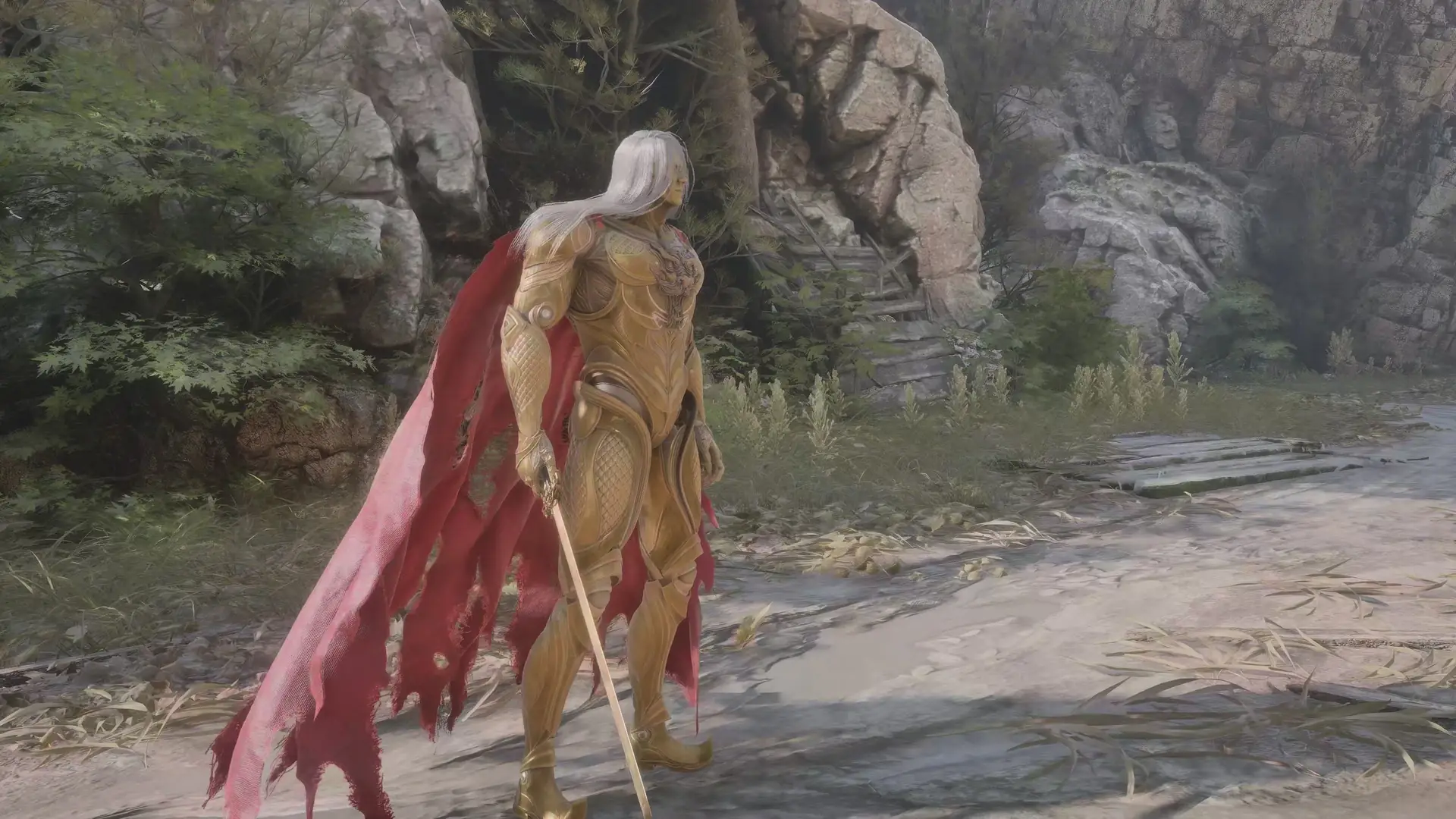
Installation and compatibility have a few conditions:
- install PBZ – Outfit Framework; UE4SS is not required for the outfit;
- place
PBZOutfit_ZuoShang_P.pak,.utocand.ucastogether in~mods; - the outfit uses wardrobe slot
4851and conflicts with another outfit in that slot; replacements for the body, skeleton or main animation blueprint can also interfere.
✅ This gives you a complete look with several cape colors while keeping the usual outfits available. The author notes a slight model deformation while crouching. Compatibility with Soul’s Appearance Studio has not been confirmed.
How to Install Phantom Blade Zero Mods
These mods use several installation methods. Script mods rely on Mods Menu or PBZModLoader; the numeric HUD and VeilShift use UE4SS. Optimyzer takes one PAK file, while the Zuo Shang outfit uses PBZ – Outfit Framework. Soul’s Appearance Studio needs one chosen loader and all 22 resource groups. Each section gives the specific requirements.
- Check your game build and the chosen mod’s requirements, especially after a Phantom Blade Zero update.
- Back up your save and copy any existing mod files before replacing them. PHANTOM MASTER NINJA explicitly calls for a manual save backup.
- Close the game and install the required loader using the Mods Menu page, PBZModLoader page or the UE4SS instructions linked from the chosen mod. For the outfit, check PBZ – Outfit Framework. Do not overwrite another tool’s DLL; install one mod in the location its author specifies first.
- Start the game and check the feature you installed. Use only one Optimyzer PAK preset; for Soul’s Appearance Studio, check that all 22 resource groups are present. If a mod does not appear, check its loader and files left from an earlier release.
- Add more mods one at a time and review their updates after a game patch. Sharing a supported game build alone does not establish compatibility between mods.
Choose Mods for the Way You Play
Camera settings help keep enemies in view, Optimyzer reduces graphics load at the cost of visual detail, and auto collection removes repeated presses near loot. Soul’s Appearance Studio changes individual features; Zuo Shang provides a complete outfit. For combat, there are wider parry windows, quick boss retries, enemy waves and boss forms. Checking each mod separately makes it easier to see which change helped and which one caused trouble after a patch.