Map mods for Cyberpunk 2077 come in handy when you open the map for one gig and find dozens of icons in the way. Hide whole categories, label a spot you want to revisit, or turn the map to get a better look at the block. You can also pull up a map while driving or let a mod record the streets you’ve already explored.
Custom Map Filters Panel
When several mods put their pins in the same built-in category, the game’s filter hides them all at once. Custom Map Filters Panel adds a separate panel on the left. It uses icons and other map data to tell different kinds of pins apart, so you can toggle some of them individually.
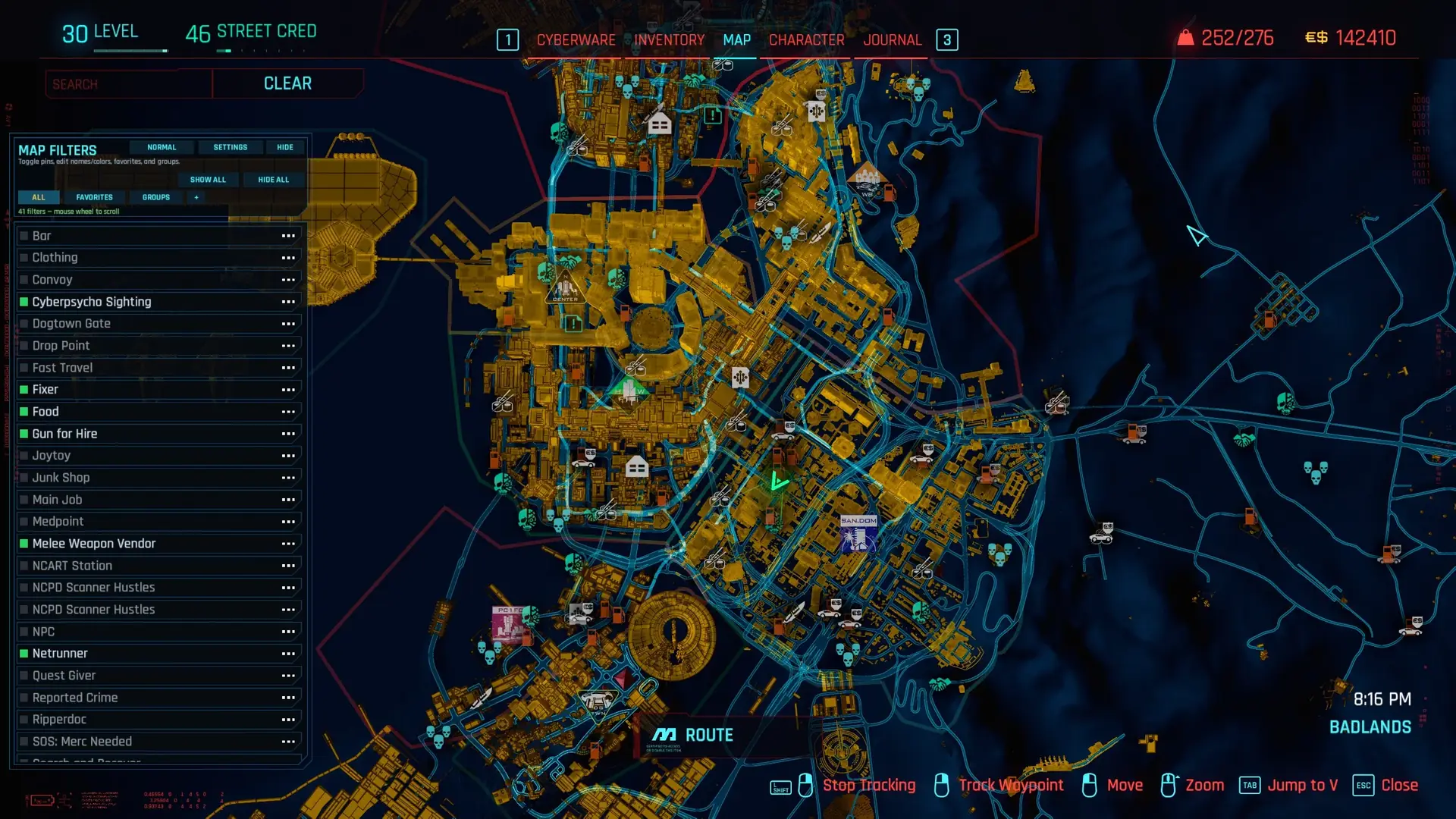
Pick a mode at the top of the panel to decide which pins stay on the map.
- Normal gives you manual toggles. In any mode, the three-dot menu lets you rename a row, change its icon color, add a type to Favorites, or group several types together.
- Dynamic hides minor icons as you zoom out, following the game’s rules. Focus keeps quests, gigs, fast travel and metro stations, apartments, Militech data terminals, and your tracked or favorite pins.
- Proximity keeps pins within a kilometer of V, along with your waypoint and tracked pins. In Dynamic, Focus, and Proximity, you can pin selected types so they stay visible.
Version 2 needs redscript, RED4ext, Codeware 1.20.3 or later, TweakXL, and Cyber Engine Tweaks. Install with Vortex or extract the archive to the game folder. RedFileSystem and RedData are only needed to copy settings to a JSON file. The author hasn’t explicitly confirmed support for game patch 2.5.
If you have Improved NCPD Map Filters, disable it before launching. Both mods add the same police scanner categories. If two mods use the same icons and data, their markers may still share a row. The waypoint you set by right-clicking stays outside the filters.
✅ For a walk around one district, start with Proximity. You can keep a category visible even beyond the one-kilometer limit.
Custom Map Markers
Found a handy way onto a roof or a spot you want to come back to? Custom Map Markers lets you leave your own pin with one of 18 icons and a short note. It uses V’s current coordinates, so get to the spot first.
Open the world map. Move the cursor to an empty spot and press the middle mouse button to open the marker window.
- Pick an icon and type a description. The new marker appears where V is standing, wherever your cursor happens to be.
- Track your pins like regular markers, cycle through them with Tab, or remove them with middle mouse. You can see them on the world map, on the minimap, and in the world.
- Your pins are stored in the save. On the world map, the separate Custom Map Markers filter lets you hide them all at once.
Extract version 2.6.3 to the game folder. It needs ArchiveXL, Codeware, RED4ext, redscript, and TweakXL. Input Loader lets you rebind the hotkey, and Mod Settings lets you change pin colors.
To move pins to another save, get the optional Exporter file and install RedData and RedFileSystem. The exporter stores pins in r6/storages/CustomMapMarkers/data.json and syncs them when the game loads.
✅ If you want to come back to a spot, make a note of which side to approach from. The icon tells you where you stopped, and the note helps you find the way in.
UndiscoverMe – Reveal map markers 2.5
Sometimes a district looks empty on the map because V hasn’t been there yet. UndiscoverMe shows eligible hidden markers from the game ahead of time. You can reveal just the tarot graffiti, for example, and plan a trip around those locations.
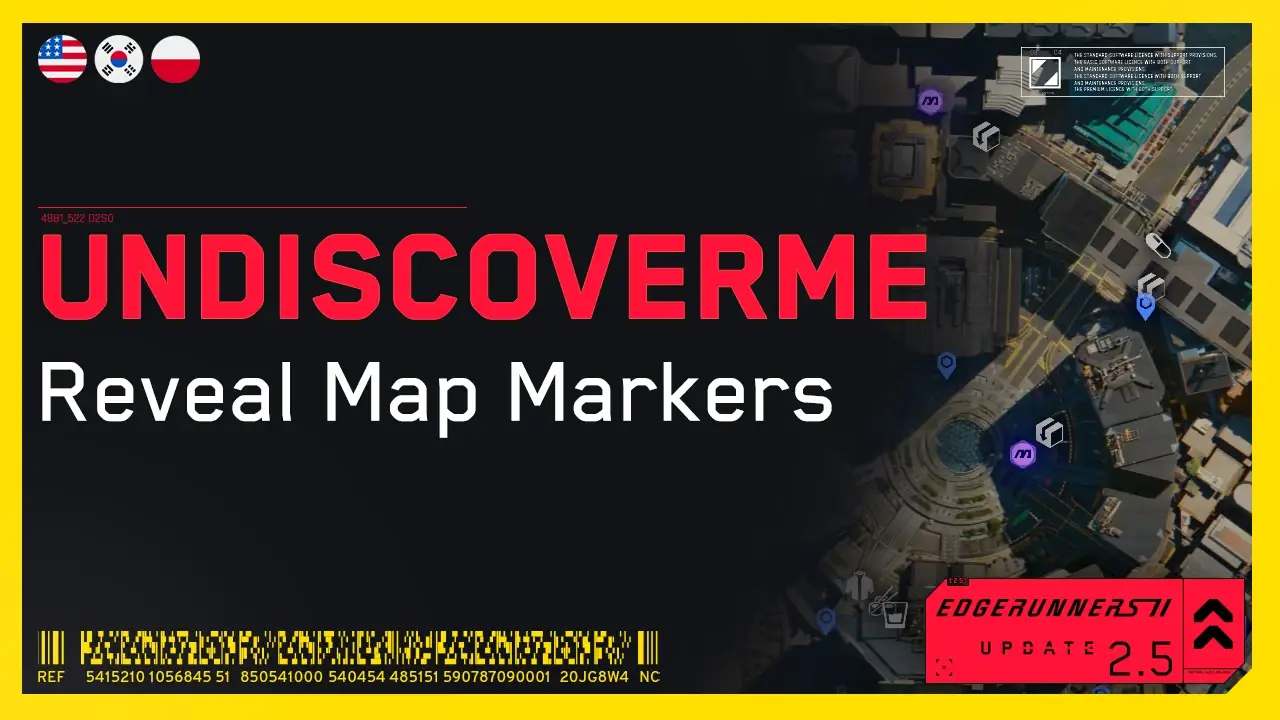
Choose which locations appear on the world map in the settings.
- You can reveal Assaults in Progress, Organized Crime Activity, and Reported Crimes separately. Cyberpsycho sightings and tarot graffiti have their own toggles.
- A fast travel icon can show up before V reaches the terminal. You still have to unlock the point to use it for regular fast travel.
- Your category settings carry over between sessions. The optional UndiscoverMe Teleporter installs separately and can send V to supported markers. The core mod can reveal them on its own.
Download UndiscoverMe Core 1.0.0 for patch 2.5 and extract it to the game folder. You’ll need Cyber Engine Tweaks, RED4ext, redscript, and TweakXL. The last one powers the extra map filter. Configure it through CET, or use Native Settings UI or Mod Settings for an in-game menu.
✅ If you’re after one type of collectible, reveal just that category. UndiscoverMe works with the game’s own markers, so pins from other mods won’t appear in its list.
Scalable World Map Pins
Zoom out to see all of Night City and the bigger icons start to overlap. Scalable World Map Pins changes their size with the zoom level. You still zoom the map yourself.
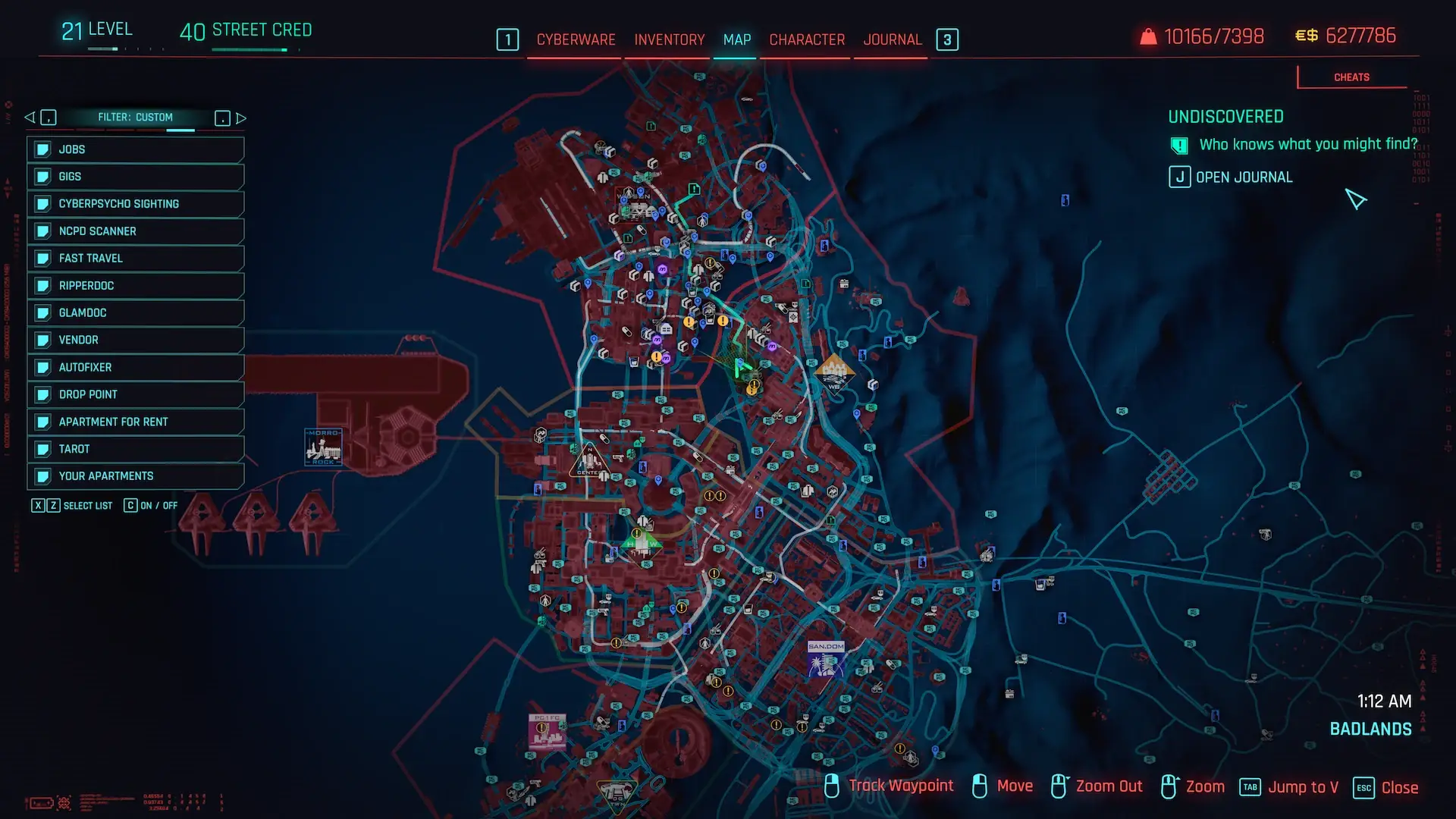
The settings are in the Cyber Engine Tweaks menu.
- Set smaller pins for the citywide view and make them easier to spot when you zoom into a district.
- You can resize the game’s filter window separately.
The author tested SWMP 1.0 on Cyberpunk 2077 2.5. You’ll need Cyber Engine Tweaks to change the settings. Extract the mod to the game folder.
If you use it with Custom Map Filters Panel, check how the window resizes. This setting is built for the game’s default filter window.
✅ This is an easy way to clear some space on the citywide view when you still want to see every category you’ve selected.
Map Street View
Turn the map with Map Street View to see how highway ramps or roads at different heights fit together. The mod brings back free rotation and tilt. The camera stays above street level because the engine limits how far it can tilt.
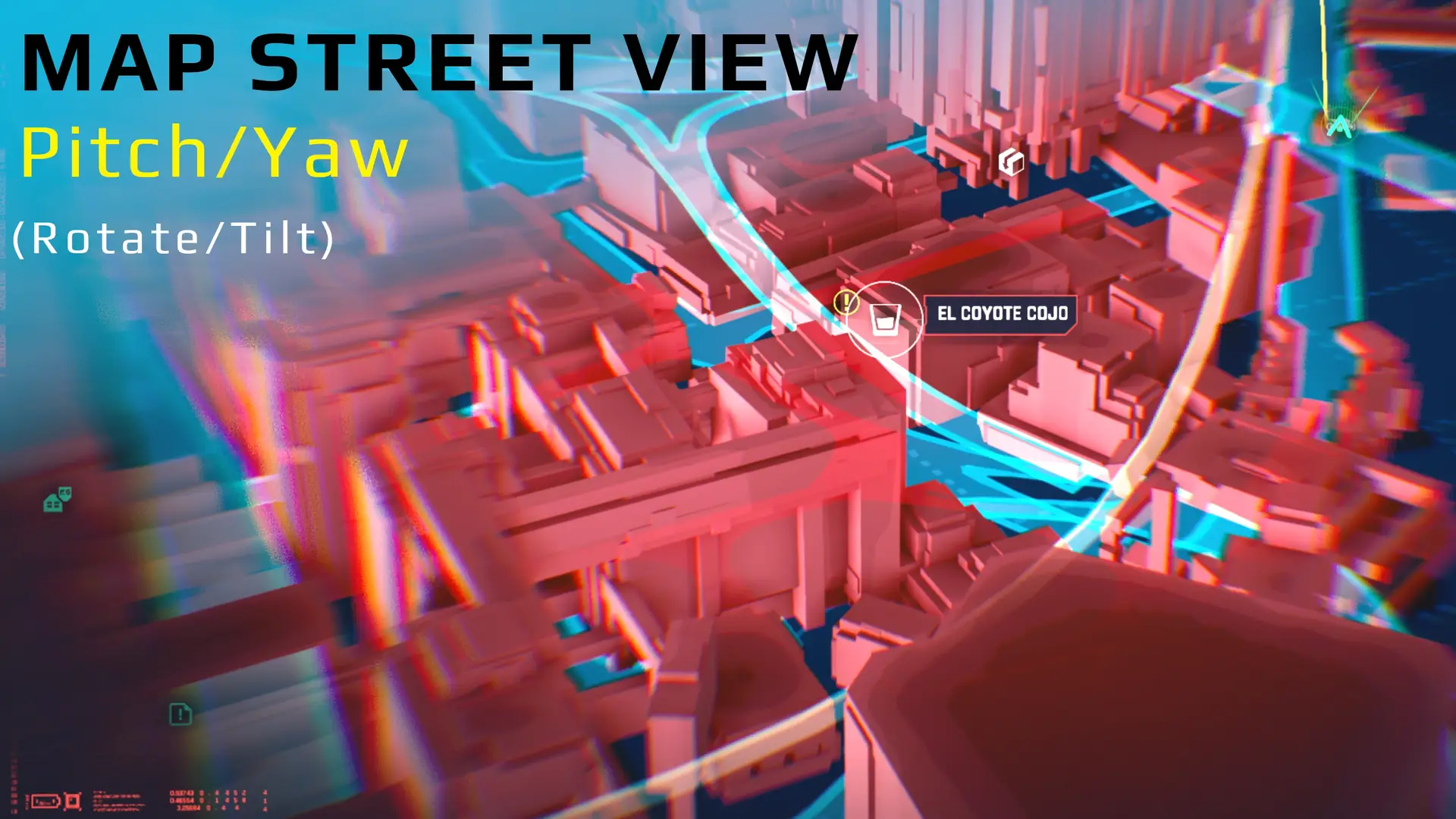
Rotate the map with a mouse, keyboard, or controller.
- Hold the right mouse button and drag to rotate or tilt the map. A quick right click still sets a waypoint.
- Use the arrow keys or the right stick to rotate and tilt. To reset the view, hold Tab or press and hold the left stick.
- The angle stays put when you zoom. The mod also remembers your view for the next time you open the map.
Version 3.0 is built for patch 2.5. Install redscript, then install one archive with Vortex or Mod Organizer 2. For a manual install, the files go in r6/scripts/MapStreetView/. Use Mod Settings if you want to change the options from the game menu.
Standard uses the defaults. Silent removes rotation sounds, Inverted Tilt reverses the tilt, and No Mouse Drag lets you rotate only with the keyboard or a controller.
If you want to zoom in closer, try 3D World Map Explorer. Its author confirms support for 2.5. It needs Cyber Engine Tweaks, and Codeware enables the full feature set. Choose one camera mod. Map Street View and 3D World Map Explorer change the same controls.
✅ Hold Tab to face north again if you lose your bearings after rotating the map.
If you’re looking for a particular piece of tarot graffiti, use the browser maps for Night City to find a landmark, then get back to your route in the game.
Realistic Map 3D (Experimental)
Realistic Map 3D renders Night City’s buildings, streets, and terrain in the regular map menu. Pan to another district and the game loads the area under the camera. The author’s flat map fills in where the 3D geometry hasn’t loaded yet.
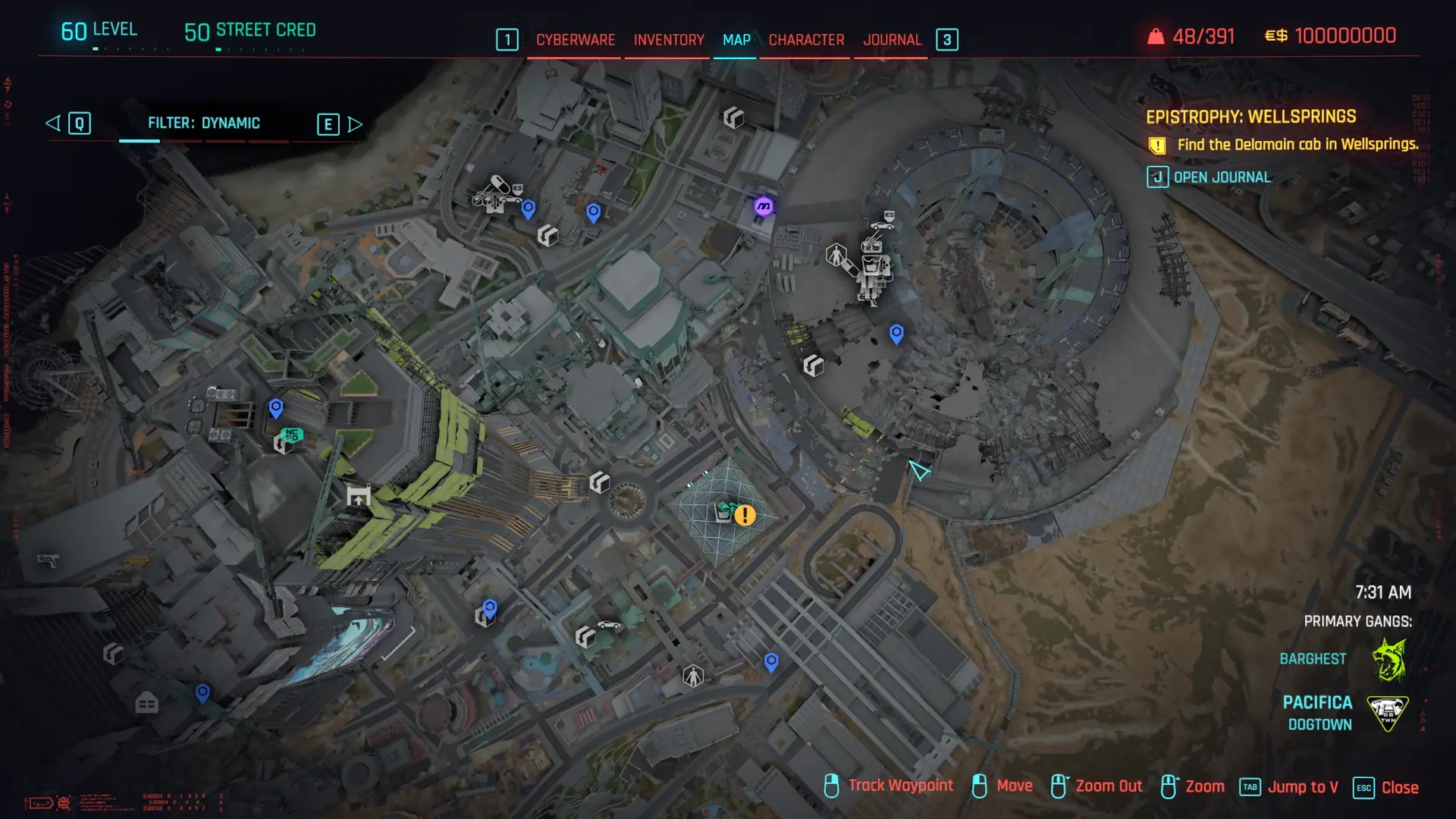
This is an early experimental release. Here’s what you might notice with the map open.
- The game streams in actual city blocks, including Dogtown. The lighting stays the same no matter what time it is in the game.
- Some buildings take time to appear when you pan to a new district. You may see gaps in the geometry, and water appears black. After closing the map, the area around V can take a few seconds to reload.
- Rendering real buildings puts more load on your PC than the original hologram. The author recommends a fast CPU, a graphics card with at least 8 GB of VRAM, 16 GB of RAM, and an SSD.
Version 0.21.0 is for PC on patch 2.5. It requires RED4ext, Cyber Engine Tweaks, Codeware, TweakXL, and redscript 0.5.32 or newer. Install with Vortex or extract the archive to the game folder. Open the world map with M as usual.
If you already use the same author’s flat Realistic Map, choose one version. The author also lists conflicts with mods that replace the map camera asset or change its settings through TweakXL. He tested this mod alongside his own Realistic Minimap.
✅ Try the 3D version to see the real city blocks if you’re happy to wait for them to load. For everyday navigation, the flat version or a rotatable version of the original map will do.
Overlay Map
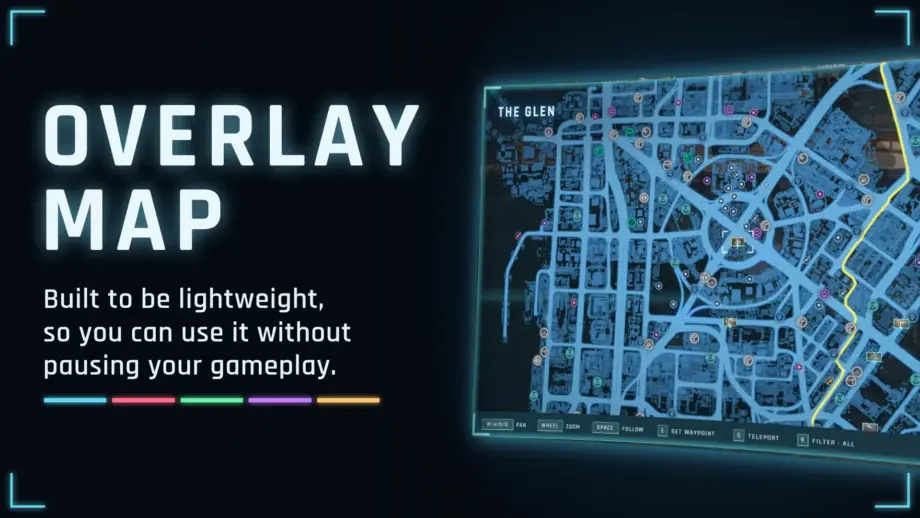
Need to check the next turn? Press O and Overlay Map opens a translucent city map on top of the game. The world keeps moving behind the panel. With the default controls, V stands still because the keyboard and mouse control the map.
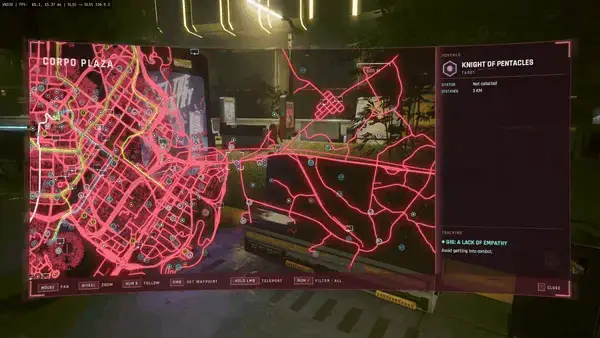
The panel can show the whole city or zoom in as far as a single street.
- Use the mouse wheel to zoom, R to cycle marker sets, and E or Enter to set a waypoint. The panel shows your GPS route. You can turn on metro lines and check district names.
- If you want to walk or drive with the map open, select Numpad or Mouse only. In Numpad mode, use the numeric keypad to control the map. In the second, the mouse controls the map and the keyboard stays with V.
- In Mod Settings, you can change the panel’s opacity and size, adjust the layers, and turn teleporting off. The mod keeps pins for photo mode shots and can display collectible locations.
Version 1.0.1 is built for patch 2.5. It needs redscript, Codeware, and RED4ext. Use Mod Settings to rebind keys or change the control mode. Install with Vortex or Mod Organizer 2, or extract the archive to the Cyberpunk 2077 folder.
On 2.31, the author only checked that the scripts compile. The native plugin used to set waypoints and save new photo pins was tested on 2.5.
✅ Set up the map controls before you get behind the wheel. Numpad mode leaves V’s regular movement keys free.
PathTracker – Exploration Heatmap and Teleport
When two streets look alike, PathTracker can show which one you’ve already been down. It records V’s movements automatically and keeps the history between sessions. It can tell rooftop locations from spots at street level.
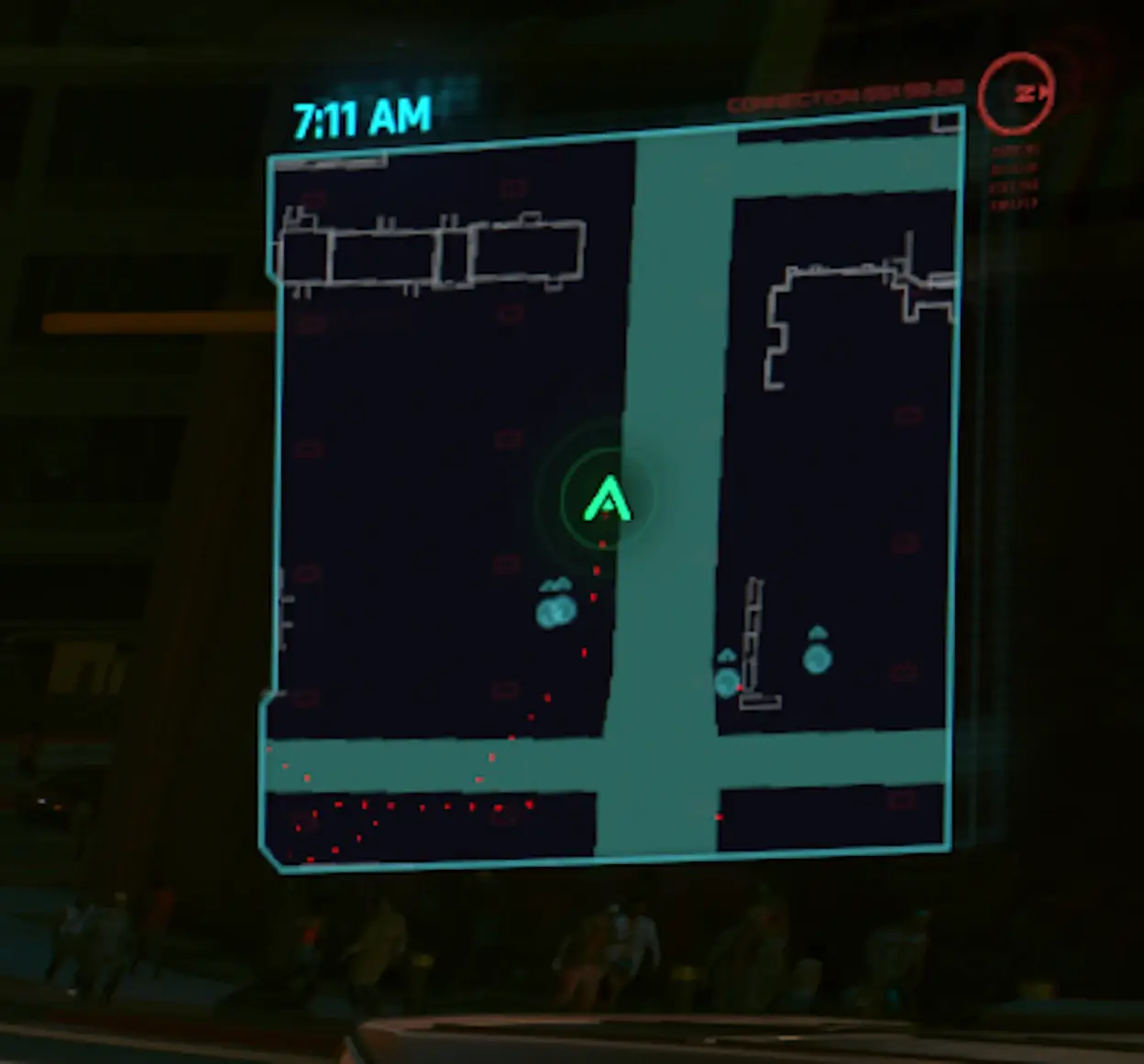
What you can see depends on which map you open.
- The world map shows walking and driving history. It spaces those markers 20 meters apart.
- The minimap shows the nearest part of your walking trail, with a marker every 5 meters. This release hides driving history on the minimap to keep it running smoothly. You can zoom the on-foot minimap up to 200%.
- You can enable teleporting to places you’ve visited. Regular fast travel terminals still work the usual way.
Download PathTracker 1.1.8. The file description still says 2.31, but the author confirms there that it works on 2.5. You’ll need Cyber Engine Tweaks and Native Settings UI. Extract bin and r6 to the game folder.
Your history is stored in visited.json. Keep that file when you update if you want to retain your trails. The author saw PathTracker work with Custom Map Markers but hasn’t tested the pairing in depth.
✅ When you want to explore a district, open the world map and pick a street with no trail on it yet.
How to Install Cyberpunk 2077 Map Mods
These files are for PC. The Cyberpunk 2077 mod installation guide shows where to find the game folder, how to install the frameworks, and how to check a Vortex installation.
- Check your game version and the requirements on the Description and Files tabs. Make a separate save. If you already have important pins or routes, back up their files if the mod stores them separately.
- Install the frameworks, add one mod, and launch the game. Try camera changes one at a time so you can see which mod controls rotation, zoom, or how the city is drawn.
- Open the screen you want to check. To make a personal pin, go to the spot and press the middle mouse button on the world map. For Overlay Map, select Numpad or Mouse only, press O, and check that you can move with the panel open.
How Do You Clear Map Clutter Without Missing Places You Need?
If you want every category on the citywide view, start with Scalable World Map Pins and shrink the icons as you zoom out. If certain types of places keep getting in the way, use Custom Map Filters Panel to keep just what you opened the map for. And if you want to revisit a spot after the next gig, leave a personal pin with a short note on how to get there.