Cyberarm mods for Cyberpunk 2077 let you give V one metal arm and keep the other looking stock. Give a familiar prosthesis a matte finish or worn paint, or build the hand and forearm from separate pieces. You can also replace the Mantis Blades model with retractable claws.
Free patch 2.5 added five Glamdocs to Night City. Look for a spray can icon on the map. Equip Gorilla Arms, Mantis Blades, Monowire, or the Projectile Launch System and visit one of their shops. They offer 40 styles between them, and you can change the colors and decals once you buy a style.
Split Cyberarm Styles
With H4zeyaf’s Split Cyberarm Styles, you can put an Arasaka finish on V’s left arm and keep the right arm plain. You can style each arm separately in the Glamdoc menu. Version 1.3.1 also lets you give the right arm its own color.
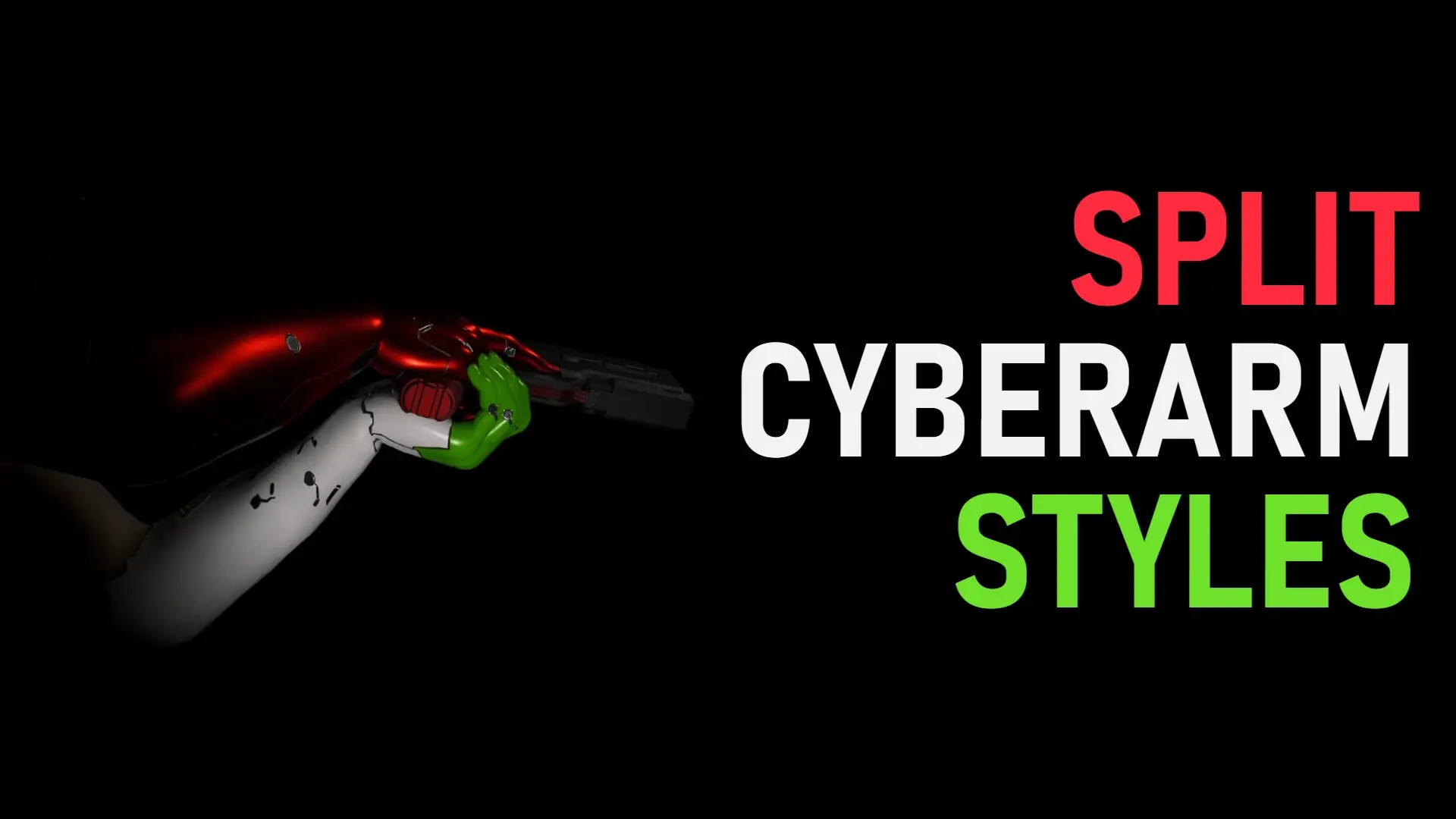
On the style screen, click the arm you want or switch sides with Space or R3.
- Your first style goes on both arms. After that you can change each side separately or clear the style from one arm.
- For Mantis Blades, the style changes the arm, blade, and mechanism. For Gorilla Arms, it changes the hand and knuckles. The Monowire filament follows the left arm’s style. Split Cyberarm Styles doesn’t affect the Projectile Launch System.
- On the color screen, use the drop-item button or R3 to switch arms. Tab or L3 restores shared colors. If Night City Glamdoc Colors is installed, it applies its colors and animations only to the left arm while split colors are on.
You’ll need game patch 2.5, Phantom Liberty, ArchiveXL, redscript, Codeware, and RED4ext. Install with Vortex or extract the archive to the game folder. Mods that add styles to the same implants or replace the Glamdoc preview room can conflict.
Before uninstalling, give both arms a matching style or clear the styles for every implant type you changed, then save the game.
✅ To style just one arm, put the look on both first, then clear the style from the side you want to keep plain.
Glamdoc Unlocked
Say you want to preview an Arasaka style for Mantis Blades on V, but you have Gorilla Arms installed. dnbnhlp’s Glamdoc Unlocked lets you preview both looks without swapping implants at a ripperdoc.
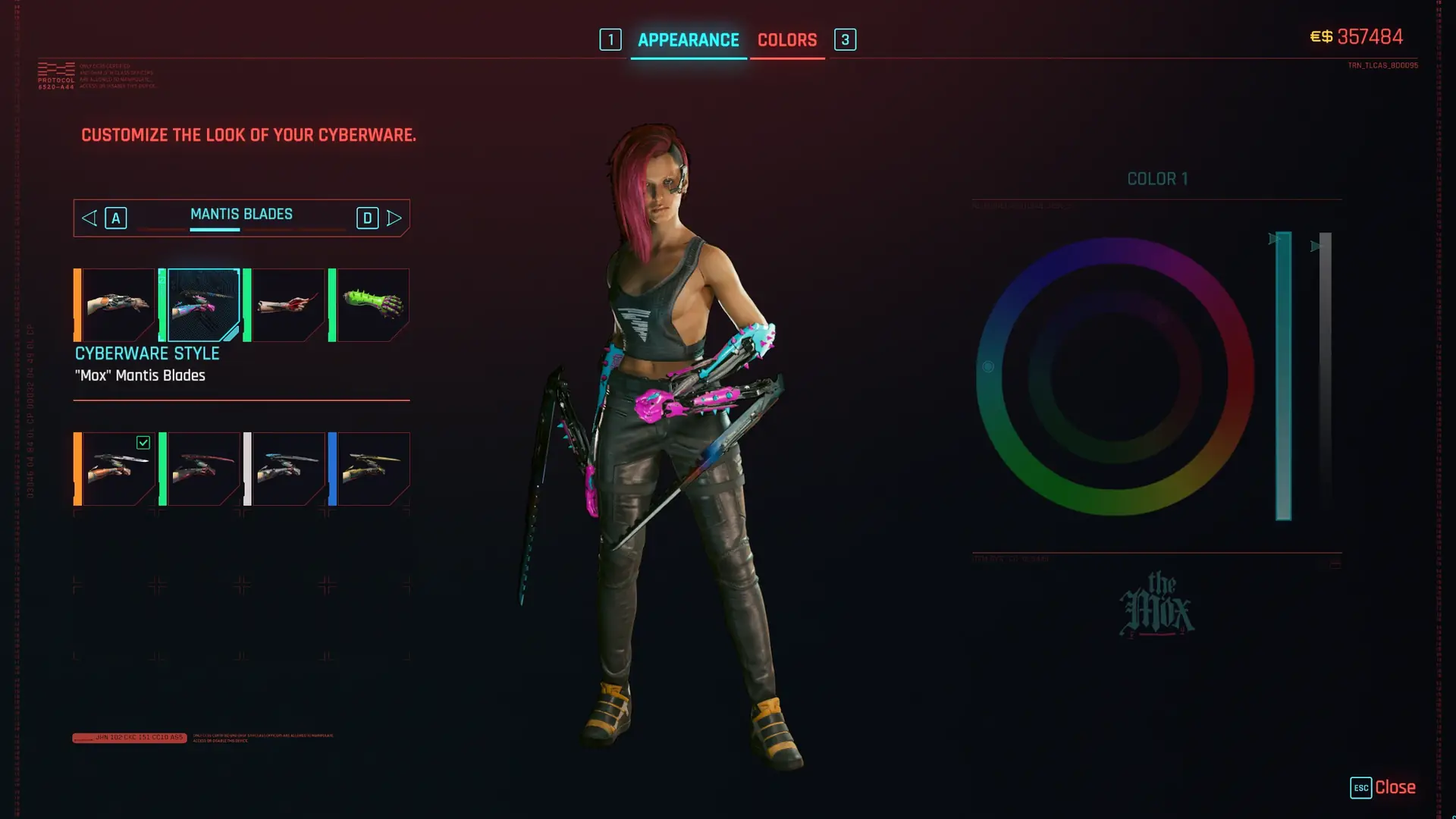
A style slot appears next to the arms on the Cyberware screen.
- Preview styles for all four arm types, including implants V doesn’t own. Each type remembers its look and colors. Equip a previous implant again to get its style back.
- Use the color picker to adjust hue, brightness, and saturation and save up to five custom colors. Brand presets are still available.
- Use Mod Settings to enable purchases from the style screen or have every Glamdoc sell every style. Both options are off by default.
Version 1.0.2 requires game patch 2.5, redscript, and Codeware, which needs RED4ext. Choose one archive in Files. The full release has all the features, while Lite keeps just the style controls on the Cyberware screen. The author suggests Lite if you also use other Glamdoc mods. Mod Settings is only needed for the full release’s toggles. Install with Vortex or extract the archive to the game folder.
The author lists support for RipperDeck’s menu. If you use Cyberware-EX with two arm implants, the style applies to the first slot.
✅ If you’re deciding between a Mantis Blades look and one for Gorilla Arms, preview them first. You can see both without buying another combat implant.
Night City Glamdoc Colors
You can change the material on a cyberarm you already like. charlotte27k’s Night City Glamdoc Colors offers polished chrome, satin, and matte finishes, plus scratches, dust, and rust.
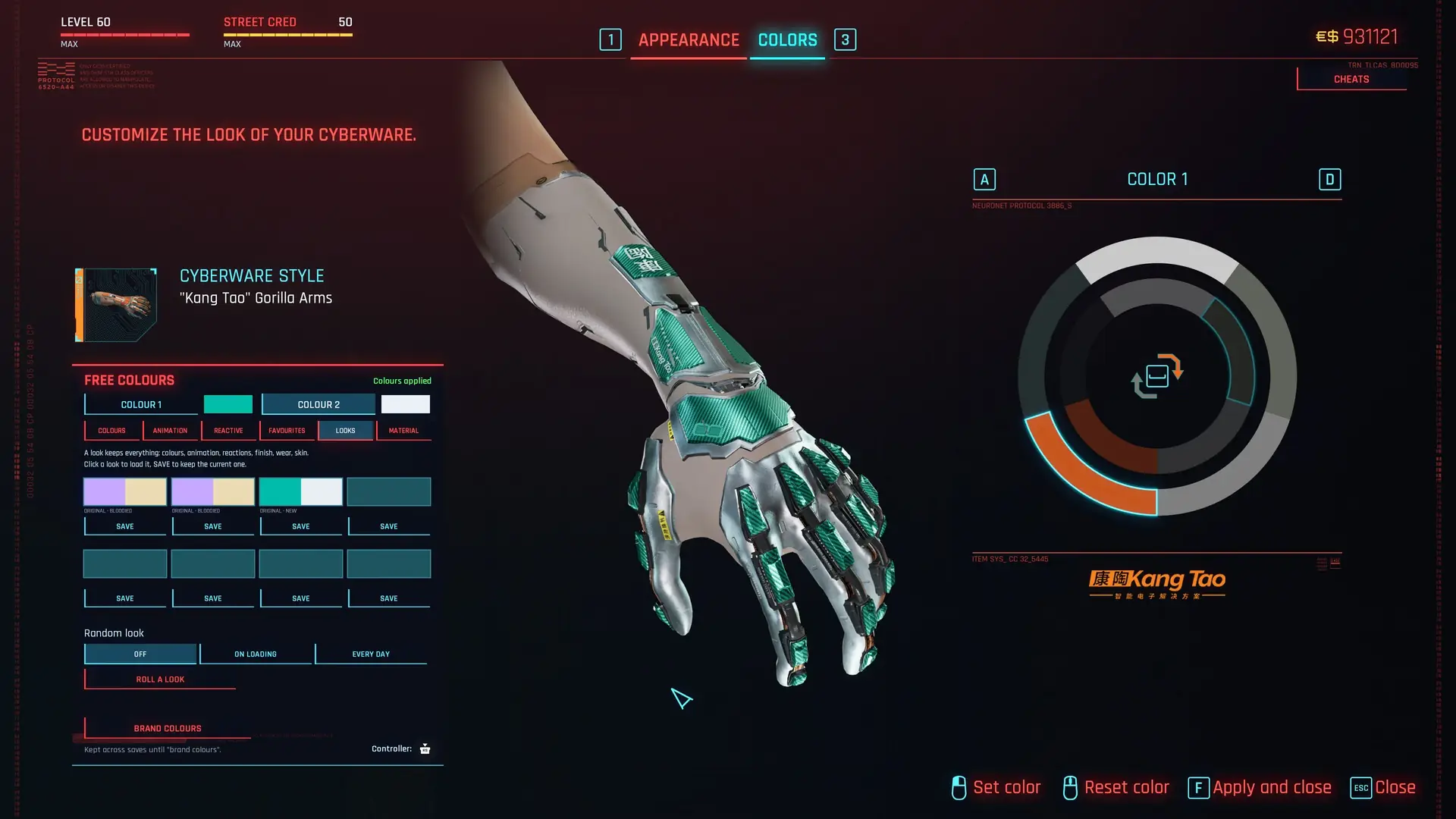
Version 1.18 adds a GLAMDOC button to the Cyberware tab. Look under FREE COLOURS for the palette.
- Finishes and effects cover all four arm implants for male and female V. Branded styles can also use different skin materials, such as porcelain or carbon fiber.
- Enter an RGB color, save a combination, or turn on a fade between colors. Separate reactions can change the color while scanning, fighting, or using a quickhack.
- Materials show on V’s preview and in photo mode. Colors use the game’s own tint system. The material archives replace Glamdoc meshes, so other mods that replace the same parts can conflict.
The mod is made for 2.5. Install Cyber Engine Tweaks and Codeware. Use redscript if each character needs separate settings. Install with Vortex or copy bin and archive into the game folder. Phantom Liberty is optional. If you have the expansion, the Barghest styles work too.
Before uninstalling, click BRAND COLOURS and restore ORIGINAL and NEW for finish and wear. If you use Split Cyberarm Styles, turn off split colors so Night City Glamdoc Colors can tint both arms.
✅ Start with a matte finish on an arm you know. If you like it, add some wear and see how it looks in motion and under different lighting.
Monowire palette(Glamdoc)
You can pick separate colors for the housing and the filament. Iwillbewarlock’s Monowire palette(Glamdoc) adds a Wire button to the Glamdoc menu so you can recolor the Monowire filament itself.
Use A and D to switch to Monowire, then open Wire with the mouse.
- The palette includes 15 colors, such as gold, pale blue, and cherry blossom pink. Original restores the style’s own filament color, including any custom one it comes with.
- The mod remembers the color for each style and save. It appears right away in the Glamdoc preview and the next time you draw Monowire during play.
- Mirrors and photo mode show the style’s original color. If another mod also swaps the filament mesh during play, it can override your color.
Version 2.0.0 is made for 2.5. Install Cyber Engine Tweaks, Codeware 1.21 or newer, TweakXL, redscript, and RED4ext. Use a mod manager or extract the archive to the game folder. The author lists no Phantom Liberty requirement or restriction on V’s body.
✅ Check the color in the Glamdoc preview, then draw the Monowire and look at it in first person.
If you’re also changing how you fight, the Cyberpunk 2077 cyberware mods roundup covers slots, cyberware capacity, and new implants.
Arasaka Cyberarms
If you want a different arm shell altogether, Aanderz’s Arasaka Cyberarms lets you change what you see both with your implant holstered and when you draw it. Use the installer to build a slimmer arm with exposed panels or a bulky Zetatech prosthesis.
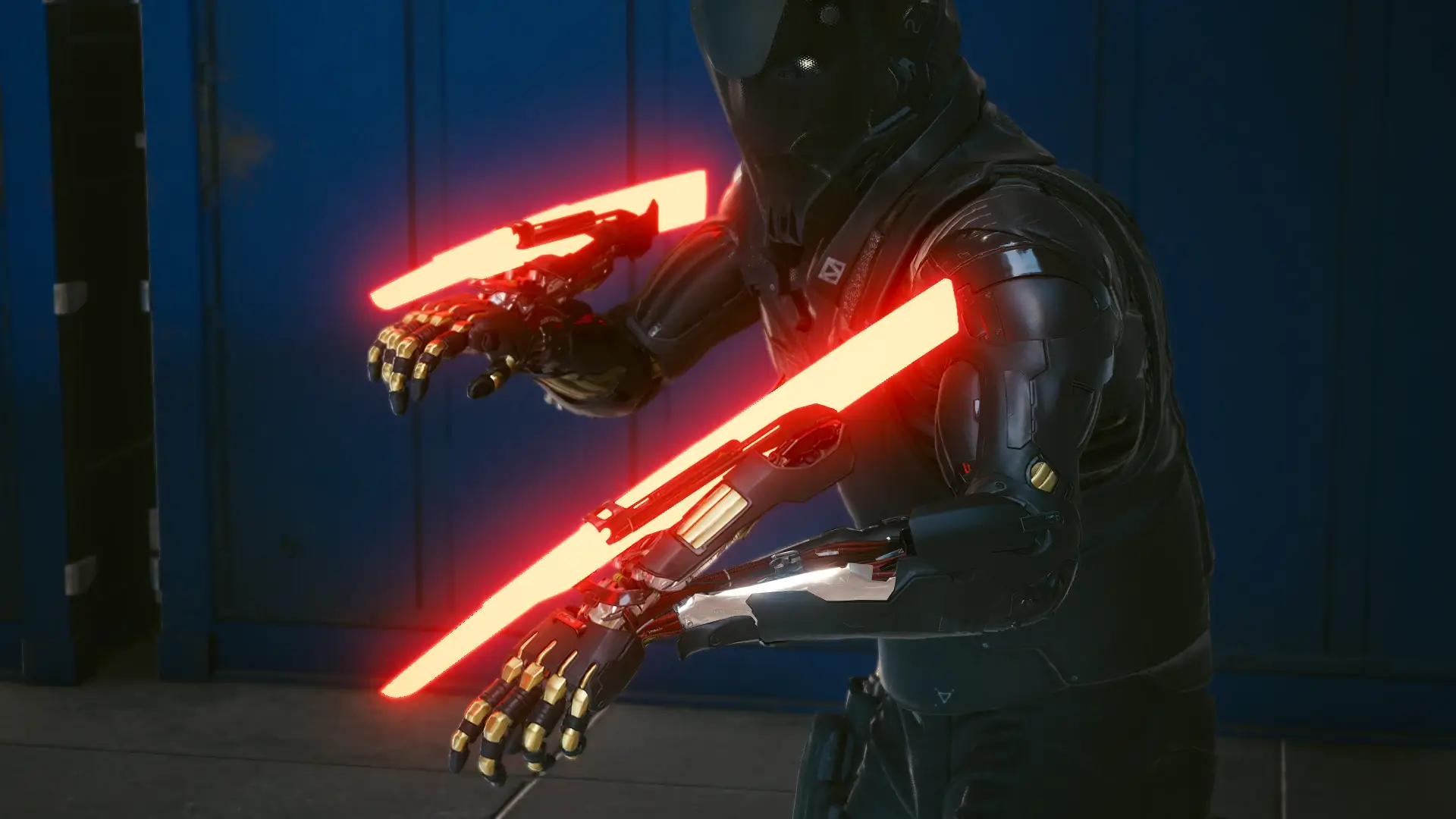
In the 4.8.1 archive, choose parts for your V body.
- There are options for male and female V, including VTK
3.0and Gymfiend. Certain models have Solo and UV Texture Framework options. Bulky Zetatech arms can clip through sleeves. - The pack covers regular arms and parts for all four combat implants. You can pick separate models for the blades or launcher mechanism, for example.
- According to Aanderz,
4.8.1works on patch2.5with the Glamdoc style cleared. The mod requires Cyberarms Patch1.7. The author notes floating fingernails on male V with Mantis Blades drawn.
Download Arasaka Cyberarms and Cyberarms Patch. Choose matching archives in Files. Install either both regular archives or both REDmod archives. The latter use the free REDmod DLC. Vortex’s FOMOD installer makes it easier to pick the parts. Phantom Liberty isn’t listed as a separate requirement.
If you’re updating an older Cyberarms Patch, remove the old Cyberarms_Patch directory from your CET mods. Patch 1.7 doesn’t need CET. Restore the stock look at a Glamdoc before trying the arms.
✅ Check the arm with the implant holstered and drawn. If you picked a bulky model, try it under a long sleeve too.
FELINE Claws and Talons (Mantis Blades replacer)
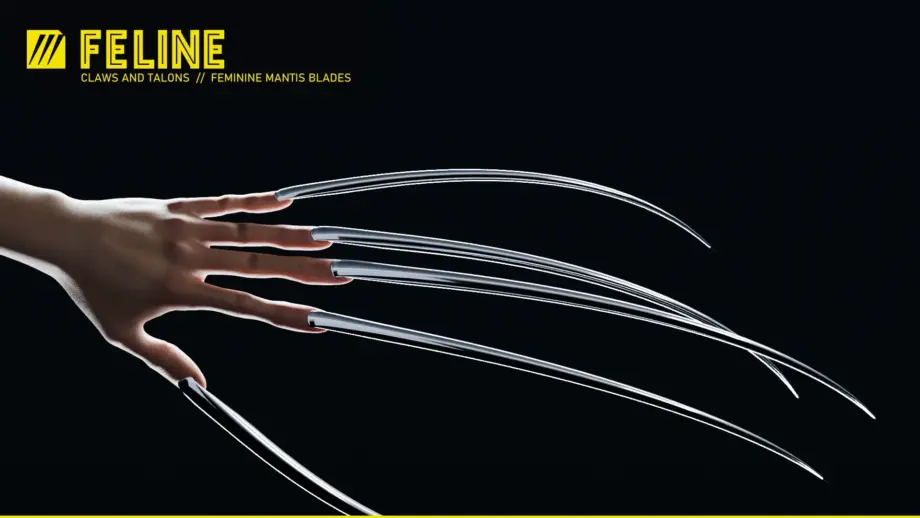
In jimhsu’s FELINE Claws and Talons, drawing Mantis Blades extends one claw from each finger. V keeps an open hand, and the installed implant keeps its damage type and stats.
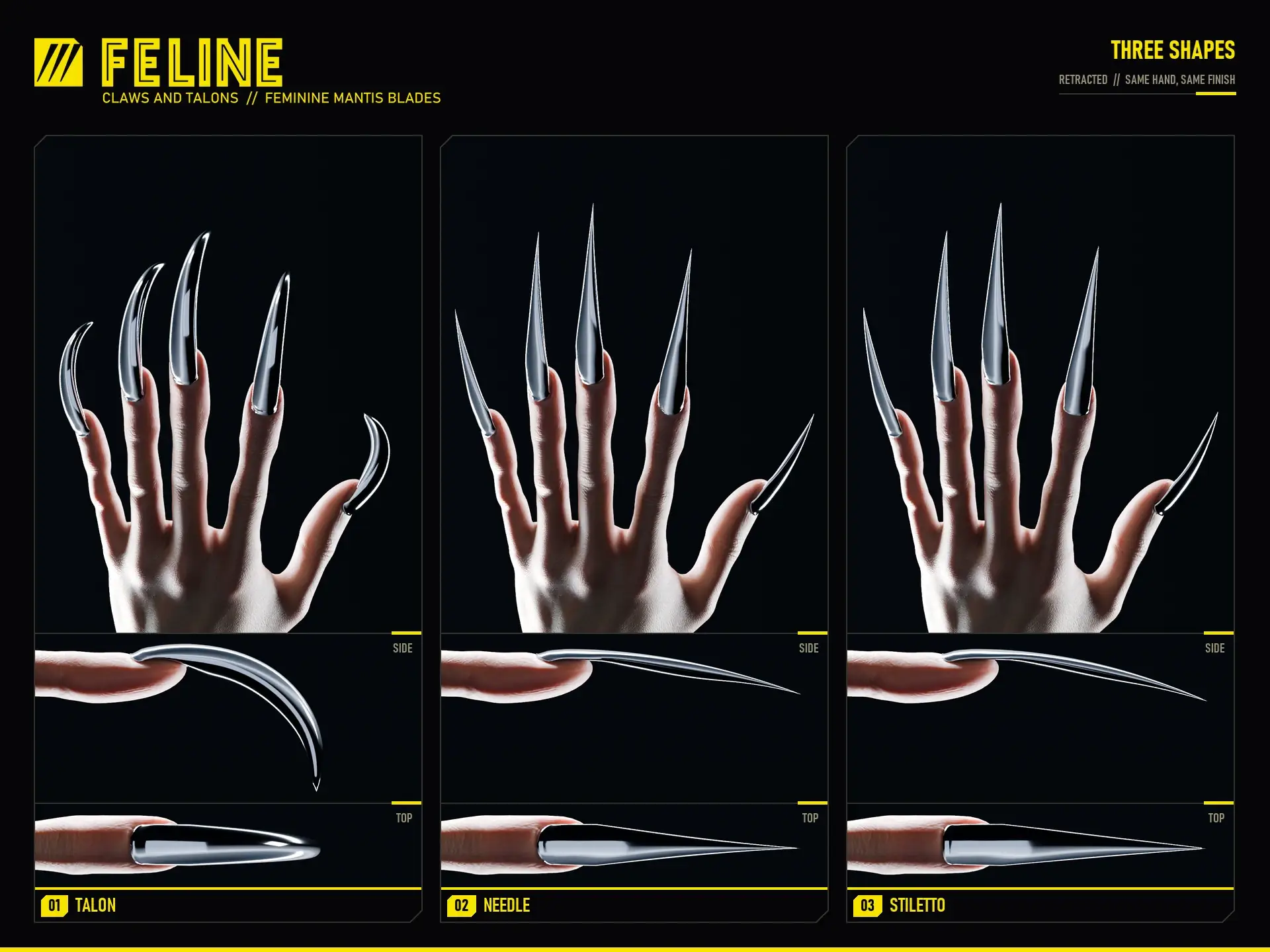
Set the shape and length in Mod Settings, or choose claws for each hand separately.
- There are three shapes and a range of finishes, from metal to glowing tips. You can set different lengths for the claws when drawn and sheathed.
- Items from the FELINE shop in Virtual Atelier use the nail slots in Equipment-EX. Put one on a hand to give it a look of its own, overriding the shared settings.
- You can skip the talon feet in the installer. They have refits for stock bodies, Hyst ANGEL, VTK Vanilla HD, and ELEGY with UV, among others. The female body choice also affects the hands if you enlarge the fingertips in the installer. The author checked some refits only in Blender.
For 2.5, choose the main 1.6.0 archive with provisional support for male V. For 2.31, the author points to 1.1.2. Use Vortex or another manager that supports FOMOD. On 2.5, install RED4ext, redscript, ArchiveXL, TweakXL, Codeware, Mod Settings 0.2.28 or newer, Equipment-EX, and Virtual Atelier. Phantom Liberty isn’t listed as a requirement.
The claws on male V are fitted to the stock hand. Other blade or hand replacements can conflict. The author specifically rules out Gymfiend with its Arm add-on.
✅ Draw the blades, check the claws in first person, and pick a length. If you just want the hands, skip the feet in the installer.
Decorative Gorilla Hand and Arms for Masc and Fem V (Equippable with ArchiveXL)
If you like the look of a reinforced hand but want to keep fighting with Mantis Blades, try KiasuBurger’s Decorative Gorilla Hand and Arms. The prosthetics go on as cosmetic items in Equipment-EX. Punching with Gorilla Arms still requires the combat implant.

Pick hands, forearms, and knuckle covers separately.
- There are parts for both sides. Try gold fingers with green knuckle covers, for example, or choose the hand finish modeled after Solomon Reed’s.
- The pack fits stock male and female V, plus VTK and KS UV bodies. The list includes Gymfiend and Solo. KS UV Vanilla has a separate file, and Vanilla HD
2.xBig or Small needs the right-arm fix from Cyberware Core. - Buy the parts in KiasuBurger Player Cyberarms Atelier. Try them on individually through the Equipment-EX wardrobe. The author recommends the nail slots so the pieces sit under clothing.
Version 1.3.0 requires ArchiveXL 1.21.1 or newer, TweakXL, Equipment-EX, and KiasuBurger Cyberware Core. Install those first, then extract the main archive to the game folder. Core supports game patch 2.5 from version 2.2.0, but the author’s page for the arms doesn’t say whether this model was tested on that patch. Phantom Liberty isn’t listed as a requirement.
✅ If you want to add just one piece, start with the hand on the side you want to change and see how it looks with a weapon equipped.
Netwatch Cyber Arms for Masc and Fem V
If you want the paneling from Bryce Mosley’s and Aymeric Cassel’s arms, Netwatch Cyber Arms brings those models to V. KiasuBurger fitted them for male and female V and made each side its own item.
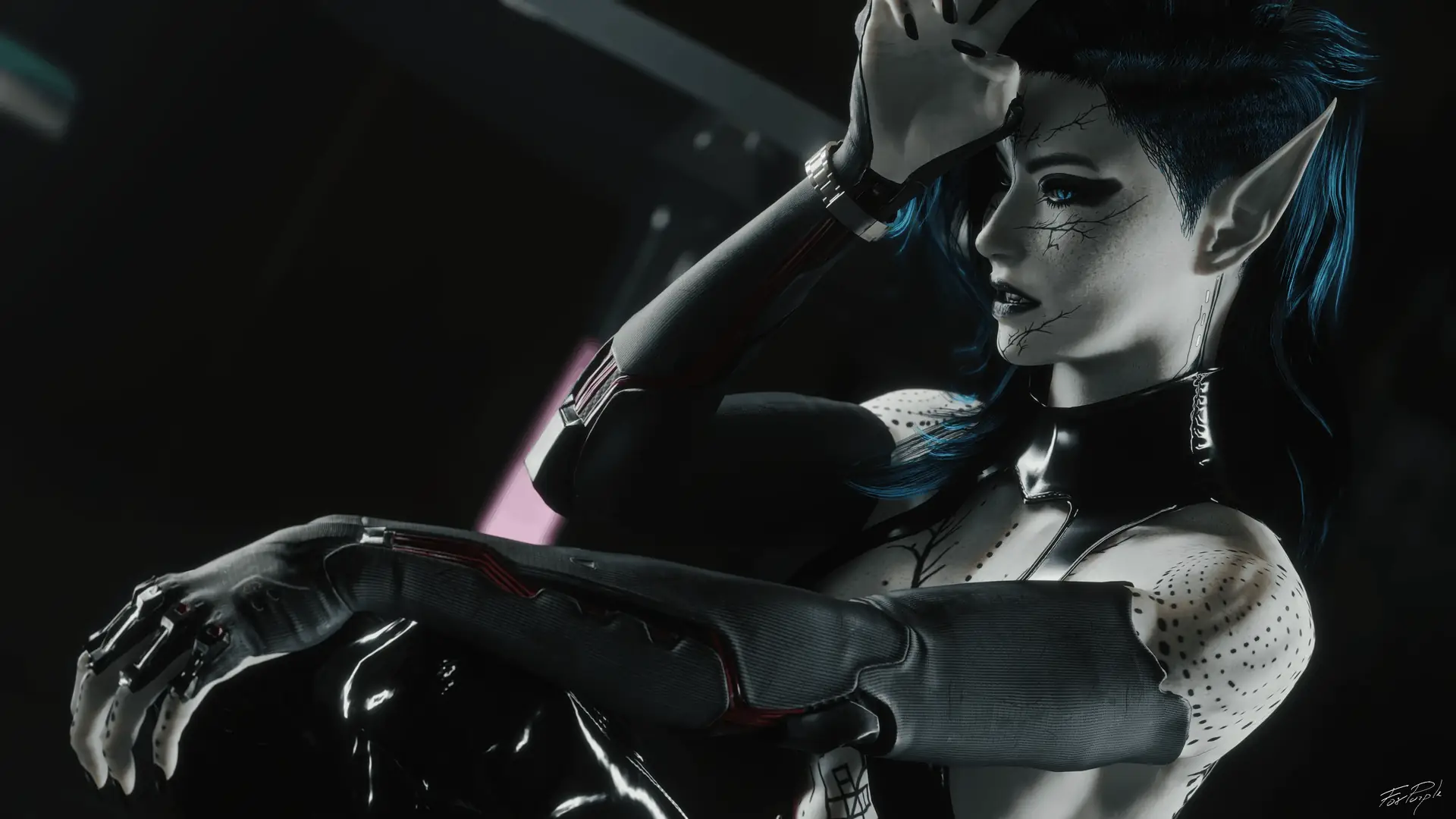
Match the finish to the outfit you want to wear.
- The pack includes eight looks from the game and four custom ones. There’s NetWatch’s black and silver, as well as black and gold or red and silver.
- The arms use Garment Support. They fit better under sleeves on outfits that also use it.
- The author lists stock, VTK, and KS UV bodies, including Vanilla HD, Hyst, Gymfiend, Solo, Atlas, and Adonis. There’s an optional file for untagged KS UV bodies. If the right arm looks wrong on Vanilla HD Big or Small, check the fix in Cyberware Core.
Extract 1.2.3 to the game folder. You’ll need ArchiveXL, TweakXL, Equipment-EX, and KiasuBurger Cyberware Core 2.0.15 or newer. Core provides the atelier where you can buy the arms. Phantom Liberty isn’t listed as a requirement. On 2.5, use Core 2.2.0 or newer. The author doesn’t list a separate test of the arms on that patch.
✅ For an agent look, start with black and silver and try a jacket with Garment Support. Pick your combat implant separately.
TYO – 14 – Cyberarm 2
When you want one prosthesis for female V, Tiopayo’s TYO – 14 – Cyberarm 2 lets you pick either the left or the right arm. It’s a wearable cosmetic piece you can add to a look you’ve already put together.
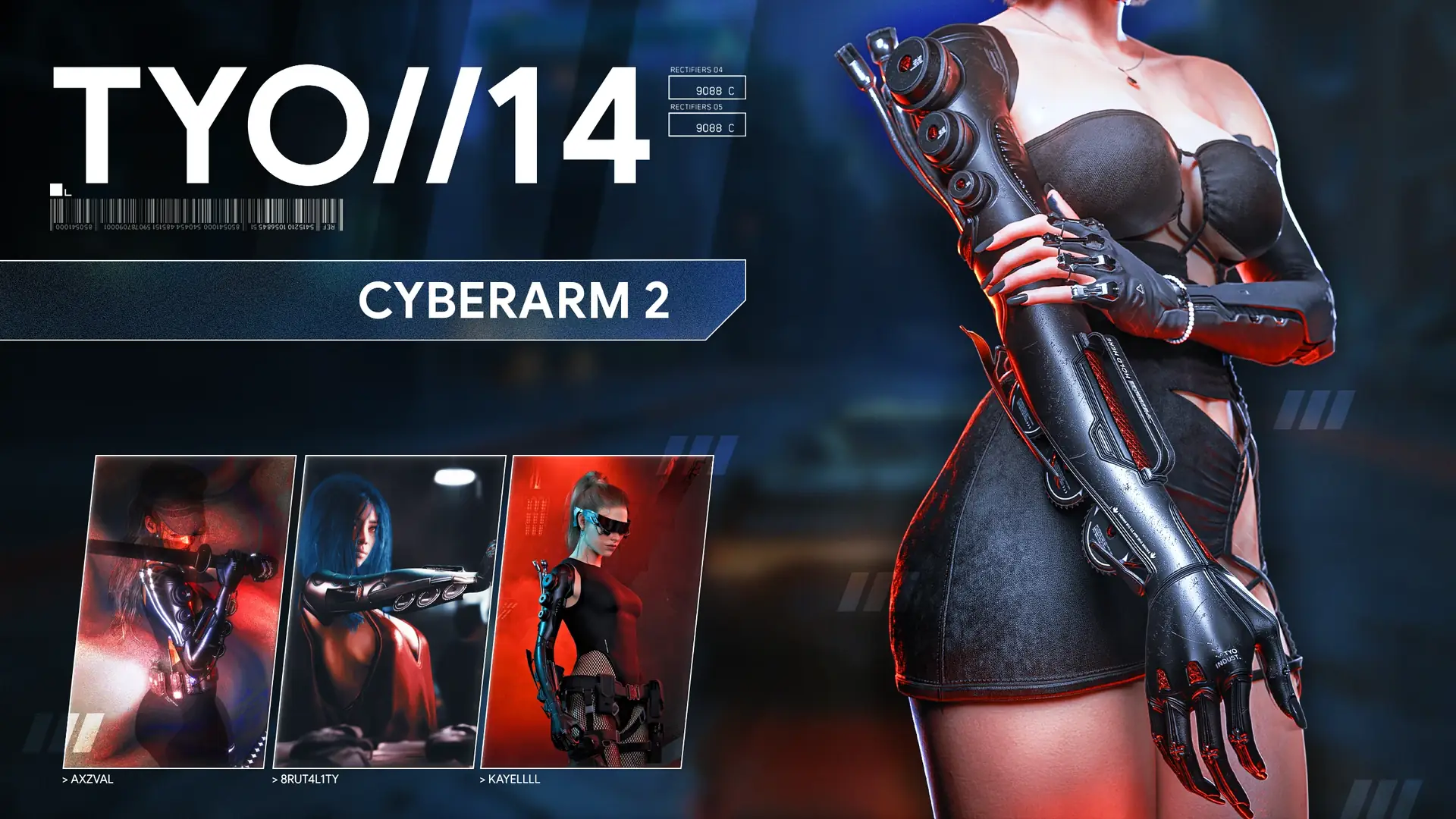
Both sides come in five colors.
- Pick black, white, red, silver, or gold. The two sides are separate items, so you can mix colors.
- Buy the arm through TYO – Virtual atelier or use an item command from the mod page in Cyber Engine Tweaks.
- Other prosthetics and combat arms may overlap with this model. If the nails get in the way, the author suggests the optional Fingernail Toggle.
In Files, choose either the 2K or the 4K archive. Both are version 2. This release adds compatibility with Player Body Cyberware Injector. You’ll need ArchiveXL, Codeware, RED4ext, redscript, TweakXL, and KiasuBurger Cyberware Core. Choose Core with or without its shop as needed.
CET is only for item commands, and TYO – Virtual atelier is for in-game purchases. The author specifies female V and doesn’t list separate 2.5 support or a Phantom Liberty requirement. To install the mod, extract the chosen archive to the game folder.
✅ Try one arm with your combat implant and look at it in first person. If you see two overlapping models, start by taking off any other cosmetic arm.
Play as Johnny Silverhand – Full Body with Cyberware Arms
If you want the silver arm as part of Johnny’s look, TheDragonflyCatalyst’s Play as Johnny Silverhand changes all of male V’s appearance. The face, hair, and right-arm tattoos change along with the left arm. V keeps their name, voice, and story.
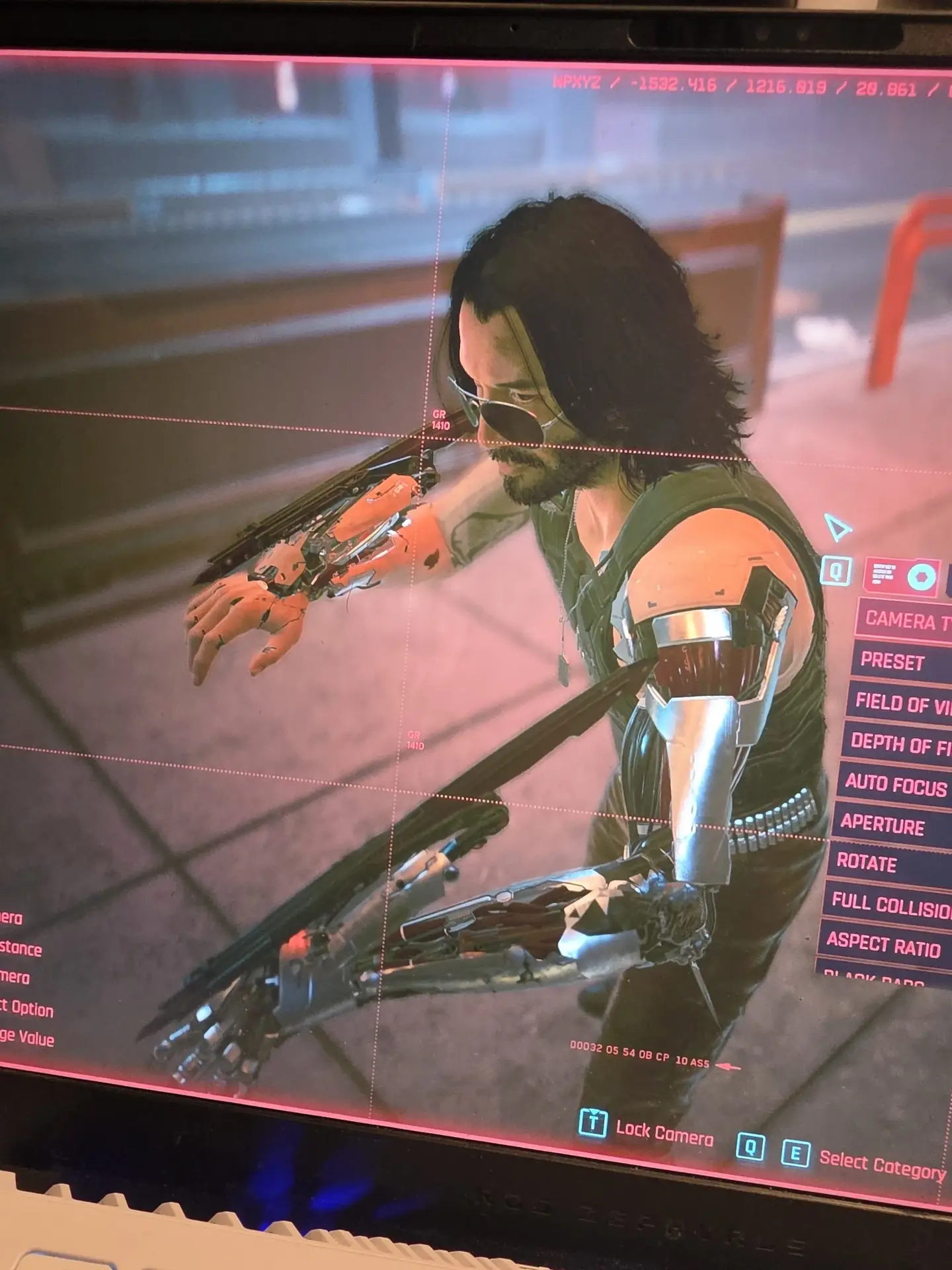
Start a new game, choose the male body, and pick any of the three lifepaths.
- The silver arm is visible in first and third person, in mirrors, in photo mode, and in cutscenes.
- All four base arm implants still deploy as usual. The hand and forearm use Johnny’s metal finish. Branded Glamdoc styles and the Mantis Blades from Phantom Liberty still use their original models.
- For an existing save, there are separate CyberCAT and Appearance Change Unlocker presets. Pick the one that fits your setup and back up the save first.
Version 1.0.1 targets 2.5. You’ll need RED4ext, ArchiveXL, and TweakXL. Cyber Engine Tweaks is for optional item commands, such as adding Johnny’s vest. Use Vortex, MO2, or extract the archive to the game folder. Phantom Liberty isn’t listed as a requirement.
This conflicts with mods that replace male V’s head, facial details, or starting presets, and with replacements for the stock arm implant models.
✅ Check the silver arm in a combat stance. Draw the Mantis Blades or Monowire you plan to use.
How to Install Cyberarm Mods
The mods here are for PC. If you’re new to modding, start with the Cyberpunk 2077 mod installation guide. It covers where to extract archives and how to install frameworks.
- Check the Files tab for your game patch and V’s body type. For Glamdoc options, check whether the mods need patch
2.5or Phantom Liberty. For a new model, choose the stock, KS UV, or VTK archive if the author offers alternatives. - Install the required frameworks. Start with one model mod, adding others only after checking whether they touch the same files. Before removing a mod, restore the stock style or take off the cosmetic item if the author calls for it.
- Draw and holster a weapon, then switch to your arm cyberware. See how it looks in first person during use, then check it in photo mode. Some mods look different there than they do during play.
Where Should You Start When Changing How V’s Arms Look?
If V already has arm cyberware, start with Split Cyberarm Styles and clear the style from the arm you want to keep plain. For a single hand or cover, try an item from Decorative Gorilla Hand and Arms. Try FELINE if you want a different blade shape. If you like the shape of V’s arms and just want a new finish, open Night City Glamdoc Colors.